


New Participant
July 18, 2023
Question

Close All tools side panel by default

  • July 18, 2023
  • 1 reply
  • 1416 views

Hello,
I'm using Adobe Acrobat Reader Continous Release | Version 2023.003.20244 | 64-bit on Windows 10 Pro.


Each time that I open a PDF file, the All tools side panels in shown and each time I have to close it by clicking the little x button.
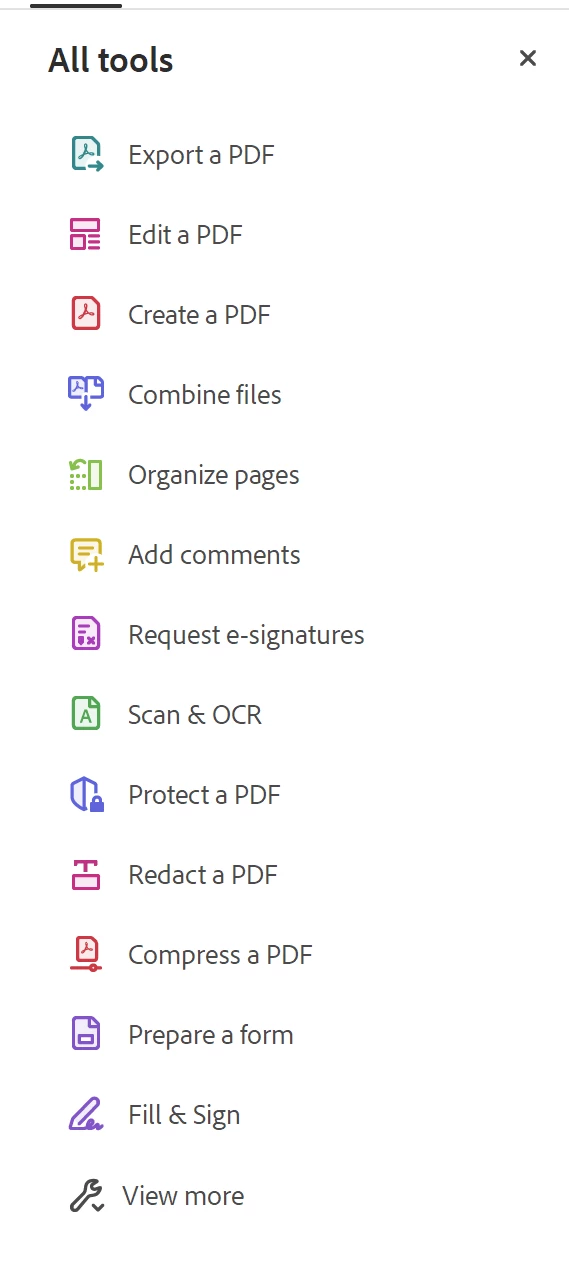


Is there a way to close this side by default?

So that when I open a PDF file the side panel won't open?

I could do it in the previous version but can't figure out how to do it in the current verson.


I tried the following but it didn't work.

https://helpx.adobe.com/acrobat/kb/disable-right-hand-pane-in-acrobat-reader.html


This topic has been closed for replies.

1 reply

AkanchhaS8194121
Brainiac
July 18, 2023

Hi @defaultue8bkvfvlsq8 


Thanks for reporting this to us. We believe that you are working on the Acrobat modern viewer right now.


Do you find this option ''remember the current state of tool-pane" in preferences? Can you please share the screenshot of the same dialog here?


Thanks,

Akanchha


New Participant
July 19, 2023

Hello Akanchha,

thanks for your reply.


Yes, I find the option ''remember the current state of tool-pane" in preferences? 


Here is a screenshot of it from my computer:


AkanchhaS8194121
Brainiac
July 31, 2023

Thank you for sharing the screenshot. We are in discussion with the engineering team. Will keep you posted with the result.


Thanks,

Akanchha