


November 28, 2016
Question

Converted DOCX To PDF Links Don't Open

  • November 28, 2016
  • 1 reply
  • 548 views

Good afternoon,

I have a user that has a word document with links to pictures that are stored on the server, these open up in Internet Explorer. She then converts this into PDF by using the Save As PDF function. The links are clickable but comes up with a security warning, to allow or block the link, she clicks allow but nothing happens.

This is what pops up when clicking any of the links.
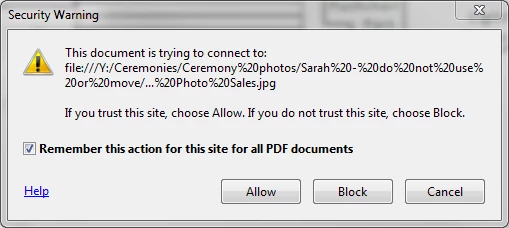
Any ideas?

    This topic has been closed for replies.

    1 reply

    Community Manager
    November 30, 2016

    Hi KamruzC10,

    This pop up basically comes up as the security sand box for Adobe Reader has been made tighter.

    So, please hit "Allow' when you get this pop up to let it open the PDF and if by chance you chose "Block", you may remove that preference from the Trust Manger in the application.

    Go to Edit>Preferences>Trust Manager>Change Settings>Remove any blocks in for that particular site and change the settings to "Allow" instead.

    Let me know if you still need help.

    Thanks,

    Supriya

    November 30, 2016

    Hi Supriya,

    The option is already set to Allow, nothing happens when clicking on Allow on the above screenshot, nothing at all.

    Regards,

    Kamruz

    Community Manager
    November 30, 2016

    KamruzC10,

    Please try the following steps and see if it works:

    Go to Edit>Preferences>Security(Enhanced)

    Click "Add Host" and enter the URL, hit OK which will then make it an authorized link.

    Once done, close the application and try the same again.

    Thanks,

    Supriya