


Crash on exit in 32bitMAPIBroker after clicking send via email
I found numerous other posts on this topic and tried many things with no success.
Method to recreate:
Double click PDF file on desktop.
Click on email icon
Outlook new message window opens
Complete new message and send (send completes successfully)
Close Acrobat Reader
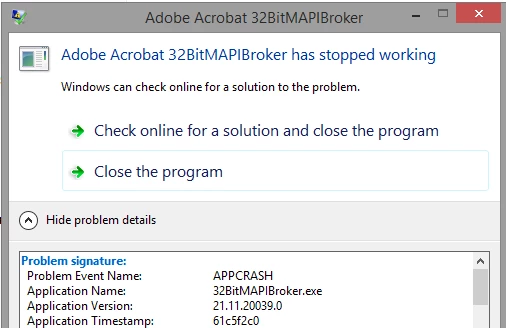
Message window, "Adobe Acrobat 32BitMAPIBroker has stopped working"
Problem Event Name: APPCRASH
Application Name: 32BitMAPIBroker.exe
Application Version: 21.11.20039.0
Application Timestamp: 61c5f2c0
Fault Module Name: 32BitMAPIBroker.exe
Fault Module Version: 21.11.20039.0
Fault Module Timestamp: 61c5f2c0
Exception Code: c0000005
Exception Offset: 00005b8c
OS Version: 6.3.9600.2.0.0.16.7
Locale ID: 1033
Additional Information 1: 9b9e
Additional Information 2: 9b9e4978777097da902f88a2ef895a21
Additional Information 3: 0d59
Additional Information 4: 0d59f9522ba676daed96073bc5097a46
Event Log ID 1001 written to Windows Applicatoin Log
Have researched this issue and tried many things to no avail. We have several executives in the company using this feature, and it would be nice to get it resolved.
Environment:
Server2012R2 ver 6.3.9600 in RDS mode (current on all updates)
Microsoft Outlook 2016 (16.0.5257.1000) MSO (16.0.5366.1000) 32bit (current on all updates)
Adobe Acrobat Reader Continuous Release | Version 2022.003.20263 (current on all updates)
Fixes attempted:
From Microsoft side:
Delete registry key for HKLM\Software\Clients\Mail|Microsoft Outlook
run Office 2016 repair
verify default email client is Outlook
From Adobe Discussions:
download and apply registry fix - FeautreState 4163520 set to 0
Delete / recreate users Outlook profile
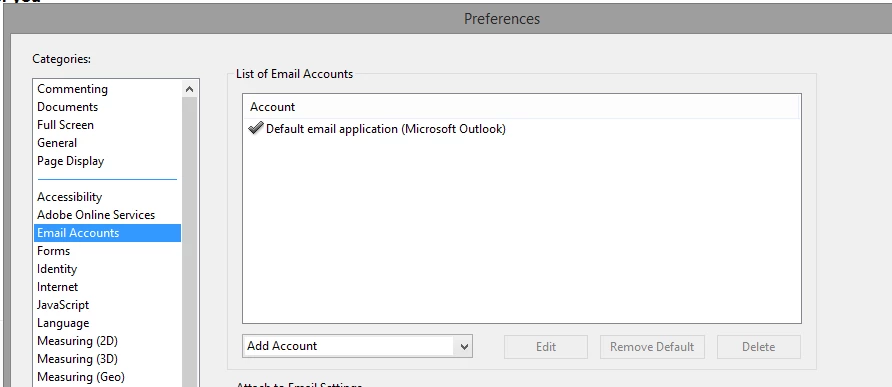
In Acrobat Reader preferences, set Outlook as Default Email client
Uninstall Adobe Acrobat (from AcroRdrDC2200120085_en_US.exe installer) and run Adobe Acrobat cleaner and reinstall (from AcroRdrDC2200320263_en_US.exe installer)
pre-existing AV exclusion for AcroRd32
Add additional exclusion for folder containing 32BitMAPIBroker.exe (C:\Program Files (x86)\Adobe\Acrobat Reader DC\Reader\plug_ins\pi_brokers)
Initially Outlook/Office had no updates installed. Installed all available office updates.
Any other suggestions?
 AdChoices