


Copy link to clipboard
Copied
Hi,
I've tried exporting a document I'm working on in InDesign to PDF and then opening it in Acrobat Reader, however I keep getting the same message below:
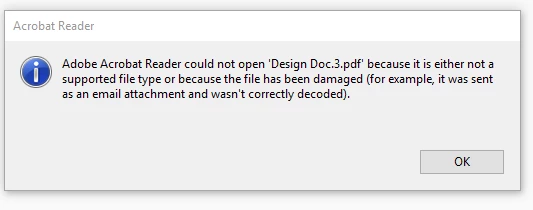
It is quite a large document now, however I was able to open earlier versions which were smaller.
Does anybody have any advice on this? I've only just installed Acrobat Reader so it is the most up to date version.
What settings did you use when exporting from InDesign?
(Is it an email attachment?)
When you export it, there is a checkbox that says, "View after exporting". This opens the PDF automatically in the default viewer. Do you have this box checked when making the PDF?
Copy link to clipboard
Copied
What settings did you use when exporting from InDesign?
(Is it an email attachment?)
When you export it, there is a checkbox that says, "View after exporting". This opens the PDF automatically in the default viewer. Do you have this box checked when making the PDF?
Copy link to clipboard
Copied
Hi jane-e,
Adobe PDF settings are set to 'smallest file size' for screen viewing. It's not an email attachment.
I've just re-exported the document, clicking the 'View after exporting' checkbox and it finally opened in Acrobat!! - THANK YOU!
I would have never guessed it!
Copy link to clipboard
Copied
Hooray!
Get ready! An upgraded Adobe Community experience is coming in January.
Learn more