


July 24, 2017
Question

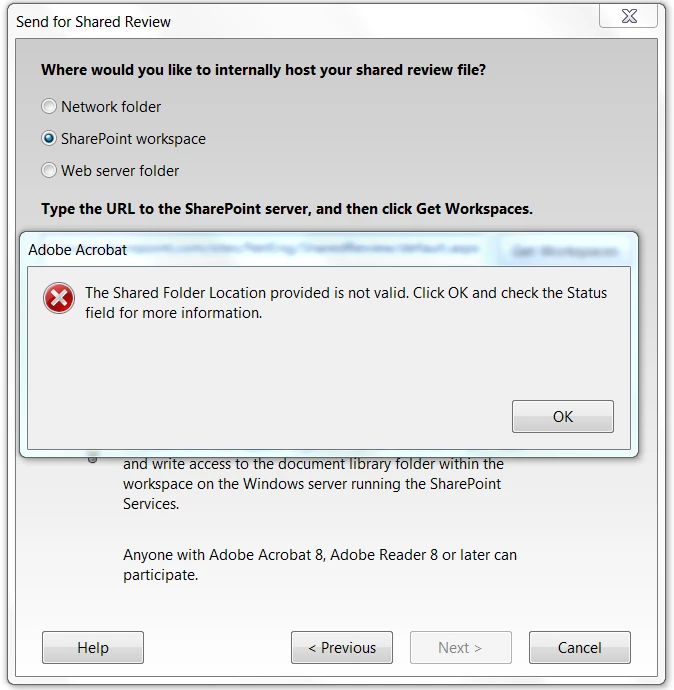
Error "The Shared Folder Location provided is not valid. Click OK and check the Status field for more information"

  • July 24, 2017
  • 2 replies
  • 1763 views

Hi,

A few months ago I've set up the SharePoint workspace for a Shared Review. Everything was working ok. I was able to send documents for shared review.

2 weeks ago I wanted to send a document but I've received a popup window with this message "The Shared Folder Location provided is not valid. Click OK and check the Status field for more information".

I didn't provide any changes on the SharePoint Online.

Reinstallation didn't help.

I also used Adobe Cleaner and I've tried to set up again but still the same error.
Can anyone help?

Jaroslaw

This topic has been closed for replies.

2 replies

New Participant
September 2, 2022

I am getting the same error when trying to connect for shared review. Here is some details

   - We are using Apache Web Server.

 -  when connect to old server https://xxx.com everthing works fine, but my company wants to connect it to a DR server so when try to connect "https://yyy.com getting this error.

 -  DR server has modified httpd.conf and 443-adobe.conf, 80adobe.files.

- I compared these files on both xxx and yyy servers and tried to make them same.

- Not sure why able to connect first server but not the second one.

- please let me know if needed any other information.

- urgent help is requested as our DR already delayed due to this.  


July 26, 2017

It looks like the Acrobat can't find Shared Folder in the new SharePoint Online from the Office365. I've tried to put link  to the old SharePoint 2010 and everything works fine.