


New Participant
January 4, 2023
Answered

File prints differently than displayed. How to fix.

  • January 4, 2023
  • 1 reply
  • 838 views

I am trying to print a file. A tubling e chart from allaboutvission.com. https://cdn.allaboutvision.com/images/tumbling-e-chart.pdf 


The chart looks normal in view mode, but when printing it has overlapping text.
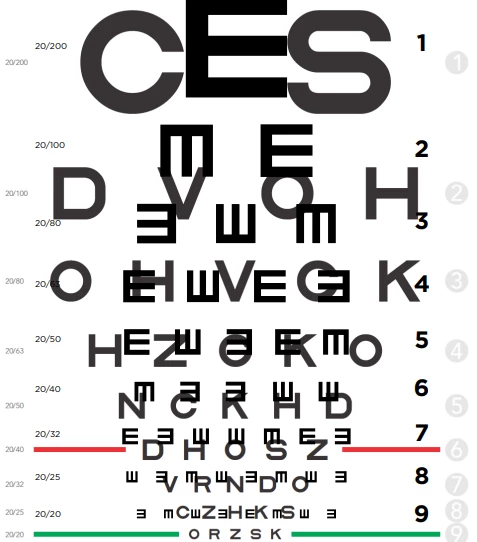
How can I remove the overlap and print what is seen when the file is opened?

How it this even possible and can it be removed from the file?

This topic has been closed for replies.
Correct answer Amal.

Hi @Michael27801920p5fc 


Hope you are doing well and sorry to hear that. Please try to print the PDF as image. Open the PDF file >  go to Print > Advanced > Print as image and check if that works.


Got your issue resolved? Please label the response as 'Correct Answer' to help your fellow community members find a solution to similar problems.


Regards

Amal

1 reply

New Participant
January 4, 2023

Just wanted to add what it looks like in the file before printing.


Amal.
Community Manager
Amal.Community ManagerCorrect answer
Community Manager
January 4, 2023

Hi @Michael27801920p5fc 


Hope you are doing well and sorry to hear that. Please try to print the PDF as image. Open the PDF file >  go to Print > Advanced > Print as image and check if that works.


Got your issue resolved? Please label the response as 'Correct Answer' to help your fellow community members find a solution to similar problems.


Regards

Amal

New Participant
January 4, 2023

Thank you the print as image works. However, it seems that this method changes the scale and/or quality slightly. I would not care if this wasn't an eye chart.

Still the best solution by far. I wonder how many other pdf files could have printed differently than what I could see.