


How to change font in DC!!??
I purchased adobe acrobat reader DC because it allows me to fill out forms that have been scanned in as pdf's. But I cannot find ANYTHING about changing the font when filling out the forms. I have googled it, searched through the forums and have found multiple threads of people having the same exact issue. But I have not found a single response from Adobe, and no correct response from the public. I have attached a screen shot of what I am talking about. In this form the font is close if not exact, but in others I need the font to be different and I cant.
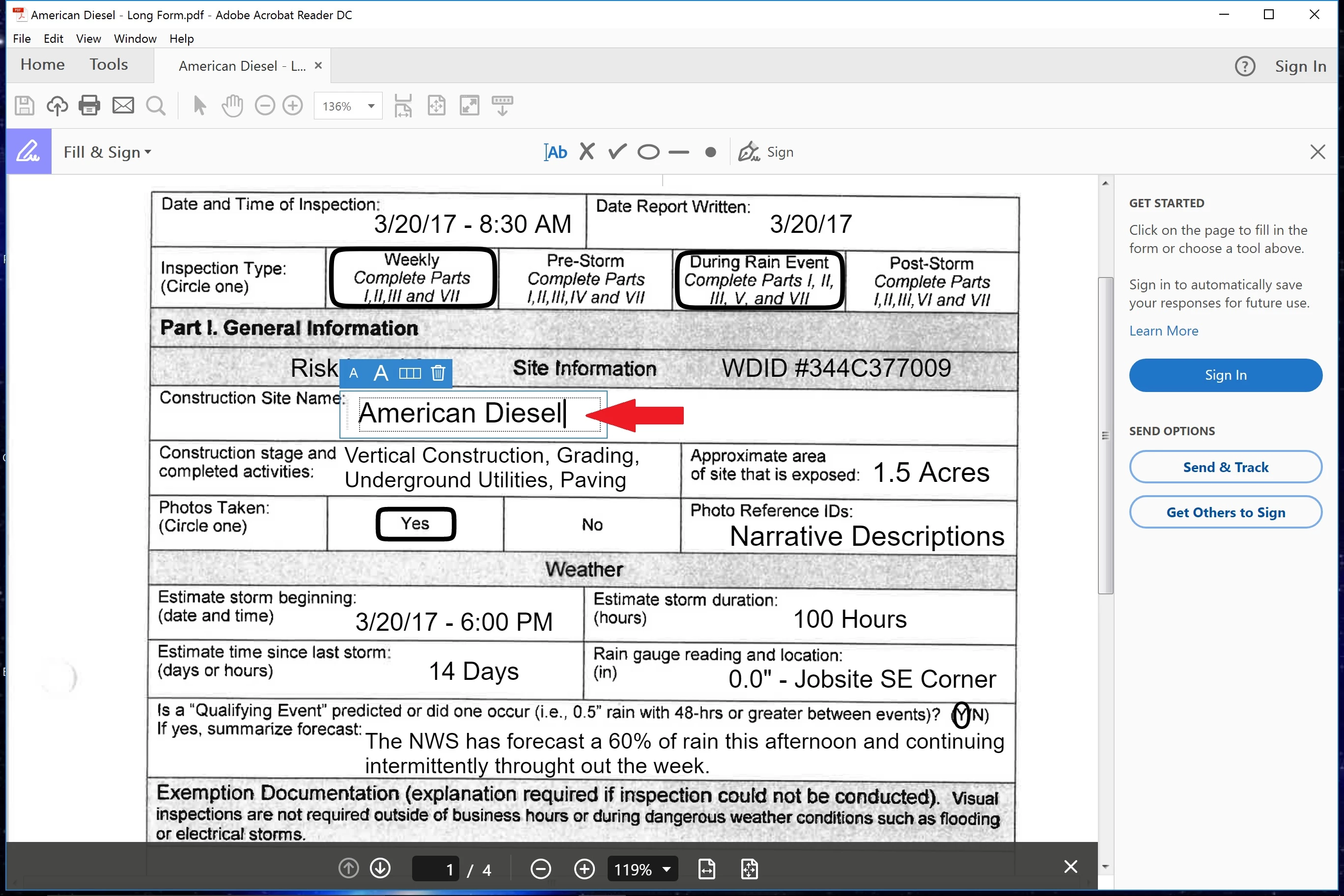
I have found a response in the help forum that describes a portion of the preferences that does not exist in my preference window. So here is a picture of my preferences tab to show I'm not crazy.
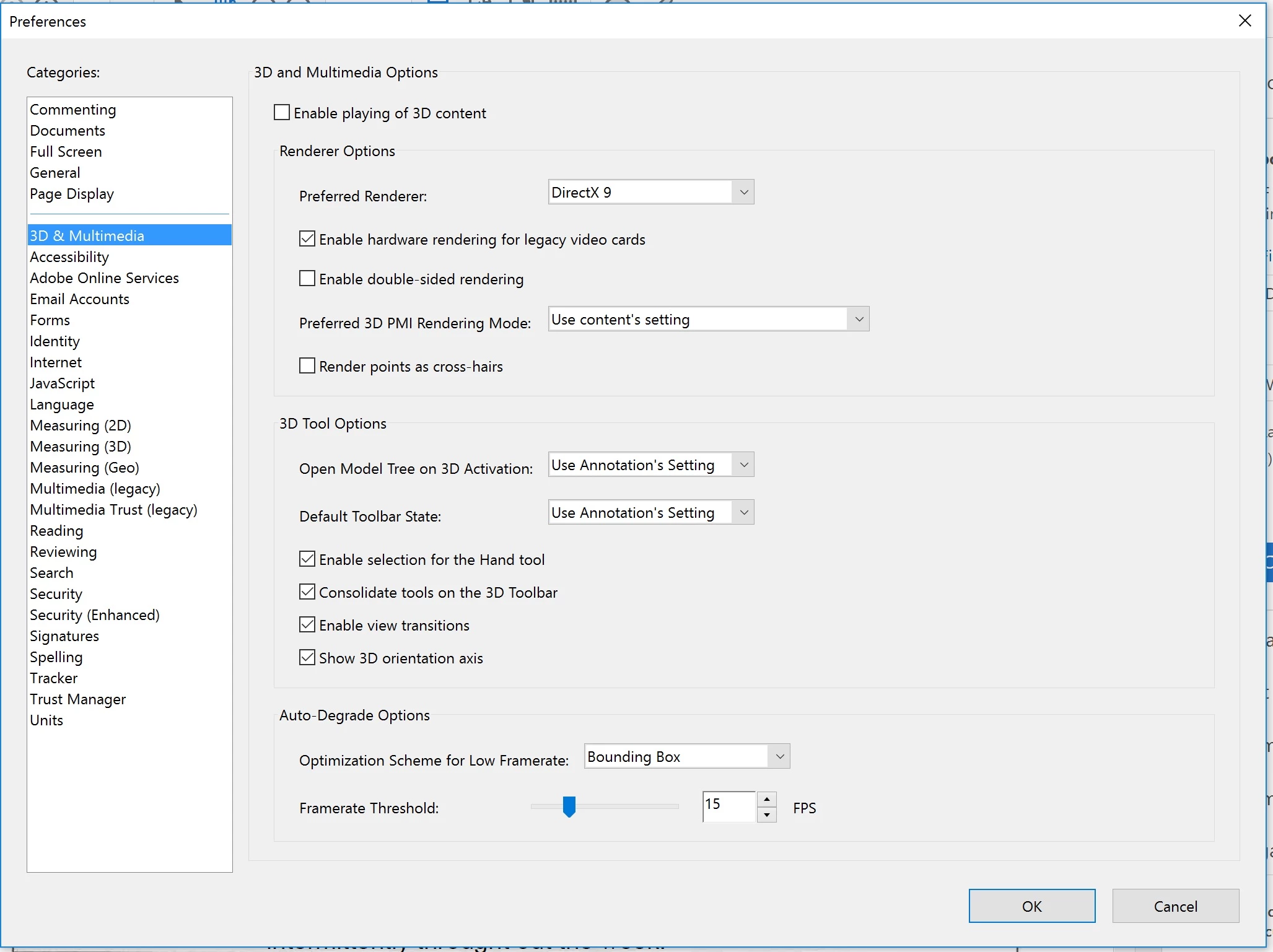
So I'm hopping that ADOBE will at least respond and let me know if this is even possible.
 AdChoices