


TheRamones
New Participant
March 9, 2017
Answered

How to disable the prompt to set Acrobat Reader as default

  • March 9, 2017
  • 1 reply
  • 9230 views

Hi all,

We have a windows 2012 r2 Server running for our customers.

I need to find out, what regkey or policy will help me to disable the prompt to set Acrobat reader as our default pdf-application.

I already set this to PDF Xchange Editor and therefore want to disable this prompt for our users

The prompt is as following:
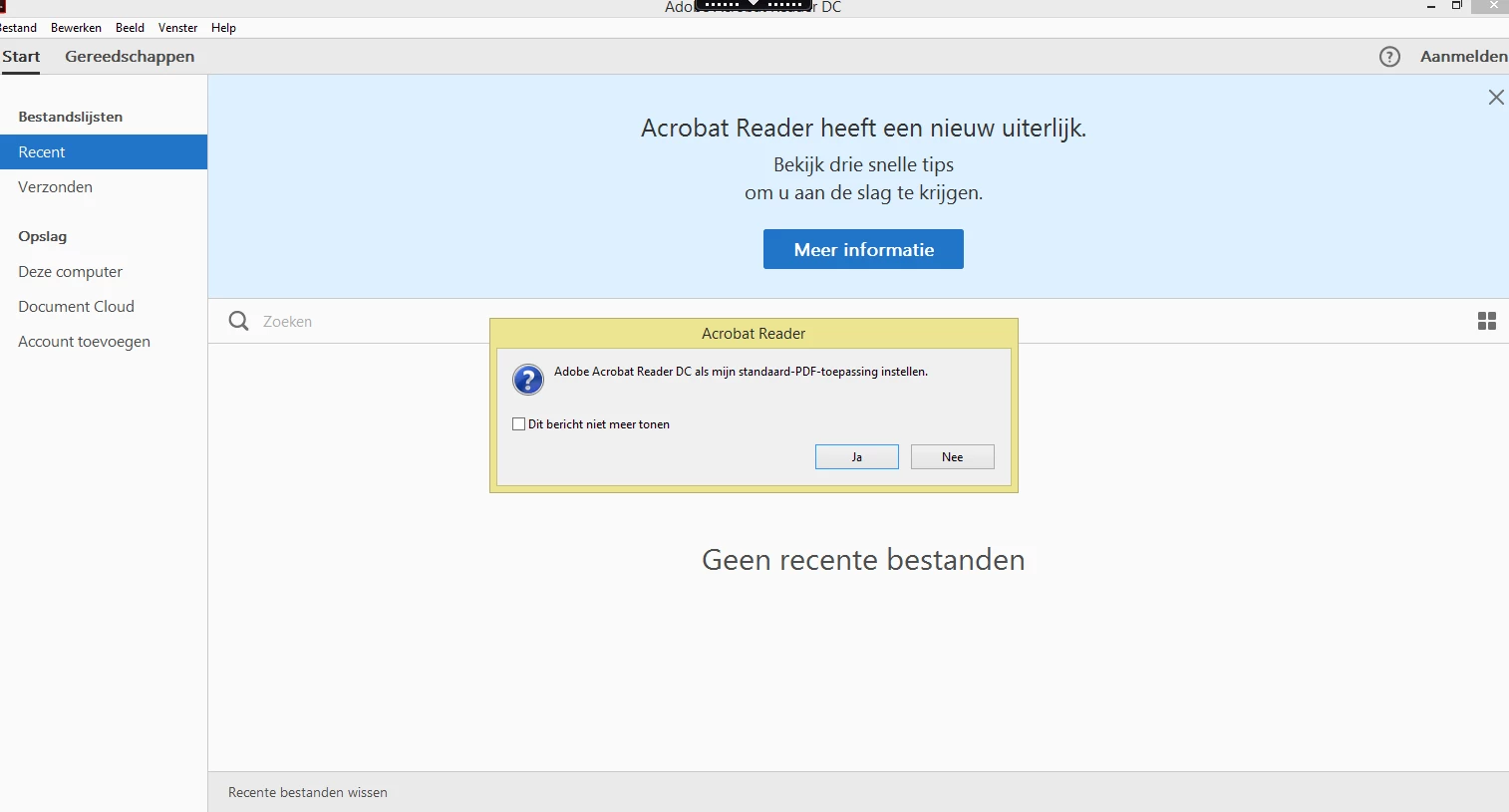
They can check the box "Do not show again" and then jsut clikc no, but since we have a virutal environment the profile settigns aren't saved.

So Therefor i would like to know which, regkey we need to save or set.

Or which group policy ofcourse.

I have tried using a RegShot, but I couldn't figure it out.

I hope you can!

Kind Regards,

Ramon Schouten

    This topic has been closed for replies.
    Correct answer AkanchhaS8194121

    Hi TheRamones,

    Please refer to Pre-Deployment Planning — Enterprise Administration Guide  and disable "First Time Experience"

    **Scroll down the page and follow the steps under FTE

    Regards,

    Akanchha

    1 reply

    AkanchhaS8194121
    Brainiac
    March 9, 2017

    Hi TheRamones,

    We would suggest you to go through Setting the Default PDF Viewer — Enterprise Administration Guide

    And follow the steps before deployment. It should not give you pop up to set the application as default.

    Regards,

    Akanchha

    TheRamones
    New Participant
    March 9, 2017

    Hi there,

    Thanks for your reply!

    Our clients wish is to set PDF XChange as default, so that is not an option.

    Luckily,I have found the correct Regkey to disable this popup;

    [HKEY_CURRENT_USER\Software\Adobe\Acrobat Reader\DC\AVAlert\cCheckbox]

    "iAppDoNotTakePDFOwnershipAtLaunch"=dword:00000001

    Tho, now we get a recurring welcoming screen:

    So errr... Any Idea how to disable this?

    Thanks!

    AkanchhaS8194121
    AkanchhaS8194121Correct answer
    Brainiac
    March 13, 2017

    Hi TheRamones,

    Please refer to Pre-Deployment Planning — Enterprise Administration Guide  and disable "First Time Experience"

    **Scroll down the page and follow the steps under FTE

    Regards,

    Akanchha