


How to export comments as plain text from Adobe Reader [2017]
I am trying to use Adobe Reader to prepare my review of a scientific manuscript (PDF). I have made
extensive comments using the commenting functions in Reader. But I have to upload these comments
as text to the online journal site. After hours of looking through manuals and online I can find no way
to export the comments other than as an *.fdf file which appears to be of no use. I can't upload the
original PDF manuscript that contains the comments because the journal site's software doesn't seem to
be able to handle them. If I try to export the file as a Microsoft Word file, it doesn't include the comments.
Once again Adobe's excessively coercive approach to trying to force us all to only use Adobe products
makes it completely useless. Unless there is a solution I'm missing, I will now have to duplicate hours of
work to rebuild my review in some other product that allows me to get comments out in simple text form.
Anyone know of a work around that won't requires additional hours of my time?
Message was edited by: Mod, Discussion successfully moved from Adobe Sign to Acrobat Reader
 There are other companies who make PDF readers, and you are welcome to use any of them if they suit you better. (I am a volunteer and do not work for Adobe.)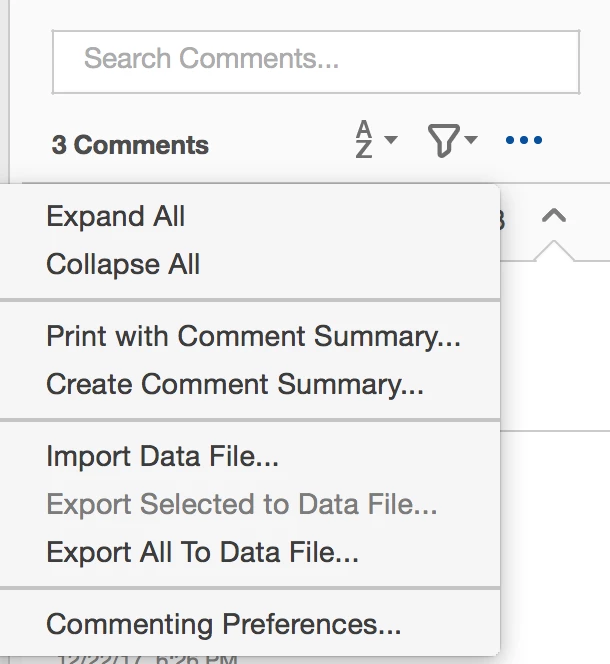
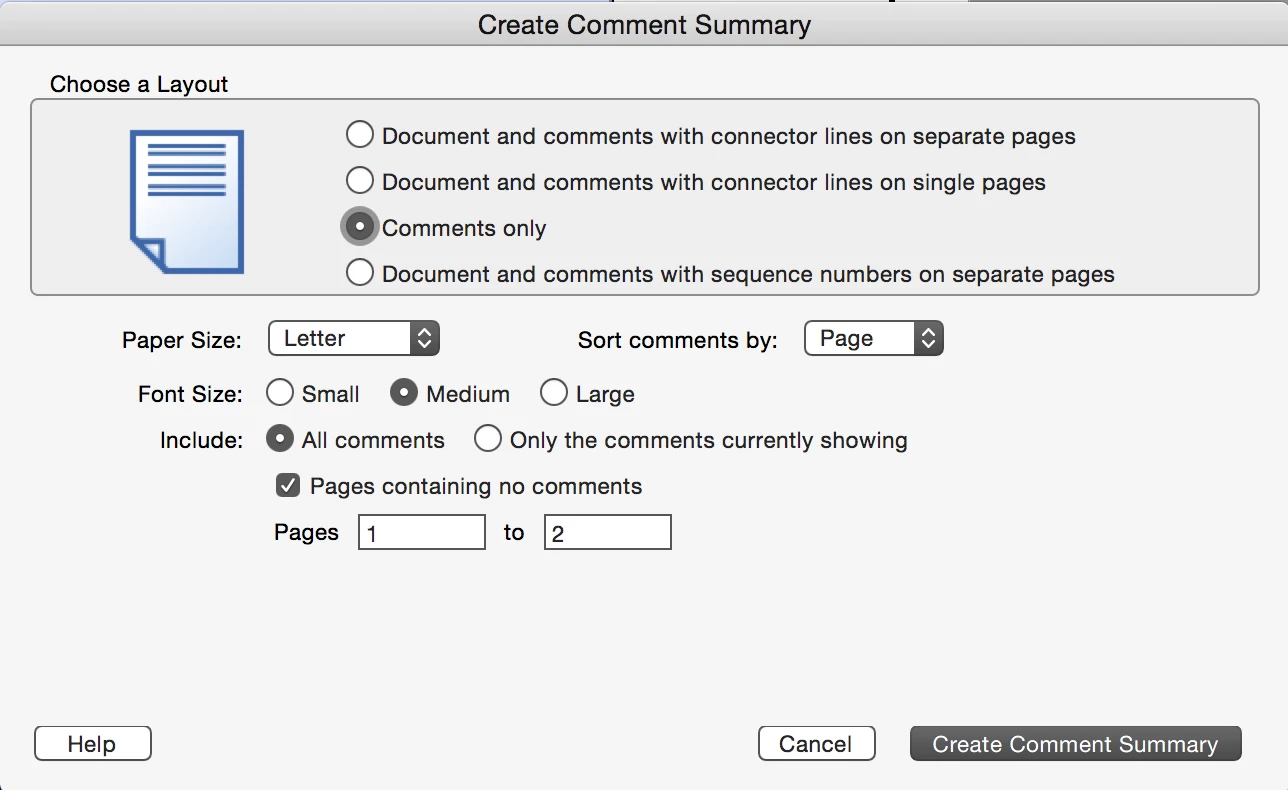

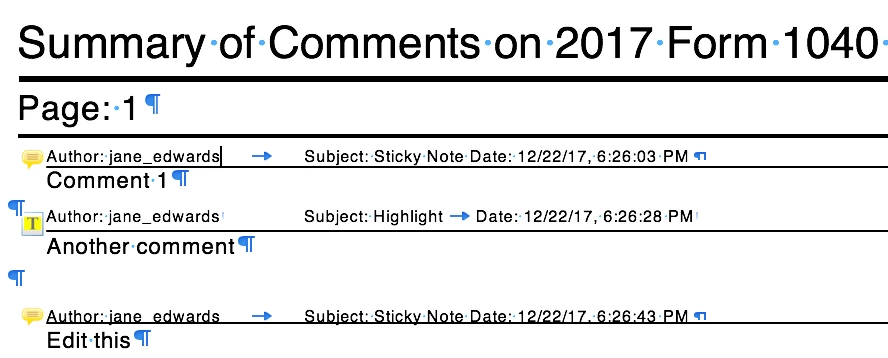
 AdChoices