


Answered
How to rotate a fillable field 270 degrees?
I am using Adobe Acrobat XI Pro. I need to rotate a fillable field 270 degrees. Does anyone know how to do this?

I am using Adobe Acrobat XI Pro. I need to rotate a fillable field 270 degrees. Does anyone know how to do this?
Hi kathyt11646568,
As BerndAlheit mentioned above, you can change the orientation of the fillable field in text field properties.
Select the field you wish to rotate and right click on it.
Then select Properties from the drop down list and go to General. Under "Common properties" select the required orientation degrees from the drop down and click OK to save settings.
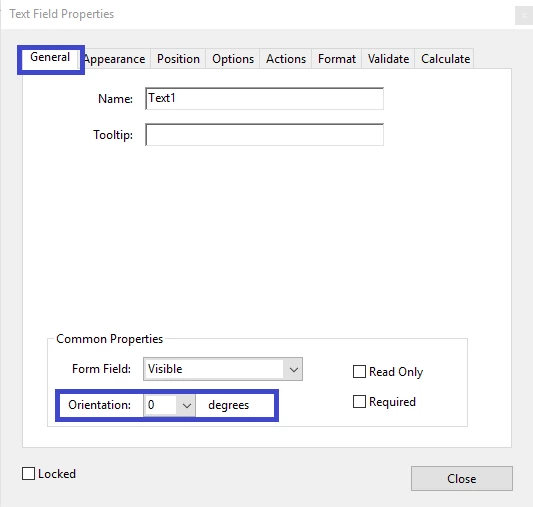
This option will only rotate the text in the field, not the complete form field.
Let us know if you have any questions.
Regards,
Meenakshi
Already have an account? Login
Enter your E-mail address. We'll send you an e-mail with instructions to reset your password.
 AdChoices