


Question
how to smoothly zoom using touchpad with windows 10
Dear community,
I am really wondering how to smootly zoom in and out using adobe reader dc on my windows 10 machine. I can zoom in smootly in my webbrowser which is very nice. How can I get this smooth zooming to work in acrobat?
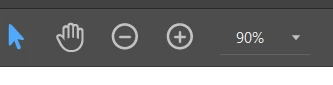
At the moment, when I want to zoom in on a PDF with acrobat, it zooms in discretely. E.g. you go from 100% to 75% to 66.7%. With my touchpad I cannot get to an arbitrary percentage, which I can if I manually type in this percentage in the taskbar on top of the screen, see screenshot (where I typed in 90%).
 AdChoices