beatricel64691267
Inspiring
October 7, 2025
Answered

Impossible d'ouvrir acrobat

  • October 7, 2025
  • 2 replies
  • 809 views

Bonjour,

Depuis une semaine j'ai installé Windows 11 et j'ai pu ouvrir les PDF mais aujourd'hui impossible de les ouvrir et Acrobat installé sur mon ordinateur n'ouvre pas non plus. J'ai fait désinstaller et réinstaller mais Acrobat n'ouvre pas. Je ne sais pas ce qui bloque. 

J'ai abonnement Adobe Creative Could pour Photoshop, Lightroom et la possiblité de télécharger Acrobat Pro mais je ne veux pas cette version payante et il n'est pas possible de la supprimer. 

Adobe Creative Cloud a été mise à jour ainsi que les cartes graphiques Nvidia et AMD.

Merci pour votre aide

Cordialement

Béatrice
Correct answer S_S

Hello

Sorry to bother you again.

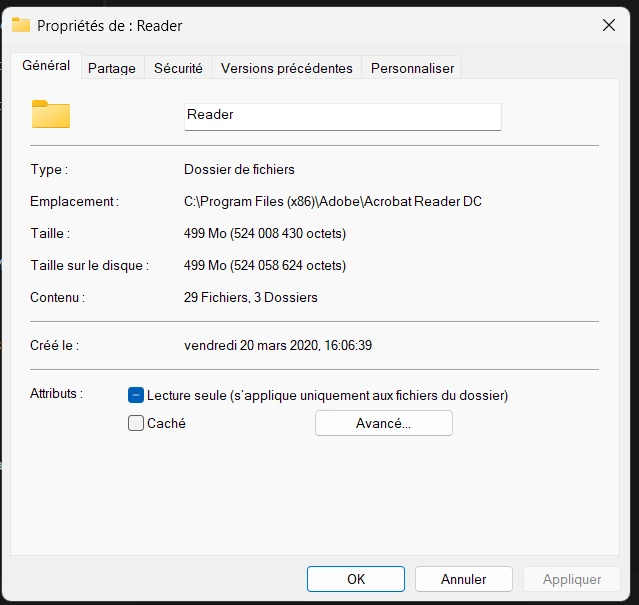
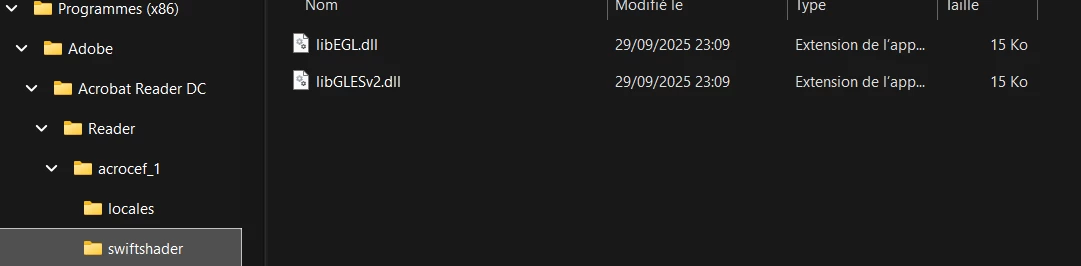
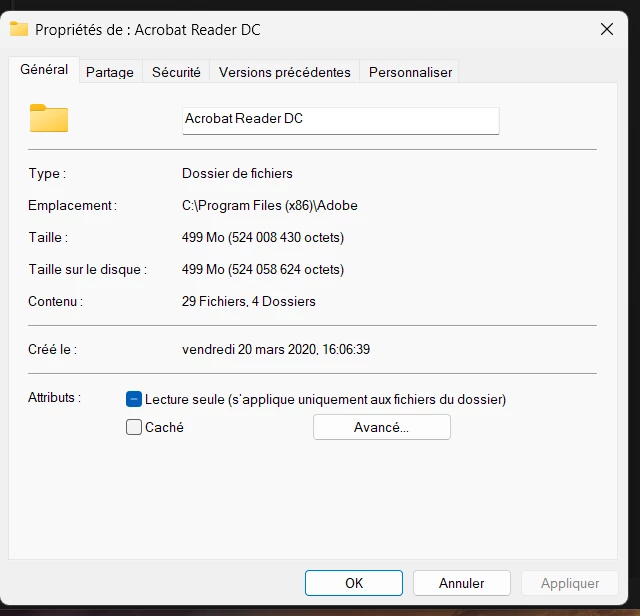
I used the Cleaner tool and the Reader disappeared but not the Acrobat Reader DC which has been which been switched from my old computer to the new one in 2020. See attached screenshot. 

The Acrobat Reader DC figures only in the Program x 86 files but not in my application files. Shall I delete manually this file and than reinstall the Reader?

Many thanks

Regards

Béatrice


Hi @beatricel64691267,


Thanks for the response.


You can run the cleaner tool again to ensure that the files are removed.


If not, then continue with the manual deletion of the folders.


Regards,
Souvik.

2 replies

JR Boulay
Braniac
October 8, 2025

[MOVED TO THE ACROBAT READER DISCUSSIONS]

Acrobate du PDF, InDesigner et Photoshopographe
beatricel64691267
Inspiring
October 9, 2025

Hello,

Do you have a solution for my problème?

Many thanks for your help

Regards

AnandSri
Community Manager
Community Manager
October 9, 2025

Hello @beatricel64691267


I hope you are doing well. Thank you for sharing all the details. We're sorry for the trouble you had.


If you want to use the freeware Acrobat Reader app, then you can download it from the direct link here. Before proceeding, please use the Acrobat Cleaner tool to remove the installed app and any remaining files that may be causing the issues. Restart the machine, and then download and install Acrobat Reader.


To download and install Acrobat Pro, use this link. Please ensure you run the cleaner tool before installing Acrobat or Reader.


"Do you wish to get the modifications?”Prompt: This message usually appears if:

  • The file is in Protected View or stored in a restricted folder.
  • Go to Menu> Preferences > Security (Enhanced) and disable Protected Mode at startup temporarily to test. Please enable the security settings after the test.
  • Ensure the PDF is not marked as Read-only (Right-click > Properties).

Check Default PDF App

Right-click any PDF > Open with > Choose another app.
Select Adobe Acrobat Reader DC/Acrobat Pro and check the 'Always use this app' box.


Please ensure the Windows and the GPU drivers are fully updated.


Let us know how it goes.

Thanks,

Anand Sri | Acrobat Community Team

Braniac
October 8, 2025

@beatricel64691267 if you have Adobe Creative Cloud subscription, which plans do you have? Creative Cloud All? If so, you would get Acrobat Pro which is part of the program. If not, then just go ahead and download the free Acrobat Reader. 

So, what were you using to view your PDFs in the first place? Right-click the Acrobat shortcut and select 'Run as administrator,' if it opens, the issue might be a permissions conflict on your new Windows 11 setup.

beatricel64691267
Inspiring
October 8, 2025
Hello,

Since several years I have Adobe Creative Cloud for Photoshop and
Lightroom and I am satisfied with it but the Acrobat Pro is not useful
for me.

Good news I can now open my PDF files but each time when I open a PDF
file  I have a message "do you wish get the modifications" when I click
yes then the file opens and when I click non the file does not open.

I selected 'Run as administrator,' but impossible to open a file. So I
once again I des-installed the Acrobat application and  reinstalled
Acrobat Reader but the icon has not "reader" see attached.

Many thanks for your help

Regards