


Known Participant
October 5, 2021
Question

Multiple pop-ups on file opening

  • October 5, 2021
  • 20 replies
  • 17311 views

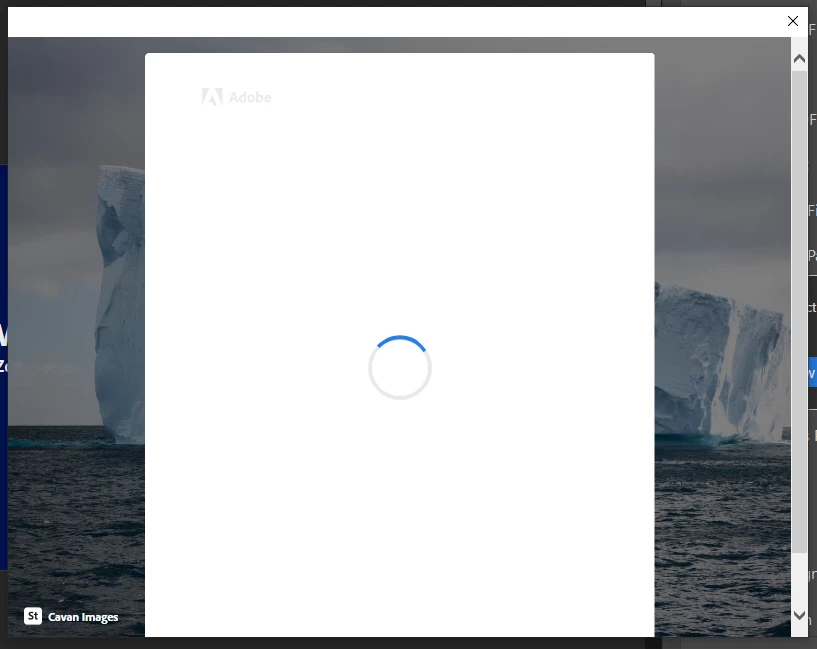
Every time i open a pdf file, whether from my desktop or on the server, i get multiple pop-ups that open and auto-close repeatedly (about 8 times in a row). Have tried to open the files in chrome and they open fine without issue. If window is closed and re-opened the process starts again....

image below showing an example of the pop-ups.


How do i get this to stop? Have completely uninstalled and re-installed the software, as well as updating the app also...


This topic has been closed for replies.

20 replies

Participating Frequently
December 14, 2021

Same issue here as well. Also re-installed it as a first step.

Have noticed since re-instaling that the pops-up eventually stop happening after 10 attempts while it's figuring out what it wants to do; pfff.

Once it stops with the pop-ups then other files can be opened as normal. Just don't close the application unless you like twiddling your thumbs while it sorts itself out when launching.


Disappointing that this is taking so long to resolve.


It may well be related to Windows updates as I saw a .net update going by shortly before this occurred.

Participating Frequently
December 14, 2021

Guys, have a look at Nitro. Looks good and none of this nonsese. Also a on etime payment for those of us who don't want to wait for Adobe. Playing with it and like what I see so far and compatible with Adobe of course 🙂 

Participating Frequently
December 6, 2021


I uninstalled it a month ago and though i would try and see if the issue was fixed. Nope still the same looping popup window! this issue has been happening for 2 months. how long does it take to get something fixed? so much for working from home is more productive.... Nah who am i kidding its great. oh well time to uninstall it. its sad that Windows Edge is move reliable then an adobe product..

New Participant
December 8, 2021

Same issue here, and it's really annoying...

New Participant
November 30, 2021

Hi - I also have this problem. It is incredibly frustrating. Please advise how to disable this popup asap.


James

New Participant
December 1, 2021

After installing still the same proplem with these popoups from St 😞


Laurent.
Participating Frequently
November 26, 2021

I'm experiencing the same issue. Acrobat DC proudly announced me that it had just installed the 64-bit latest released update, and since got those popups every time I launch Acrobat Reader...


henk-willemb52343572
New Participant
November 25, 2021

Same problem for weeks now.

Nothing helps.


Regards,


Henk

New Participant
November 8, 2021

Me and my team have this issue too, after the laterst update:

Win10 64bit, reader version 2021.007.20099 64bit.


Please fix this...

In the meantime we uninstalled and got an older version, which works.

New Participant
November 24, 2021

Add me to the list... Uninstall does not fix the issue, nor does cleaning up the registry, nor attempting to sign-in.
Everything worked just fine until you decided to add Reader DC to Creative Cloud.
Simple workaround ? Use another PDF reader.

New Participant
November 29, 2021

It is now working OK.

I have the same version as previously, I presume there was a problem with the cloud, not the reader.

New Participant
November 4, 2021

I am also having this problem. The person in our company using pro is not having this issue. I'm hoping this gets resolved soon. Please message me when it does.

Thanks.

New Participant
November 5, 2021

We are having this issue as well.  Any updates?

New Participant
November 4, 2021

Everybody in my company has this problem. Windows 10 64-bit. 


I have a ticket open -- totally useless so far.


do not ask a million questions just fix it. This is not user error.

Participating Frequently
October 7, 2021


yeah same thing is happening to me, i have tried uninstalling it, but nothing is helping. this window just pops up. 

Amal.
Community Manager
Community Manager
October 8, 2021

Hi there


We are sorry to hear that. Would you mind sharing the verison of the OS you are using?


Also please collect the logs of the affected machine as described here - https://helpx.adobe.com/creative-cloud/kb/cc-log-collector.html and share the logs with us via document cloud -  https://helpx.adobe.com/document-cloud/help/sharing-pdfs.html


Regards

Amal

Participating Frequently
October 10, 2021

Windows 10 64bit

 AdobeLogs_20211010_105557_528-win.zip

Amal.
Community Manager
Community Manager
October 5, 2021

Hi Mostyn


Hope you are doing well and sorry for the trouble. As described, you are getting multiple pop-ups that open and auto-close repeatedly also you have tried to open the file in chrome and they open fine.


Web browsers use their own PDF mechanism to render and display the PDF files and they are not Adobe dependant.


Would you mind sharing the version of the Adobe Acrobat Reader DC you are using? To check the version go to Help > About Acrobat and make sure you have the latest version installed. Go to help > check for updates and reboot the computer once.


Also, try to logout of the application, reboot the computer and relogin with the same Adobe ID and check.


Regards

Amal

Known Participant
October 6, 2021

Hi Amal,


Thanks for your response. Here is the version that i'm currently running which i believe is the most up to date as it didn't offer any updates when i checked. I also tried several times to completely uninstall and reinstall the program yesterday without any change.


I was also unable to log in to the application without it freezing and constantly refreshing, although this morning i've been able to sign in without isse, and the recurring pop-up problem has gone away for now.


Are you able to explain again why the recurring pop-up was happening - as i'm not sure i understand your first explanation? More for my own understanding than anything else, to hopefully troubleshoot it if it happens again in the future.


Regards,

Mostyn


Known Participant
October 7, 2021

Hi there


We are happy to hear that the issue got fixed and you were able to login to the application without any issues.


The logout and loging to the application was suggested to reset the Adobe process in the backend.


Regards'

Amal


Hi,


Have logged in today and the problem has reappeared and i've been signout of my account. 


Tried to repeat the same steps as before but it hasn't worked. Any other suggestions?


Thanks,

Mostyn