



Answered
No Tags in View > Show/Hide > Navigation Panes
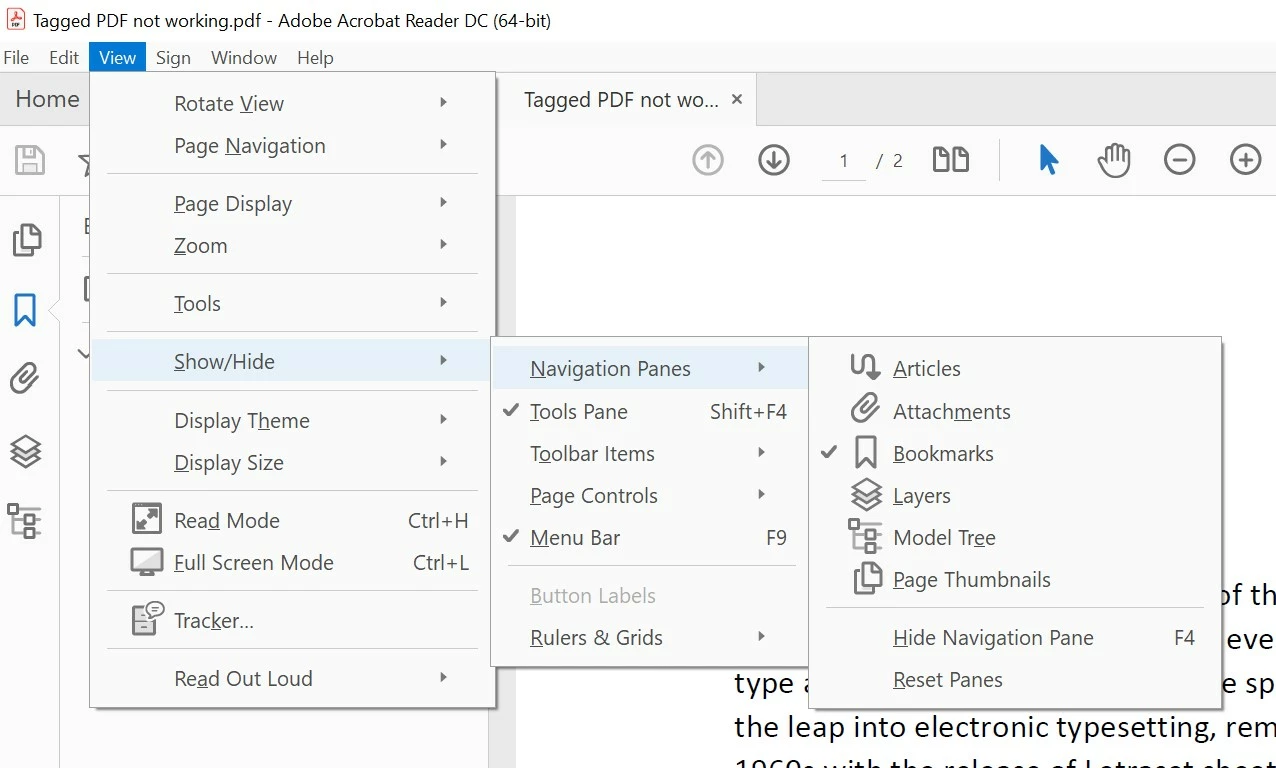
I'm investigating making more accessible PDFs. However, I don't seem to have a Tags option or panel in my Adobe Acrobat DC. As described on the Adobe website, it's meant to be enabled at View > Show/Hide > Navigation Panes > Tags:
https://www.adobe.com/accessibility/products/acrobat/pdf-repair-add-tags.html
I have Bookmarks, Attachments, etc, but don't have Tags (see screenshot below). Have tried repairing the install. I can't find any similar issue online so not sure what I can do? Any ideas?
 AdChoices