


New Participant
October 21, 2020
Answered

Opening PDFs without the Side Tabs showing

  • October 21, 2020
  • 1 reply
  • 3297 views

Hi. I don't know what else to call it other than side tabs. What I am referring to is the part to the right of the page pictured below which shows the options such as Export PDF, Edit PDF, Create PDF, etc. This is useless to me and I am tired of having to click the arrow to minimize it every single time I open a PDF. What's worse is I have to hit another arrow a second time to fully remove the box. Is there a way to make it where I never have to see this unless I decide to open it?
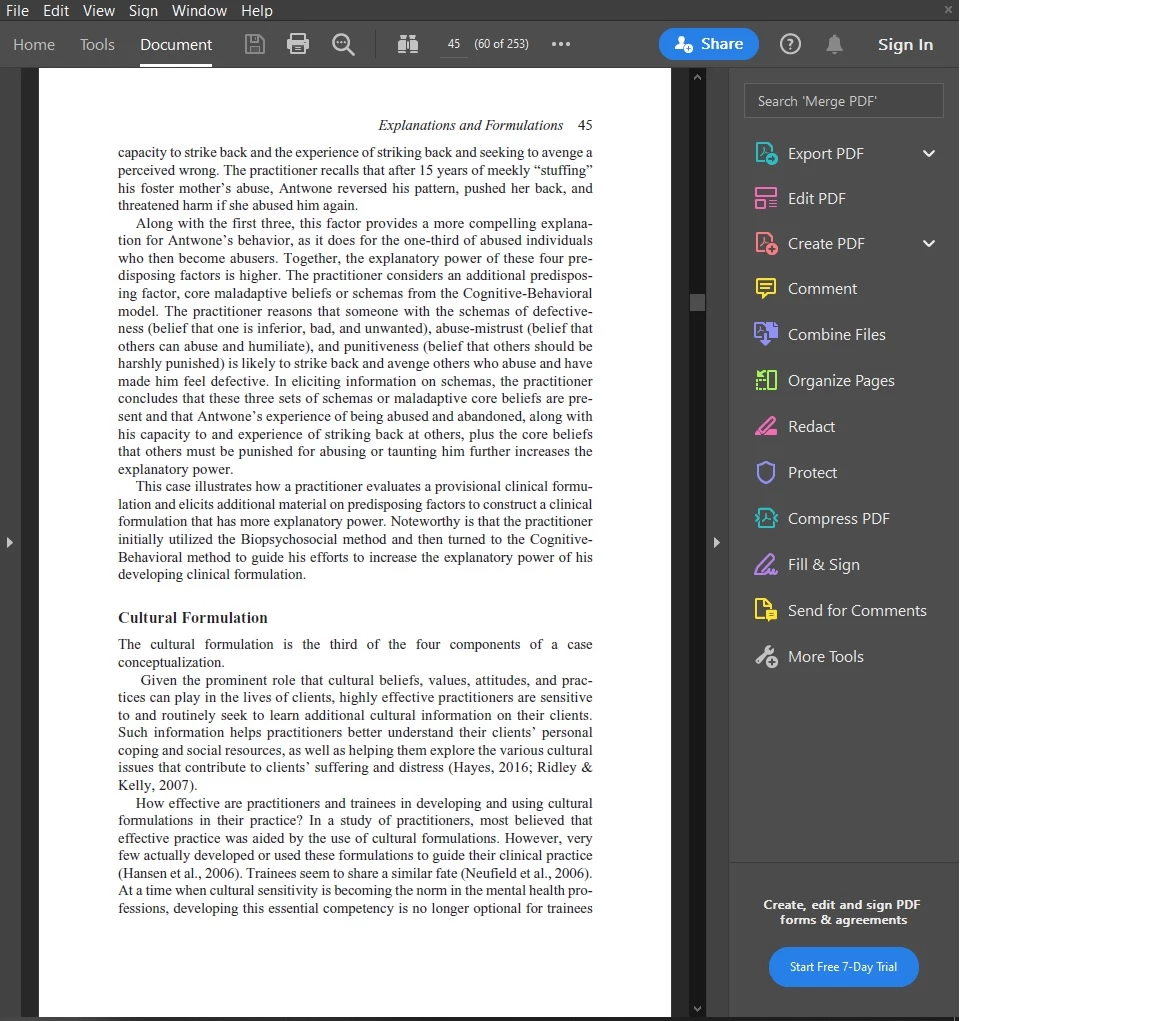
This topic has been closed for replies.
Correct answer Amal.

Hi Primo


Hope you are doing well. As described you want to close the side tab unless you want them to open.


Please click on the small arrows to close the right tab as you do and then go to Edit (Windows), Adobe Acrobat (Mac) > Preferences > Documents > Select 'Restore last view settings when reopening documents' > Click OK and reboot the application.


Regards

Amal

1 reply

Amal.
Community Manager
Amal.Community ManagerCorrect answer
Community Manager
October 22, 2020

Hi Primo


Hope you are doing well. As described you want to close the side tab unless you want them to open.


Please click on the small arrows to close the right tab as you do and then go to Edit (Windows), Adobe Acrobat (Mac) > Preferences > Documents > Select 'Restore last view settings when reopening documents' > Click OK and reboot the application.


Regards

Amal

Primo5EF1Author
New Participant
October 22, 2020

Hi, Amal. Thank you very much for your help. This worked. This issue has been bothering me for a very long time so I appreciate the fix.

Amal.
Community Manager
Community Manager
October 29, 2020

Hi there


We are happy to hear that the issue got fixed and the application is up and running fine.


Feel free to contact us for any assistance required in the future.


Regards

Amal