


PDF Files open blank on Mac
I've been having issues opening up PDF files on my MacBook. This issue has been ongoing for approximately a month, with no prior changes to my OS other than the usual updates.
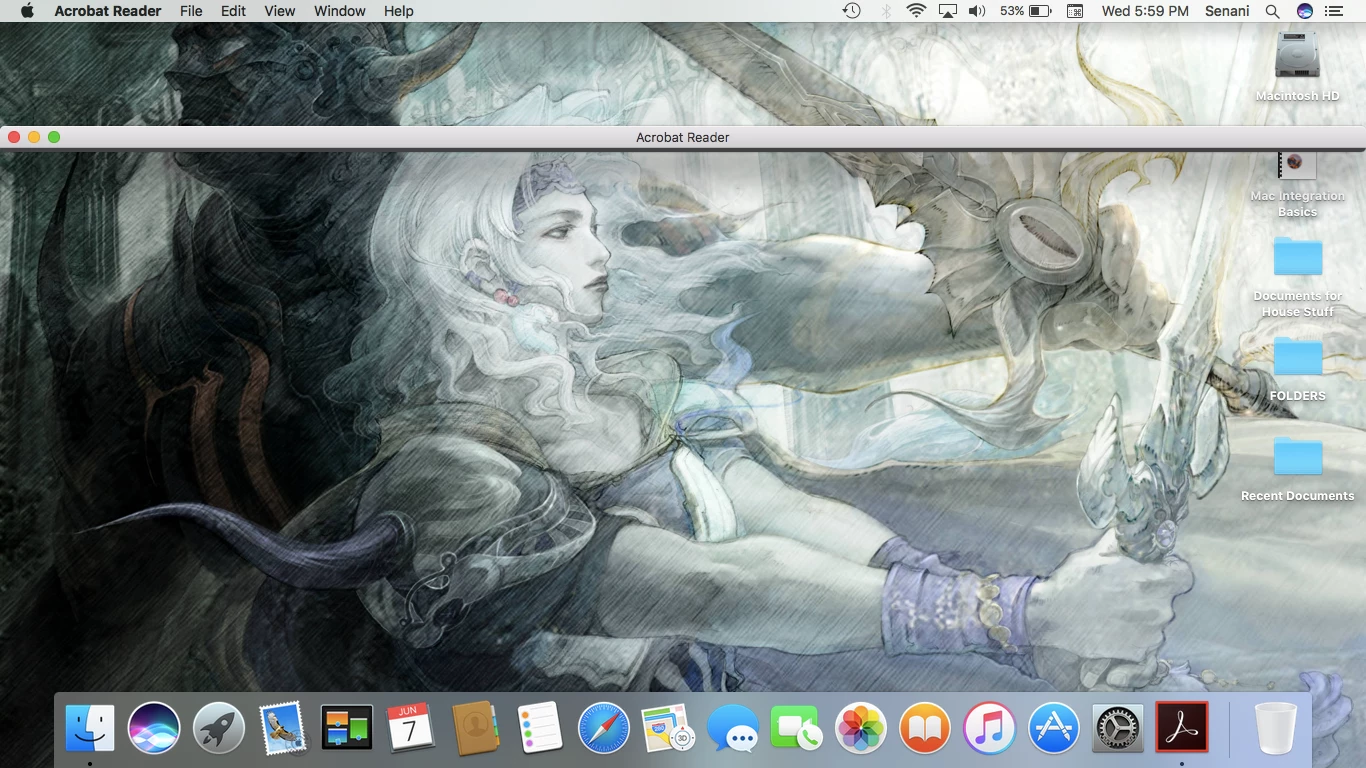
When launching Adobe Acrobat Reader DC, or when trying to open any PDF file, it launches a shell that shows my wallpaper behind it, but does not load the actual PDF file. I have attached a screen shot below to illustrate what I'm describing.
I am using a MacBook Air (11-inch, Mid 2013). The macOS is up to date, on Sierra 10.12.5. Adobe is also up to date, Version 2017 009 20044, and has actually been uninstalled/reinstalled twice in the course of my own troubleshooting.
Available storage space on the Mac is 28GB available out of 120GB.
I have done some troubleshooting on my own. The following things are true, or are steps that have been taken;
Tested several PDF files, none will open properly. This applies to older files, and even new ones just created.
Files are not encrypted, nor have they ever been.
No error messages or prompts.
Can use Preview to view files, and they display normally.
Uninstalled Adobe Acrobat Reader DC, deleted from trash, and reinstalled. No resolve. Tried this twice. Restarted Mac each time.
Tested on another user profile (Guest), those PDF’s open normally. (I emailed a PDF file to myself, and tested opening it on a Guest account. It worked like a charm.
The issue seems to be isolated to my profile. I have chatted with Apple Support, and was referred back to Adobe for help.
Thanks in advance! 

 AdChoices