


PDF with jumbled characters
Hello,
I'm a SysAdmin for a State Government agency. I received a helpdesk ticket from one of our users stating that he had a PDF file (1 page) that opened fine on some folks machines, but on his the characters were all jumbled. He is running Adobe Acrobat Pro on Windows 11 Pro. I attempted to open it on my mchine (Adobe Acrobat Reader (64-bit) - Currently patched) and all the characters are jumbled as shown below.
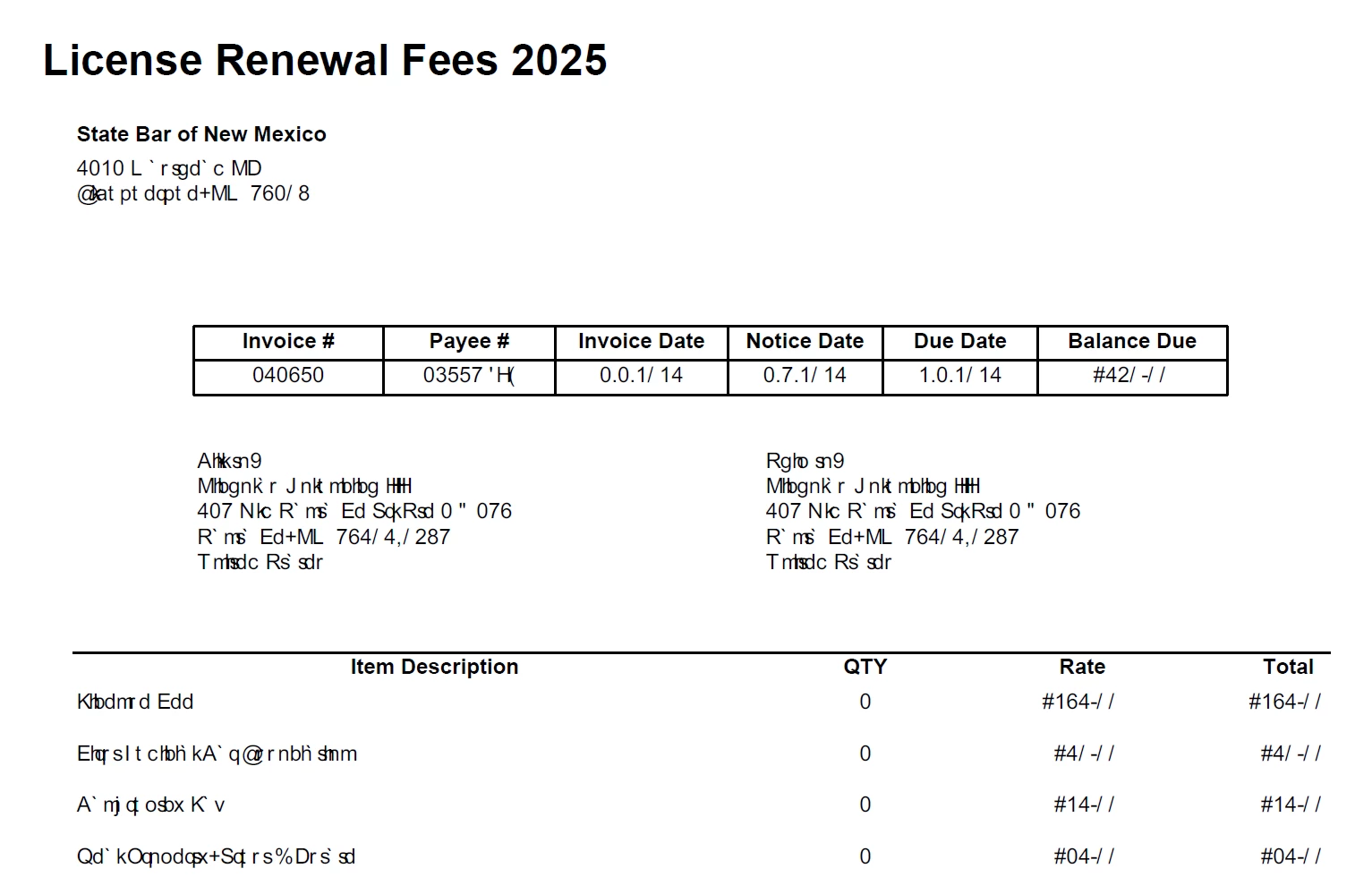
I asked one of my counterparts to open it on his machine and it opens fine and is readable.
I found numerous KB articles referencing The "Use Local Fonts" preference setting, but as mentioned in other artciles that was removed by Adobe in the late '23/early '24 patches.
The document is using Ariel (regular, bold & italic). I am running Windows 11 Pro and have verified that this font is installed on my machine.
Any help or assistance would be most appreciated.
V/R,
Jeff
 AdChoices