


Powerpoint to PDF converts videos to images
I am using the full Acrobat & office 365 in this experient - when I convert powerpoint slides with:
- embedded videos and/or
- online videos such as youtube or vimeo
the resulting PDF shows an image instead of a video.
Under the PDF conversion settings in powerpoint I've switch 'convert multimedia' to both off and on, but I end up with the same result - an image and not a video.
Finally, I edited the PDF, deleted the image and tried to add a video, but I keep getting the error "No media file has been specified". I tried a vimeo URL and a youtube, but I keep getting this.
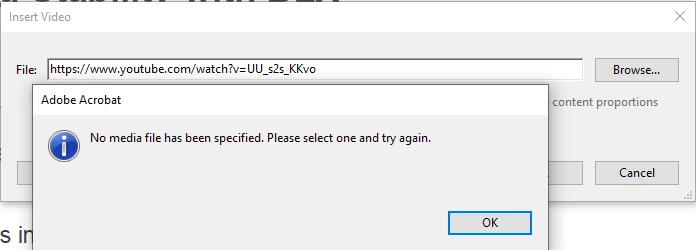
I double-checked all my Adobe apps were upto date. I am running Windows 10 64bit latest. I'm at a bit of a loss as to what to do next. I thought embedded video might be an issue, so I tried adding as an online video to powerpoint but it's just not happening, I keep getting the video replaced as an image.
Does anyone have any ideas at all?
 AdChoices