


April 2, 2019
Answered

Problems with copying page image of PDF into Word or Paint

  • April 2, 2019
  • 3 replies
  • 9282 views

Since recent we found out if we copy a pdf of a scan to (f.i.) Word or Paint only parts of it are pasted into these programs - as if there was some filter used on it.

The procedure is:

  • open a scan (pdf)
  • copy the page with the selection tool
  • paste it into Word (or Paint)

We hadn't seen this problem before and we use this a lot for 'original signed' contracts

We work with Adobe Reader 2019.010.20098

This is an example: the 'original signed doc'
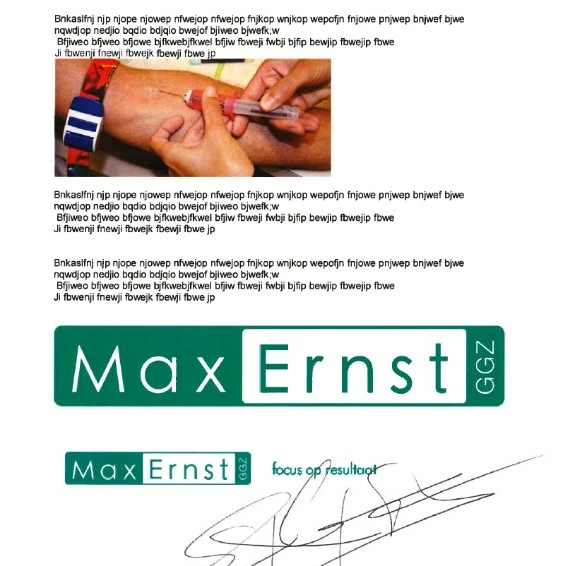
Open it in Reader, select the image and copy it ...
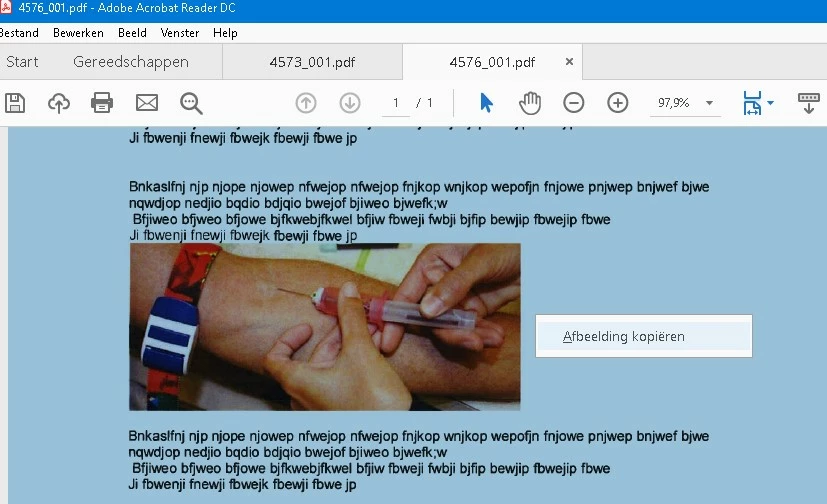
And paste it into Word (or Paint) or in whatever program. The result is .....
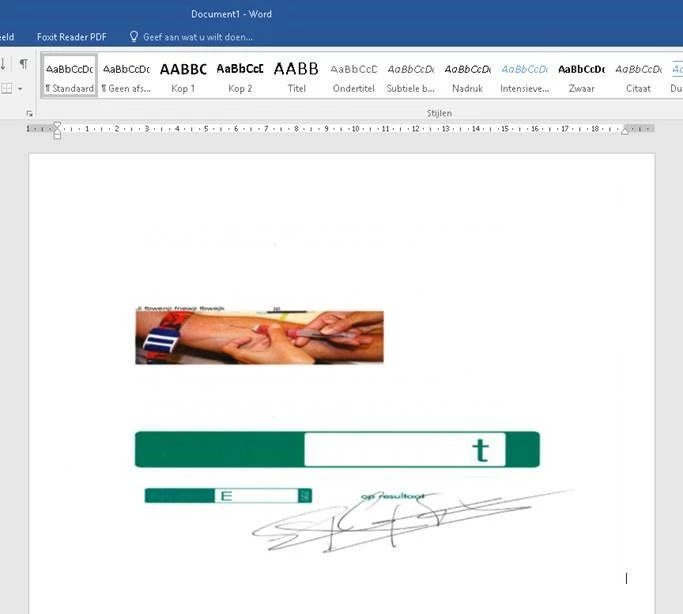
Text gone - parts of logo's gone .....

This topic has been closed for replies.
Correct answer Bernd Alheit

In Acrobat Reader you can take a snapshot.

3 replies

Legend
April 2, 2019

It sounds as if your scanning process has done OCR, so the page now contains real text as well as images. Look for scanning options.

Bernd Alheit
Community Expert
Bernd AlheitCommunity ExpertCorrect answer
Community Expert
April 2, 2019

In Acrobat Reader you can take a snapshot.

April 2, 2019

Thanks for your reaction - the Snapshot option indeed works better, though it's strange to me you can select a complete page, copy it and still only can past some elements of it, though it's original scan is a signed printout ....

Anyway - your snapshot option is a good work around ....

Legend
April 2, 2019

I don’t think what you are copying is a pure image. Added text, not a scan, OCR fine etc. There is no function to copy a normal PDF.

April 2, 2019

It's a scan from a print out - we need the signature of the customer on this paper. The odd thing is when pasting it is only pasting some elements of the page, while the page is actually scanned in completely ....

Thanks for answering