


Quality differences when viewing pdf in Adobe Acrobat reader vs browser
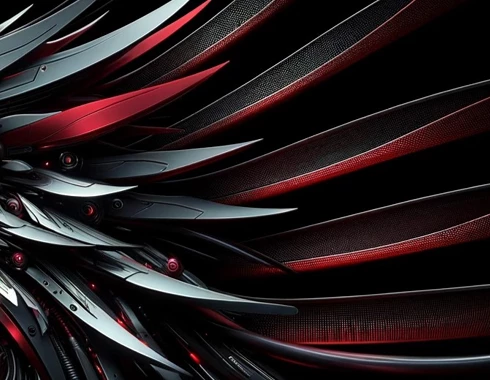
When working on powerpoint, everything seems high quality and the image is crisp; however once I convert it to PDF, the lines become jarred and jagged looking. I've tried to view the PDF file on my browser (chrome) and it looks great, and I've viewed it from my phone and ipad as well. I'm just not sure why when I open the file itself in the acrobat reader, it just looks way off.
In Powerpoint:
In PDF reader:
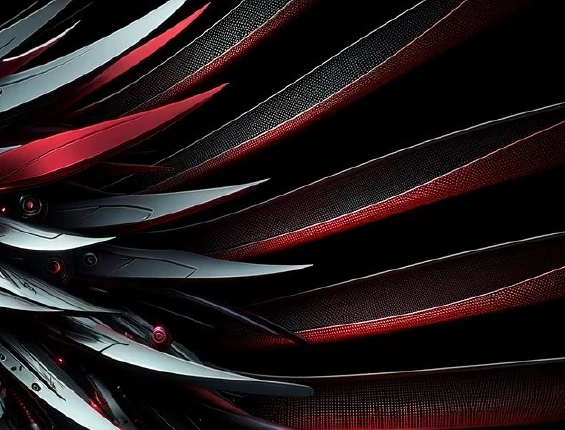
I've tried to troubleshoot it myself through various means, including:
1. Adjusting default resolution on Powerpoint to either 330 dpi or High Fidelity
2. Looking at Preferences > Page Display on the Acrobat Reader and playing around with the settings of smooth imges / smooth line art / enhance thin lines. But it can never match the quality in Powerpoint.
3. Saving as PDF while checking PDF/A compliant box
4. Checking "Standard publishing online and printing" box when converting to PDF
5. Updating Adobe Acrobat reader to the latest version
6. Image on PPT is also JPEG instead of PNG
I just don't get why my chrome browser and PPT app and my mobile devices do not have this issue (it looks amazing there) when I try to view the PDF document there, but when I open the file on adobe acrobat reader on my computer there's this issue. Ive tried to look at this on both my laptop and external monitors so I don't think its a hardware resolution issue, plus the quality on my chrome browser looks fine when viewed this way.
Appreciate any help I can get!
 AdChoices