


Question
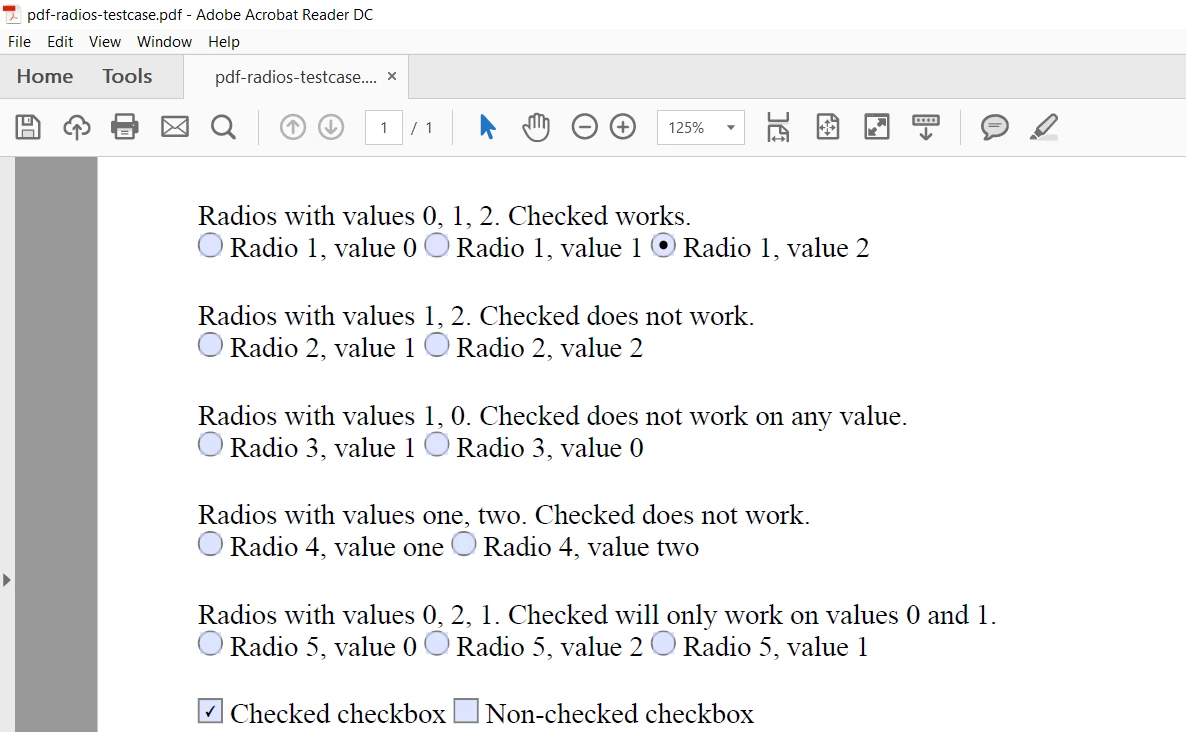
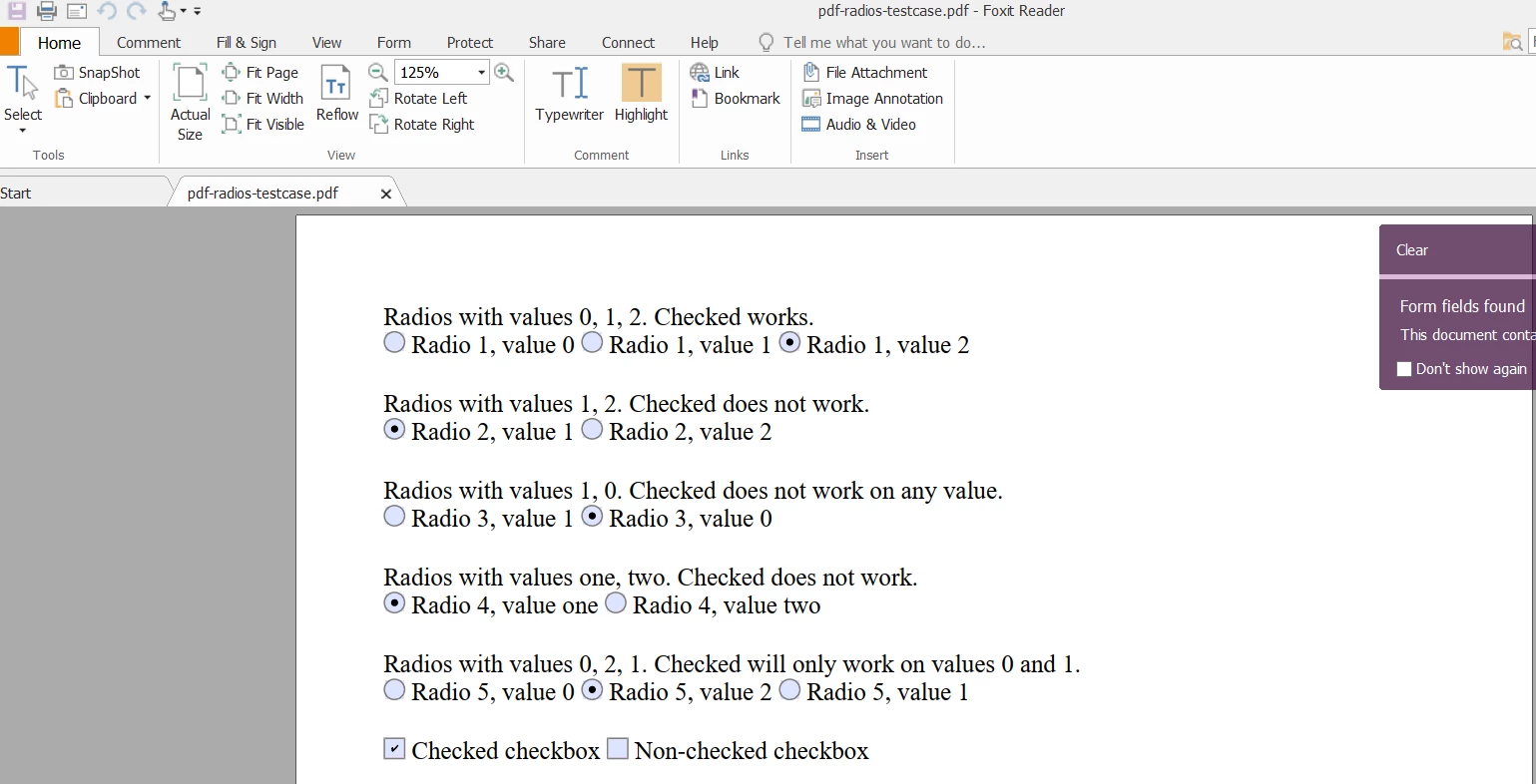
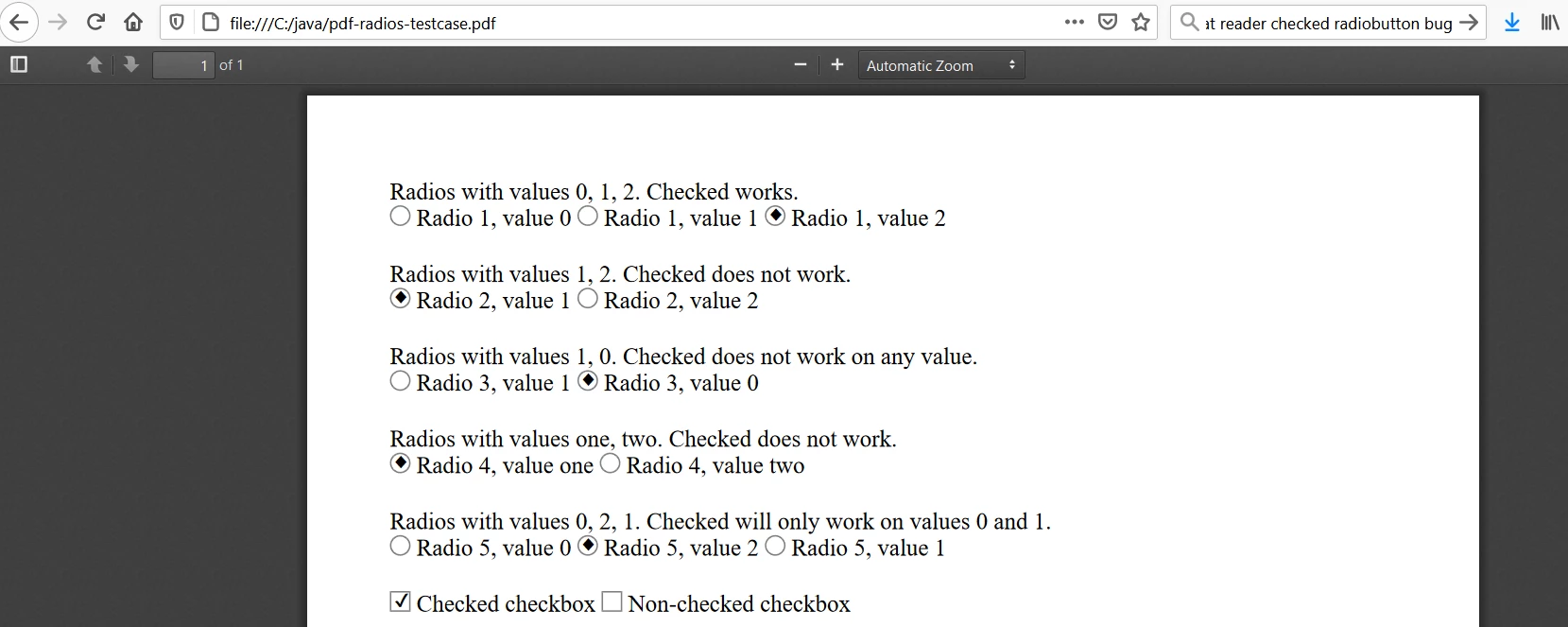
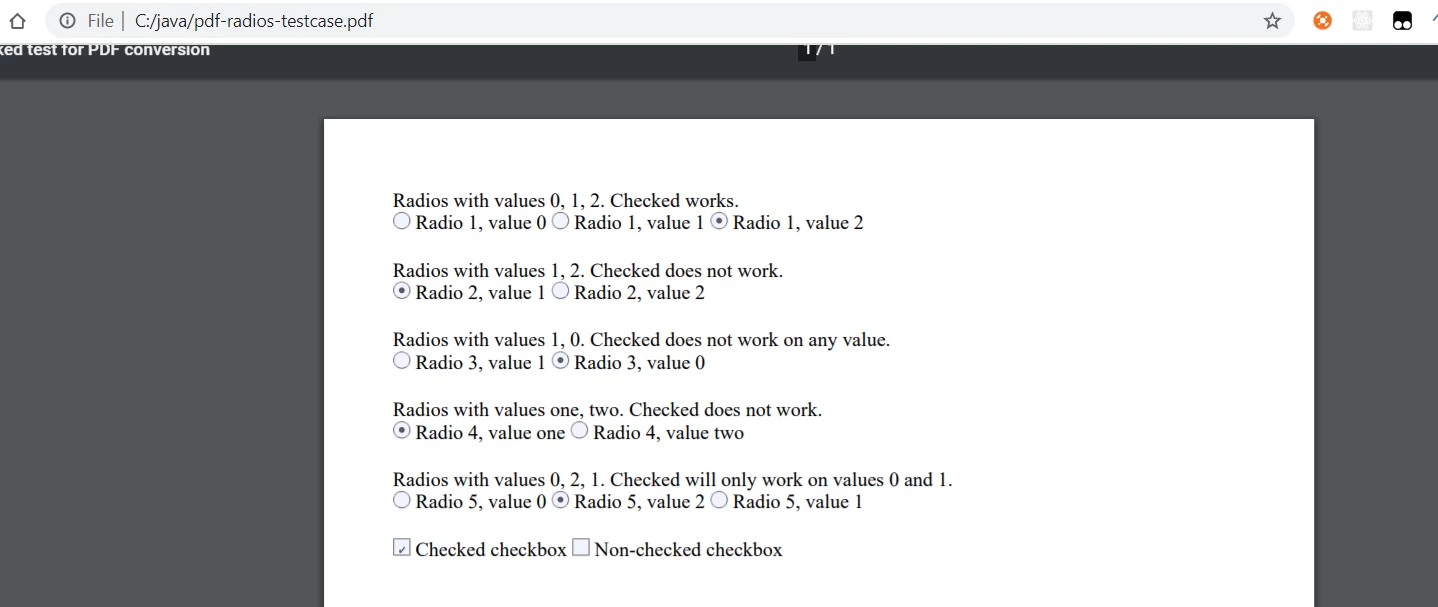
Radiobutton checked value bug: works in all pdf viewers except Acrobat Reader.
"Checked" radiobutton value is only working in Acrobat Reader when:
- First radio button value is "0".
- Radio button values are consecutive integers.
https://github.com/danfickle/openhtmltopdf/issues/547 — here I spent several hours to identify this issue.
Result pdf:
See the file attachment.
Source html:
<html>
<head>
    <title>Radios checked test for PDF conversion</title>
    <style>
        .div-with-padding {
            padding-bottom: 20px;
        }
    </style>
</head>
<body>
<form action="http://localhost/form.php" method="POST">
    <div class="div-with-padding">
        <div>Radios with values 0, 1, 2. Checked works.</div>
        <input type="radio" name="radio-1-name" value="0" id="radio-1-0"/>
        <label for="radio-1-0">Radio 1, value 0</label>
        <input type="radio" name="radio-1-name" value="1" id="radio-1-1"/>
        <label for="radio-1-1">Radio 1, value 1</label>
        <input type="radio" name="radio-1-name" value="2" id="radio-1-2" checked="checked"/>
        <label for="radio-1-2">Radio 1, value 2</label>
    </div>

    <div class="div-with-padding">
        <div>Radios with values 1, 2. Checked does not work.</div>
        <input type="radio" name="radio-2-name" value="1" id="radio-2-1" checked="checked"/>
        <label for="radio-2-1">Radio 2, value 1</label>
        <input type="radio" name="radio-2-name" value="2" id="radio-2-2"/>
        <label for="radio-2-2">Radio 2, value 2</label>
    </div>

    <div class="div-with-padding">
        <div>Radios with values 1, 0. Checked does not work on any value.</div>
        <input type="radio" name="radio-3-name" value="1" id="radio-3-1"/>
        <label for="radio-3-1">Radio 3, value 1</label>
        <input type="radio" name="radio-3-name" value="0" id="radio-3-0" checked="checked"/>
        <label for="radio-3-0">Radio 3, value 0</label>
    </div>

    <div class="div-with-padding">
        <div>Radios with values one, two. Checked does not work.</div>
        <input type="radio" name="radio-4-name" value="one" id="radio-4-one" checked="checked"/>
        <label for="radio-4-one">Radio 4, value one</label>
        <input type="radio" name="radio-4-name" value="two" id="radio-4-two"/>
        <label for="radio-4-two">Radio 4, value two</label>
    </div>

    <div class="div-with-padding">
        <div>Radios with values 0, 2, 1. Checked will only work on values 0 and 1.</div>
        <input type="radio" name="radio-5-name" value="0" id="radio-5-0"/>
        <label for="radio-5-0">Radio 5, value 0</label>
        <input type="radio" name="radio-5-name" value="2" id="radio-5-2" checked="checked"/>
        <label for="radio-5-2">Radio 5, value 2</label>
        <input type="radio" name="radio-5-name" value="1" id="radio-5-1"/>
        <label for="radio-5-1">Radio 5, value 1</label>
    </div>

    <div class="div-with-padding">
        <input type="checkbox" name="check-1" id="check-1-id" checked="checked"/>
        <label for="check-1-id">Checked checkbox</label>
        <input type="checkbox" name="check-2" id="check-2-id"/>
        <label for="check-2-id">Non-checked checkbox</label>
    </div>
</form>
</body>
</html>
Pdf file display in different viewers:
Acrobat Reader:
Foxit Reader:
Firefox:
Chrome:
Please fix ASAP!
 AdChoices