


Question
Rich Text Issue - URL link not working, displays as plain text
Hi, Can anyone help if you have encountered this issue before.
Trying to update the document dynamically base on the data from DB.
Then on the JS - added a script to build the href String and load the xml again.
Tools - AEM Workbench - 6.5
AEM Designer 6.1
Adobe Acrobat -2020.013.20064
Found the script online.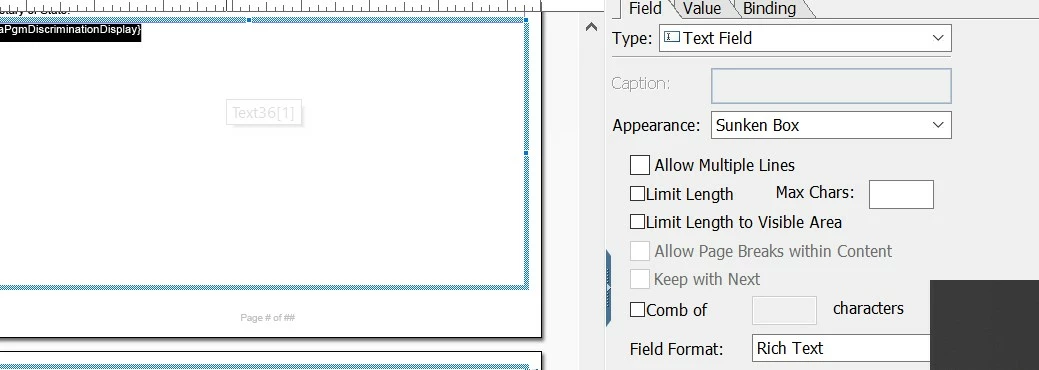
ClearingHouseFto.page1.eSignatureForm.pgmDiscriminationDisplay::ready:form - (JavaScript, client)
// If this code is running on the server, you don't want it to run any code
// that might force a relayout, or you could get stuck in an infinite loop
if (xfa.host.name != "XFAPresentationAgent") {
    // You would load the URL that you want into this variable, based on
    // whatever XML data is being passed into your form
    var pgmDiscriminationDisplay= ClearingHouseFto.page1.eSignatureForm.pgmDiscriminationDisplay;
    var pgmDiscriminationDisplayLink = ClearingHouseFto.page1.eSignatureForm.pgmDiscriminationDisplayLink ;

    // URLs are encoded in XHTML.  In order to change the URL, you need
    // to create the right XHTML string and push it into the Text object's
    // <value> node. This is a super simple XHTML shell for this purpose.
    // You could add all sorts of markup to make your hyperlink look pretty
    var sRichText = "<body><p><a href=\"" + pgmDiscriminationDisplayLink.rawValue + "\">pgmDiscriminationDisplay.rawValue</a></p></body>";

    // Assuming you have a text object called "Text1" on the form, this
    // call will push the rich text into the node.  Note that this call
    // will force a re-layout of the form

    this.resolveNode("pgmDiscriminationDisplay").value.exData.loadXML(sRichText.toXMLString(), false, true);
}
 AdChoices