


KlausKi
Inspiring
May 7, 2017
Question

There is no GUI to work with when Acrobat Reader is running on Tablet in Read mode

  • May 7, 2017
  • 2 replies
  • 2322 views

Viewing a PDF document (like this) in Read mode (reachable by hitting [CTRL]+ or by selecting the corresponding menu item) while Windows 10 is running in Tablet mode renders the Acrobat Reader GUI inaccessible:
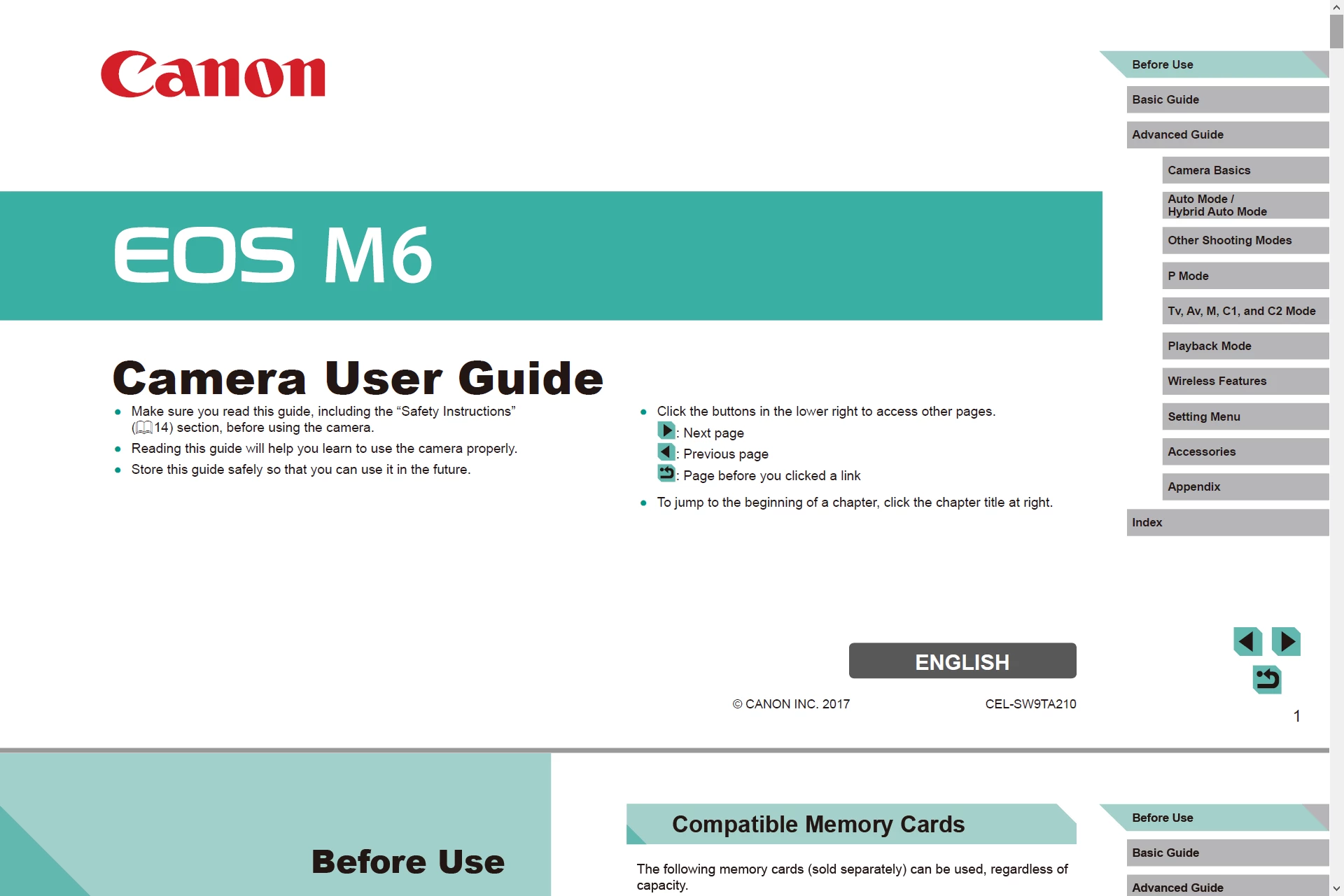
You cannot access any Reader menu item, it's impossible to switch to another Reader document tab, you cannot exit fullscreen mode, you cannot exit Acrobat Reader at all.

Adobe, please fix. E.g., by showing a hint for a few seconds on how to access all these features in Read mode on a tablet (i.e. without keyboard).

This topic has been closed for replies.

2 replies

Brainiac
May 7, 2017

So do those instructions not work to make the virtual keyboard appear?

KlausKi
KlausKiAuthor
Inspiring
May 7, 2017

No, I'm afraid.

As you can see from the first image, no taskbar is visible. So the virtual keyboard can't get activated.

I made a mistake when taking image #2: In non-tablet mode, the full screen actually looks like this:

Image #1, however, correctly depicts the full screen in Windows tablet mode, having Acrobat Reader hide/cover the task bar.

Brainiac
May 7, 2017

Maybe this post on getting the virtual keyboard to appear in tablet mode will help. touch keyboard in tablet mode - Microsoft Community

KlausKi
KlausKiAuthor
Inspiring
May 7, 2017

Nope. This is not a Windows settings issue, it's an Adobe Reader issue.

This is what the Adobe Reader application window looks like in Read mode when MS Windows is not in Tablet mode:

See the difference? (Hint: Examine the top area of the image)

KlausKi
KlausKiAuthor
Inspiring
May 7, 2017

Ah, it's Sunday again ... The forum software "Action" item never works on Sundays. Hmm, I guess it must be some union matter

I currently can't edit my message. So here's my addendum:

Acrobat reader should either exit Read mode or temporarily display menu, tabs and window title bar when a certain area in the document area is tipped on the touch screen. Otherwise you can't exit the document or work with another application on the tablet.