


balsam777
Participant
June 8, 2016
Answered

trying to print pdfs and it's making me save instead of printing

  • June 8, 2016
  • 2 replies
  • 29318 views

I use Windows 7, and have for years been printing to an HP Officejet 8600 with no problem. All of a sudden it's making me save instead of printing and is very annoying. I've spent literally hours scouring forums for solutions. I've tried all of the normal reasons like unchecking "print to file", making sure the print dialog selects the printer and not "save as". If I right click to get the Print option, it will only print the screenshot and not the whole document. I've tried playing with Printer properties and can't find anything that makes it go back to just printing. Can someone please help??!
This topic has been closed for replies.
Correct answer ~graffiti

But where do I find this print option?

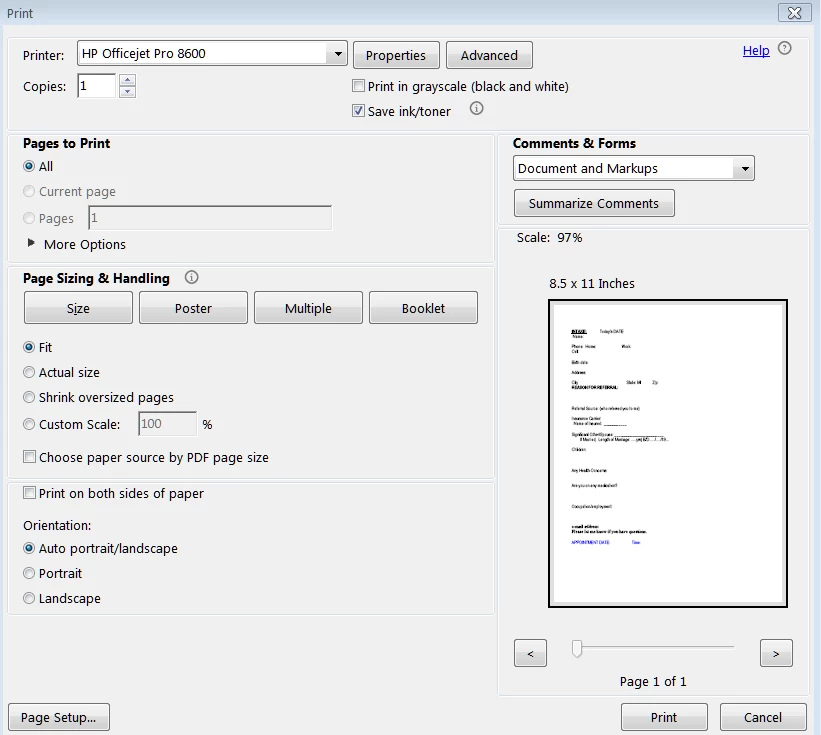
Here is a screenshot of what I see when printing a pdf (and by the way, I have no problem printing from here; it's just when trying to print from browser (Chrome)- I'll show that below also

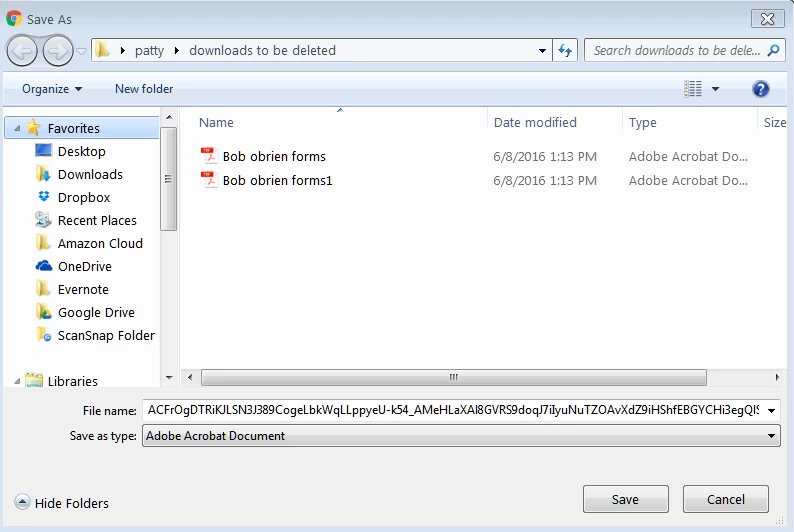
Here is what I get when I want to download a pdf document, say from an email: (I got so annoyed, I created a new folder to delete later of dox that I want to print because once downloaded I AM able to print. I just want to be able to print directly again.)


balsam777 wrote:

it's just when trying to print from browser (Chrome)- I'll show that below also

And that is your problem.

Chrome does not use and is not compatible with the Adobe Reader plug-in. You are using the Chrome browsers pdf viewer. Download the files first then open in Adobe Reader using File>Open and try to print. Does that work?

2 replies

~graffiti
Legend
June 9, 2016

You're welcome. Keep in mind that you will not be using Adobe Reader to view any pdf's in Chrome. If you have more issues with it, you'll want to visit a forum for Chrome. Mostly pdf's work ok but pdf forms or any kind of interactive pdf will more than likely fail.

try67
Community Expert
Community Expert
June 8, 2016

What's your version of Reader?

balsam777
balsam777Author
Participant
June 8, 2016

It's Acrobat Standard DC (and I also subscribe to Adobe Export .PDF if that helps)

Adorobat
Community Manager
Community Manager
June 8, 2016

Hi balsam777 ,

Please follow this link - In the last week when I call up a PDF and press print icon I get save button?   

Let us know about the results .

Thanks!

Shivam