Peter Hansen
New Participant
October 12, 2018
Answered

Unable to change font size in Comments (MAC)

  • October 12, 2018
  • 1 reply
  • 935 views

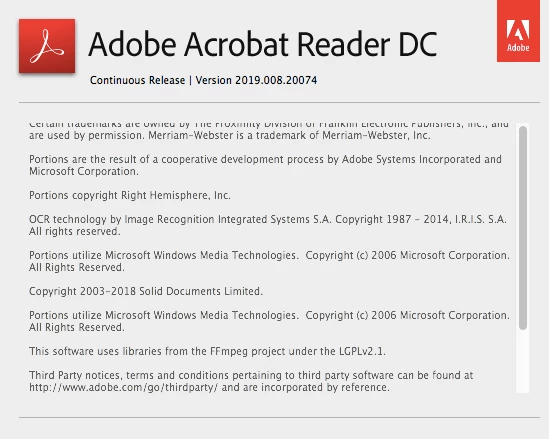
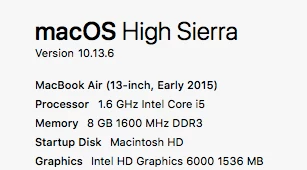
Hi all, after updating my Adobe Acrobat Reader DC I have been unable to adjust the font size of my text comments on any documents.  I'm using a Mac operating system. Any help would be appreciated
    This topic has been closed for replies.
    Correct answer Peter Hansen

    Thanks for your help Shivam.

    Yes, I was referring to the circled comment section above, I have followed your advice and have now realized that this problem is isolated to one particular file, a paper document that was scanned and emailed to myself. all other documents work fine.

    I will rescan the document from another copier and see if my problem goes away.

    thanks for your help.

    regards.

    1 reply

    Adorobat
    Community Manager
    Community Manager
    October 12, 2018

    Hi Peter hansen,

    As per the issue description mentioned above, you are unable to change font size for text comments on your Mac machine after update, is that correct?

    Could you confirm if you are referring to the "text comment option as marked (in red)" in the screenshot below? If yes, could you try rebooting the machine once if you haven't already and check?

    If that doesn't work, remove Reader using cleaner tool which you can download from here: Download Adobe Reader and Acrobat Cleaner Tool - Adobe Labs , reboot the machine, then install Reader from here: Adobe - Adobe Acrobat Reader DC Distribution

    Reboot the machine after installation and check.

    Let us know if you need any help.

    Shivam

    Peter Hansen
    Peter HansenAuthorCorrect answer
    New Participant
    October 15, 2018

    Thanks for your help Shivam.

    Yes, I was referring to the circled comment section above, I have followed your advice and have now realized that this problem is isolated to one particular file, a paper document that was scanned and emailed to myself. all other documents work fine.

    I will rescan the document from another copier and see if my problem goes away.

    thanks for your help.

    regards.

    Adorobat
    Community Manager
    Community Manager
    October 15, 2018

    You're Welcome!