New Participant
January 29, 2018
Question

Unable to print some documents

  • January 29, 2018
  • 1 reply
  • 5673 views

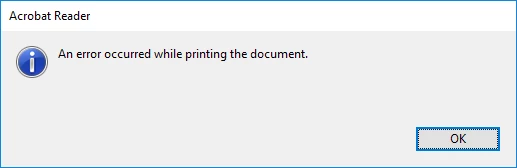
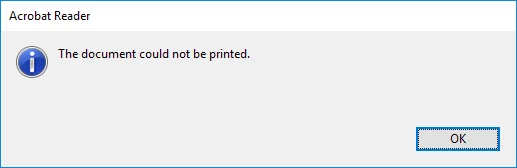
Hi, several of my clients are having issues printing from adobe reader since either reader was updated or a windows update was installed.  Not very helpful errors.  The document looks like it will print, gets to about 84% flattening then 2 errors first one says The document failed to print.  2nd error says An error occurred while printing the document.  For one client these documents were created using DocsCorp pdfdocs 4.5 if that helps.
Only affecting adobe reader, can print using other pdf software.

Operating system is Windows 10 1709 64 Bit.

thanks in advance

Matt

    This topic has been closed for replies.

    1 reply

    AkanchhaS8194121
    Brainiac
    January 30, 2018

    Hi Mattmnc,

    Thanks for sharing the information. Could you also confirm what is the exact version of Adobe Acrobat Reader DC your clients have installed?

    Acrobat Reader>Help>About Acrobat Reader and also check if the application is up-to-date or not so open Acrobat>Help>Check for update.

    You may refer to the help document Troubleshoot PDF printing in Acrobat and Reader  and follow the steps to see whether the printer's drivers are up-to-date or not?

    Regards,

    Akanchha

    mattmNCAuthor
    New Participant
    January 30, 2018

    Hi, I have just tried printing to Microsoft print to PDF and it also fails at the same place during the "flattening" process.  The document gets created as a 0 byte corrupted pdf doc so does not look like a printer driver issue.

    Here is an example of a file that will not print.  Dropbox - Test.pdf

    mattmNCAuthor
    New Participant
    February 26, 2018

    Hi MattmNC,

    I apologize for the delay in response to your query.

    The document that you have shared above, we have tested the same at our end. Tried to print the file and it was printed successfully.

    The issue is not reproducible at our end and the version of Acrobat Reader DC is the latest one 2018.09.20050.

    To get the root cause of the problem, we need more information from your side. For more information, you may check private message.

    -Akanchha


    Hi, sorry, still same issue here, also just tried another colleagues computer.  Acrobat reader is installed using defaults, running windows 10 64bit fully patched on HP Probook.  12Gb Ram, 250Gb SSD HDD, printing to networked Fuji Xerox printer, also tried testing to printing to Microsoft print to PDF.  Seems to get stuck on about page 10 while in the flattening phase.

    Matt