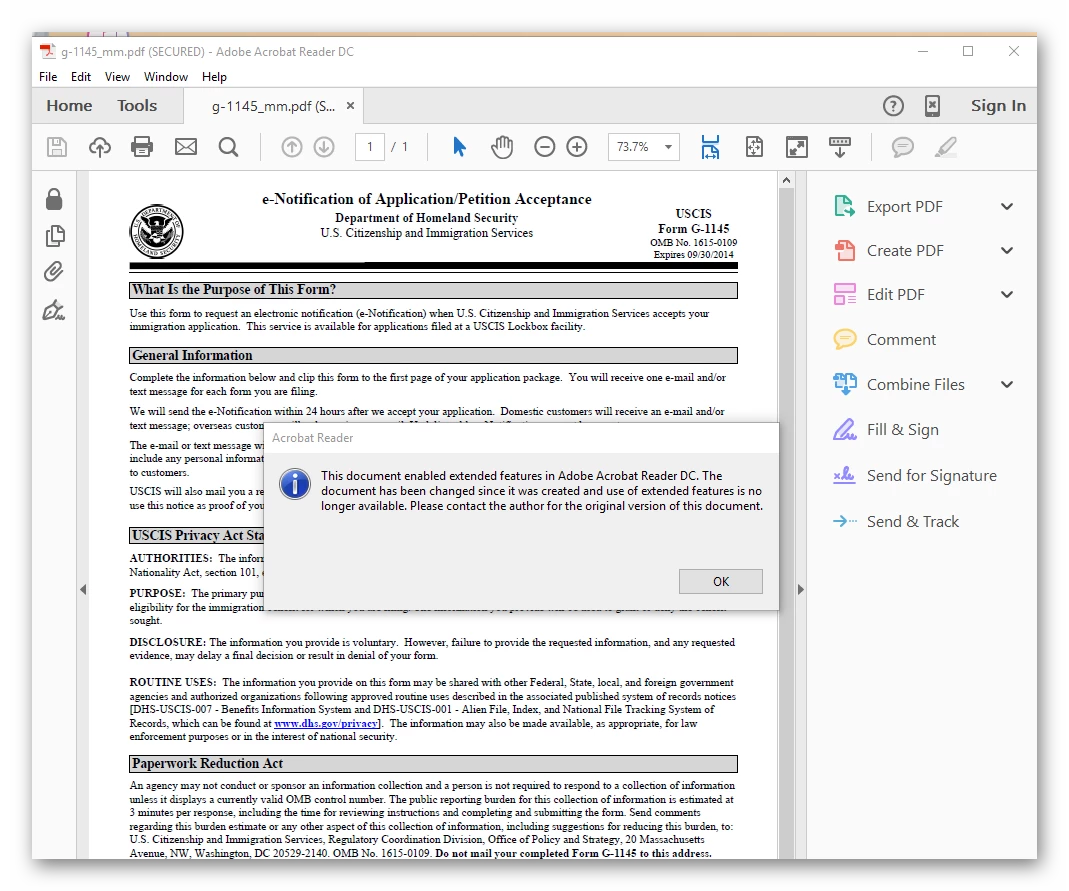
The "Reader-enabling" feature comes from the original form, and it is essentially a digital signature. It is specific for the free PDF viewer product by Adobe (aka Adobe (Acrobat) Reader).
The problem is that only Adobe products are able to (re)save such documents without breaking the seal of the digital signature.
So, what happened in your case is that the Foxit viewer broke the seal when saving back, and that's it. Using Acrobat, you could save a copy of the form, and then continue filling it out. Otherwise, you will be better off to start again, but stay with Adobe PDF viewers all the time working with the form, or with another viewer, again all the time you are working with the form.
BTW, Reader XI and newer no longer need the Extended Rights for most featured blocked by earlier Reader versions. This does not help in this case; it would only be helpful for the issuer of the form.
Update (after rereading the original message): If it is just for viewing or printing out the form you may ignore that message. You may also try to just save it, as you have a Reader version which no longer needs the Extended Rights (at your risk).
Hope this can help.




 AdChoices