


New Participant
July 25, 2023
Answered

Want to open reader with no Bookmarks or all tools tab

  • July 25, 2023
  • 1 reply
  • 11504 views

I have both Reader and Acrobat, but PDFs open into reader by default on my PC.   When Reader opens, the screen displays both The Bookmarks and the All Tools side window.  I want the program to start without either one of these.   I have researched and NONE of these solutions work:


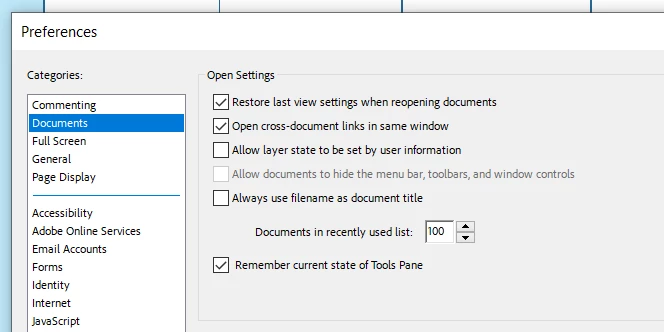
Prefernces-Documents-Remember current state of tools pane  (https://helpx.adobe.com/acrobat/kb/disable-right-hand-pane-in-acrobat-reader.html)

Prefernces-Documents-Restore Last View settings when reopening docunents
 

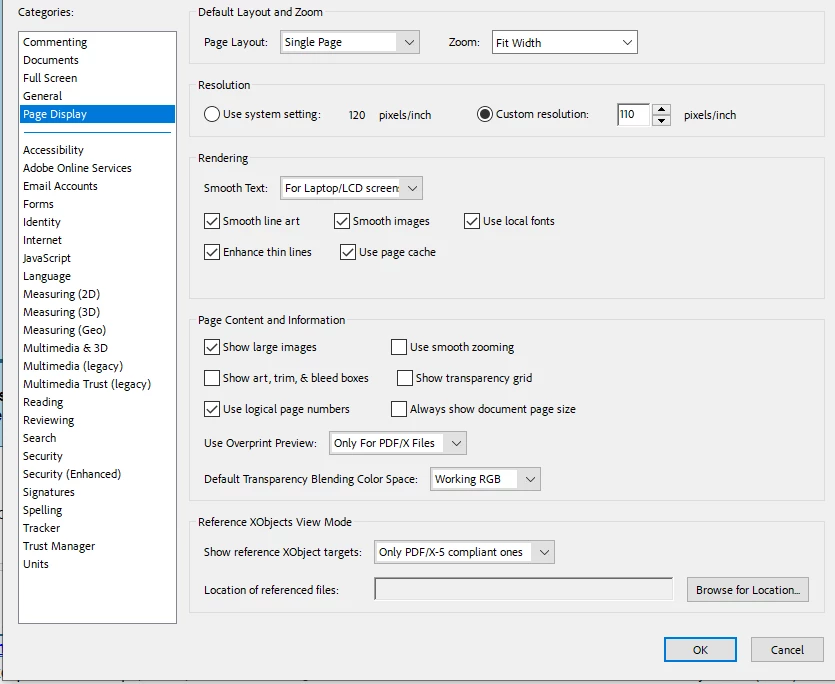
Preferences-Page Display-  No corresponding commands
 

I'm devoting too much of my life to closing these side panels so I can see my document.  Please help.

Correct answer AkanchhaS8194121

Hi @Harold3129098218zq 


Sorry to hear about your experience.

Are you currently working with the Acrobat/ Reader New UI? We see that you have the settings '' remember the current state of tool pane'' is enabled. (this preference is only for Reader)

Just switch back to the old UI to see if the same preferences settings work in that or not. To disable the new UI

  • Click on the hamburger icon in the upper left corner.
  • Click on Disable New Acrobat


Let us know the result.


Meanwhile, we'll get it checked with our engineering team. 


Thanks,

Akanchha 

1 reply

AkanchhaS8194121
AkanchhaS8194121Correct answer
Brainiac
July 25, 2023

Hi @Harold3129098218zq 


Sorry to hear about your experience.

Are you currently working with the Acrobat/ Reader New UI? We see that you have the settings '' remember the current state of tool pane'' is enabled. (this preference is only for Reader)

Just switch back to the old UI to see if the same preferences settings work in that or not. To disable the new UI

  • Click on the hamburger icon in the upper left corner.
  • Click on Disable New Acrobat


Let us know the result.


Meanwhile, we'll get it checked with our engineering team. 


Thanks,

Akanchha 

Known Participant
December 29, 2023

I also have the problem on a Mac running 13.5 and the booksmarks always showing is so bloody annoying. I have unchecked restore last view, and even when i close bookmarks and save, they are showing when i open again. This is in Reader and if using Pro helps to stop it computer wide, not individual documents, how do that?

Community Manager
January 4, 2024

Hi nagaco@gmail.com,


Thank you for reaching out.


As mentioned, bookmarks are always showing when opening PDFs. Does this happen with all the PDFs?

Try the following:

- Go to Menu > View > Show/ Hide > Side Panels.

- Disable the bookmark option. 

Check if that helps.


Let us know how it goes.


Thanks,

Meenakshi