Participating Frequently
September 3, 2020
Answered

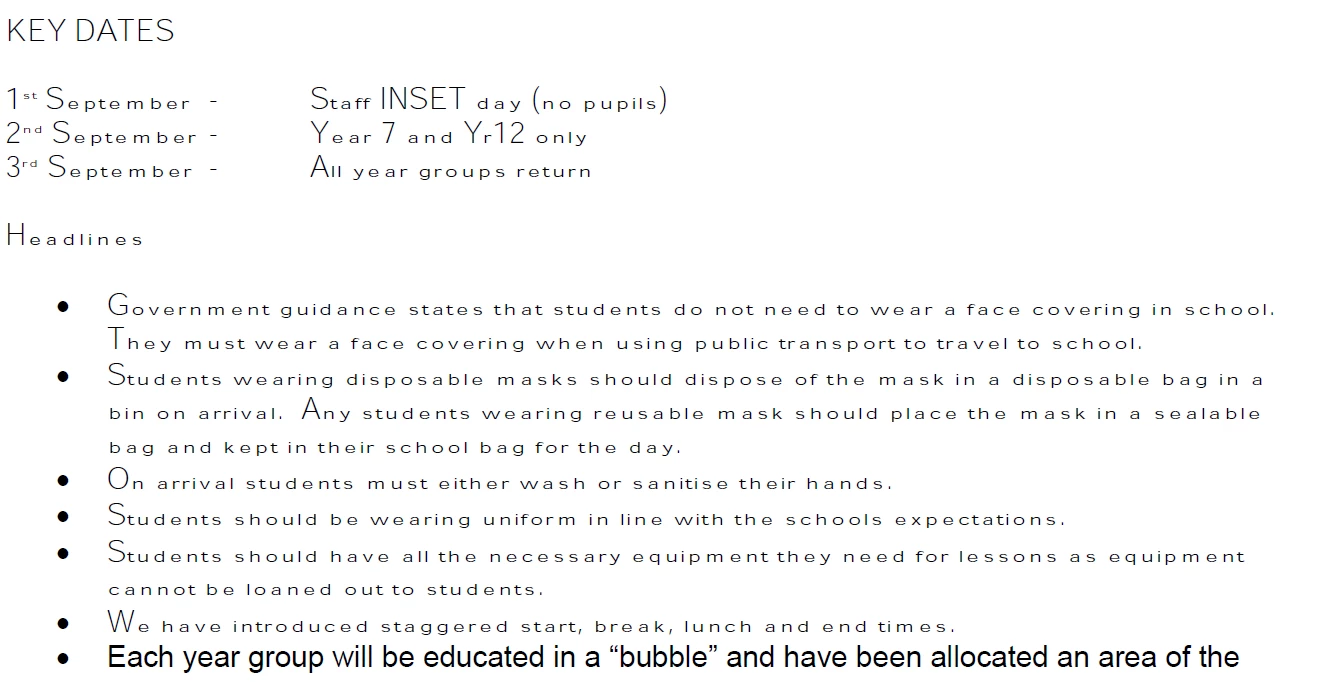
Weird font with large upper case letters

  • September 3, 2020
  • 1 reply
  • 5699 views

Hi


Reader on Windows has just started displaying some docs in a weird font. On my mobile (Android) they display fine, as do they with Firefox and Chrome. I've done a Repair Installation and then uninstalled and reinstalled Reader , then updated it, all with no difference, so I'm stumped.


How do I fix this?


This topic has been closed for replies.
Correct answer Dov Isaacs

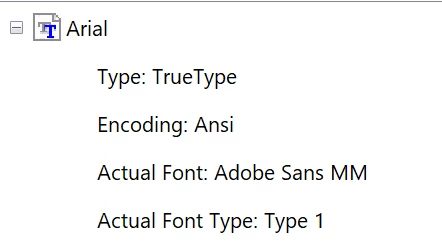
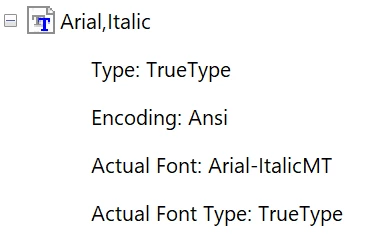
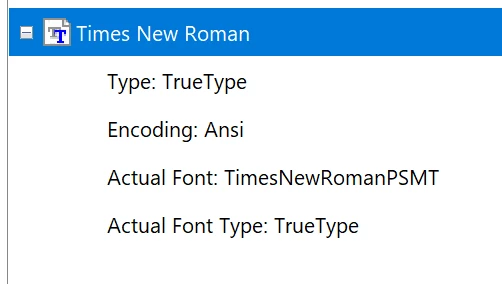
I'm not sure how that page says what is being substituted.

It just says stuff like this:


Ditto for Arial, Bold.


That answers the question. Somehow Reader is not able to find Arial on your system. It is either damaged or not properly installed for all users.


1 reply

Dov Isaacs
Legend
September 3, 2020

We are not aware of such a problem at this point. We would appreciate it if you could share such a PDF file with us such that we can duplicate the problem and determine exactly what is going on.


- Dov Isaacs, former Adobe Principal Scientist (April 30, 1990 - May 30, 2021)
Dov Isaacs
Legend
September 3, 2020

Got your ZIP file with the two samples. Opening them up in Adobe Acrobat Pro DC (same internal PDF viewing software as Adobe Acrobat Reader), I could not duplicate the problem.


I did notice that the PDF files had some fonts that were not embedded. Those fonts (several faces of Arial and Times New Roman) should not have been a problem if those fonts are fully and properly installed on your system.


I did try embedding those fonts using the appropriate Preflight function in Adobe Acrobat Pro DC. The two PDF files with the fonts embedded as well as your original PDF files are now attached to this thread (as part of your original posting). Please try them out and advise as to whether the problem still occurs.


- Dov Isaacs, former Adobe Principal Scientist (April 30, 1990 - May 30, 2021)
bruno15C3Author
Participating Frequently
September 3, 2020

First, make sure that you have the latest update to Adobe Acrobat Reader.


Secondly, make sure that your system fonts are fully and properly installed on your system. In this case, all the members of the Arial and Times New Roman font families.


(Independently, I'll check whether how our code at Adobe is handling fonts installed for all users versus fonts installed for only the current user. That little detail may be involved here, but I'll need to have some “friends” check this out, but it will take a while!)


All that having been said, best practice is that when creating PDF files, all referenced fonts should be subset-embedded, which wasn't the case with the PDF files you initially received.


Stay tuned!     🤔 🤔


I'm afraid I have no idea how to check my system fonts are installed. I've never had to do that in decades of using Windows. Am I just lucky?

Looking in Settings shows that some Arial and Times NR fonts are installed, and then there's only options to install specific fonts or installing fonts for *all languages* which takes up large amounts of space and I'm sure would cause other issues ...


Doesn't AR log which fonts are missing and/or causing the issue?


Also I strongly suspect that telling the content creator about subset-embedded fonts won't elicit any response, since it's a school admin just using Word 2013 to create the PDF. Also if it works on a mobile then understandably they're going to think that it's not really their issue.


But many thanks for the help thus far!