



Why does a "Save As" dialog box pop up before all files are combined?
I'm trying to combine 5 Word files to a PDF file, but when it begins combining the files, a "Save as" dialog box pops up to save as a PDF file. But when I save the file, only one Word file is saved as a PDF without all the other files that I want combined into a file. Why doesn't Adobe Reader wait until all files are combined before asking me to save the file as a PDF?
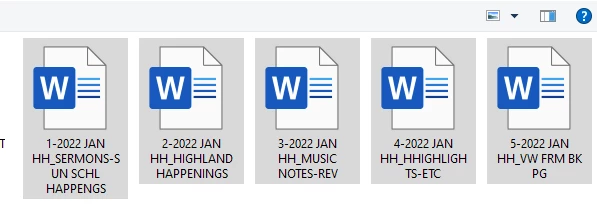
1. I Chose the files as seen in the first illustration:
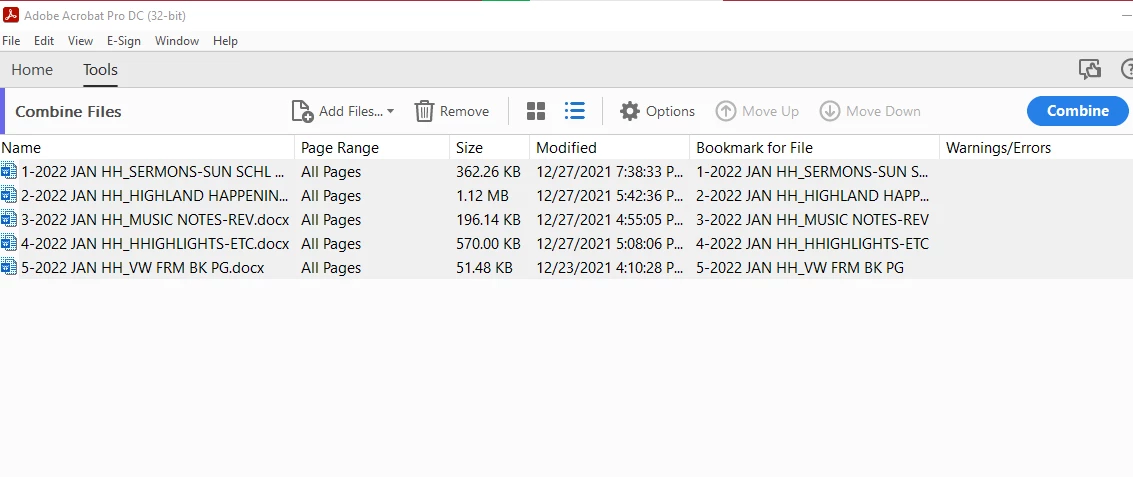
2. In Adobe Reader, I selected all the files, then clicked on "Combine":
3. Then a "Save PDF File As" dialog box pops up while the first Word file is in the process of being combined, So I saved it as the desired file as shown in the illustration:
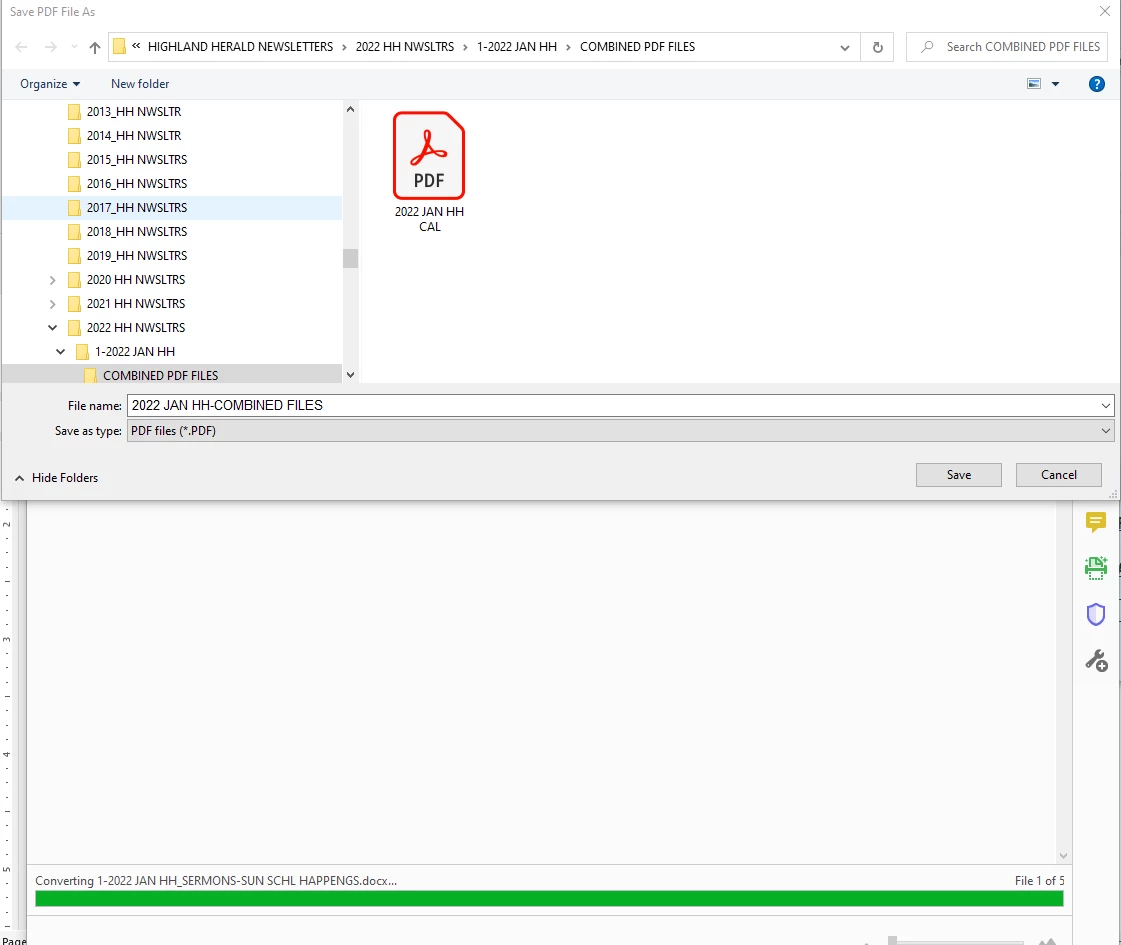
But after I "Saved PDF file as" with the desired filename, it's been taking forever and seems to be stuck in "converting" the first file. How long does this process take?
Until I find out the answer to this, I'll just have to convert each one to a PDF file separately and then combine all of the PDF files together.
I didn't use to have this problem before.
Thank you for any help.
 AdChoices