


jwilfredm40766117
Participant
October 23, 2018
Answered

Why is Adobe Acrobat Reader starting automatically when I log into OSX?

  • October 23, 2018
  • 9 replies
  • 48066 views

How can I stop Adobe from starting and opening every time I start up my computer?

I have both the options "open at login" and "keep in dock" turned off.  Still, it automatically starts and opens when I start my computer.

This just started happening recently.
    Correct answer NeteKoch

    I found a way to stop Acrobat from adding to 'start at login'. Or at least on my computer:

    1. Go to 'Activity monitor' kill all Adobe tasks.
    2. Go to 'Machintosh HD > Library > LaunchAgents' and delete the file 'com.adobe.ARMDCHelper.cc24ae...0d.plist.
    3. Go to 'Machintosh HD > Apps > Adobe Acrobat DC' and delete the file 'Adobe Collaboration Synchronizer'.


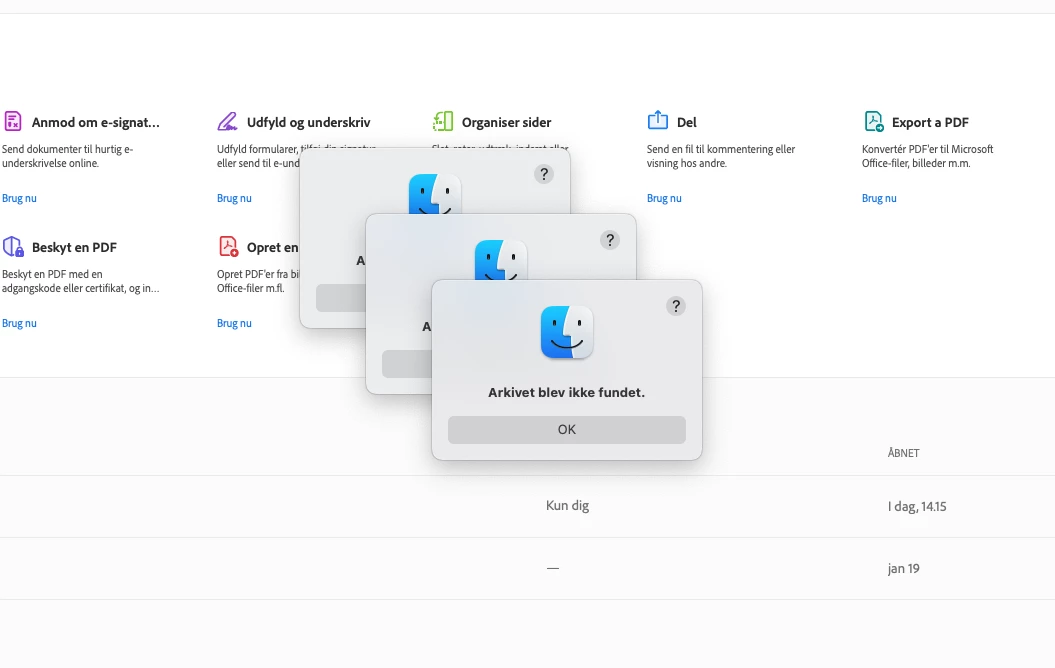
    After doing this Acrobat  gives three warnings when starting, but - in my case - the app-helper is not automatically set to start in the background. Acrobat still seems to works.

    9 replies

    NeteKochCorrect answer
    Participant
    March 14, 2025

    I found a way to stop Acrobat from adding to 'start at login'. Or at least on my computer:

    1. Go to 'Activity monitor' kill all Adobe tasks.
    2. Go to 'Machintosh HD > Library > LaunchAgents' and delete the file 'com.adobe.ARMDCHelper.cc24ae...0d.plist.
    3. Go to 'Machintosh HD > Apps > Adobe Acrobat DC' and delete the file 'Adobe Collaboration Synchronizer'.


    After doing this Acrobat  gives three warnings when starting, but - in my case - the app-helper is not automatically set to start in the background. Acrobat still seems to works.

    S_S
    Community Manager
    Community Manager
    June 17, 2025

    Hi @NeteKoch,


    Hope you are doing well. 


    Thanks for letting us know it worked for you, and thanks for sharing the steps, which did help.


    Marking this as a correct answer for future users to use as a reference.


    Please feel free to write to us in case you have any further questions/concerns with Acrobat / Reader.


    Regards,
    Souvik.

    Participant
    November 13, 2025

    Followed the above instructions to keep adobe from launching on starting computer. Could not find Adobe Collaboration Synchronizer. Could you help. Macbook pro with os sequoia 15.7.2 thanks

    Participant
    July 31, 2024

    I had the same problem, solved it by puting the Acrobat Reader icon on the dock, now it does not open on start up.

    AnandSri
    Community Manager
    Community Manager
    July 31, 2024

    Hi, I hope you are doing well. Thank you for reaching out. I'm glad to hear that the issue is resolved. Please contact us if you experience problems with Acrobat or the freeware Acrobat Reader application. Best Regards, ^AB

    Participant
    December 5, 2024

    My problem is not solved. How do I stop Adobe Acrobat application from automatically opening when I swtich on / start up my mac? Note I'm not referring to Creative Cloud. I'm on MacOS Sequoia

    Participant
    March 1, 2023
    Participant
    March 19, 2023

    That works for Adobe Acobat Reader - doesn't work for other Adobe apps.

    Participant
    February 11, 2023

    I see these posts started in 2019 and here we are in 2023 and I don't see a single solution from Adobe. This is very frustrating for me, and nothing seems to work.


    Participant
    April 25, 2022

    Mac Big Sur.  I have tried all thes options suggested and STILL acrobat opens full screen whenever I login.  It is NOT listed under starup items.


    So annoying.   I used to have Adobe Professional (paid for!) but it stopped working several OS ago and I am expected to pay for it again.  I used to like Adobe but over the years they have become so user-unfriendly with all their products I have used (Photoshop, Illustrator; In Design..)   I use alternatives whenever I can - not that they care.

    Participant
    May 17, 2022

    I agree, this is so annoying. So user unfriendly. I would not recommend anyone to buy this, it is very intrusive.

    Participant
    March 22, 2022

    This annoyed me for years. I just finally learned that our computers' system preferences have picked the Adobe Acrobat to be launched automatically at startup. You can change the setting by following these steps:

    1. Click the black Apple icon in the upper-left corner of the screen.
    2. System Preferences>Users & Groups
    3. Click on Users & Groups. It's near the bottom of the dialog box.
    4. Click on the Login Items tab.
    5. Click on the application you want to stop from opening at startup. The applications are listed in the right pane of the dialog box.
    6. Click on "minus sign" beneath the applications list. The application will be removed and will not run the next time you launch your Mac.
    Participant
    May 17, 2022

    This does not work, any working solution?


    Participant
    May 11, 2019

    Hi guys.

    Just found this and it's stopped it from happening:

    Reader automatically launching at startup - why?

    Jamie_Starr
    Participant
    May 14, 2019

    That did not stop the icon from loading in the dock!

    Inspiring
    May 9, 2019

    I have the same problem and it's annoying the hell out of me. Every time I start up my machine Acrobat DC (which I never use) opens automatically. I don't have 'Open at Login' ticked, either.

    Participant
    December 15, 2018

    I've been having the same problem.

    I upgraded to Adobe DC for a few months, then I didn't need it anymore, and went back to the free Adobe reader version. At that point, it started launching at start-up, taking over my whole screen. It's been driving me crazy.

    In my Adobe preferences (the top mini menu), I was able to disable launch at login. Except, my "open at login" in the bottom tool ribbon, is perpetually clicked. I can't unclick it.

    I spent over an hour on Adobe chat, and the tech just kept telling me that he was "looking into it". Personally, I think he was just delaying until I got bored. He succeeded in wasting my time and never resolved the issue (thanks Rahul).

    But I did find this online: How to Stop an Application from Opening at Startup With Mac OS X , and it does stop the full application from opening. At this moment, only the icon in the bottom ribbon appears. The full program doesn't launch, just the icon. And for now, I'll have to live with that....until I find a different/better PDF reader and bid Adobe adieu.

    Participant
    August 10, 2024

    I did what you did - upgraded to Adobe DC then decided to cancel, partly because whenever it opened a document, there was a sidebar with "All Tools" that was basically an advertisement for additional Adobe tools. And the user interface was not as straightforward as a simple PDF reader. Everything on this page didn't work for me - coming in through System Preferences, trying to delete login items (it wasn't even listed, but it still automatically started!), etc. 


    I then realized that there was an Adobe Acrobat Uninstall icon in the folder for the application (I got there by double-clicking on the icon in the dock, but I bet I could have gotten there by going to the Adobe application in the list of applications). I clicked on the Uninstall icon, and after closing all PDFs, it uninstalled the app. 


    Now when I click on a PDF, Preview is the app that opens it, and now I can more easily delete the pages in the thumbnail sidebar, or move them around. I'm going to test this and make sure it doesn't open anymore upon login, but it looks like this is a success. 


    Participant
    August 10, 2024

    Rebooted. Adobe Acrobat DC is definitely gone.