Hello.
I cannot cancel subscription to Acrobat Premium. I followed the instruction given by Adobe support consultant. But I cannot see cancelling button.
They sent me this instruction:
Open Adobe Acrobat app
· Click on “Settings” (human like icon on the top right of Home page)
· Tap “Subscriptions” and then Tap “Manage Subscriptions”.
· You are now in Play Store. Choose the item that you want to cancel and then tap “Cancel Subscription”.
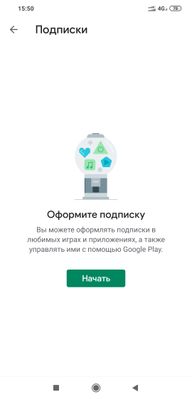
I followed the instruction, but tapping the button "manage subscriptions" I could not find "cancel subscription" button. (It shows me only "start" button.
Help me please.









 AdChoices