



Question
Want to make simple edits of PDF on iPad/Tablets? We’re here to help!
Did you know you can edit PDFs in real-time and effortlessly on your iPad and Android tablets? Let’s find out how.
Using an iPad or Android tablet?
Use Adobe Reader Mobile app to Edit PDFs through Acrobat Pro DC subscription.
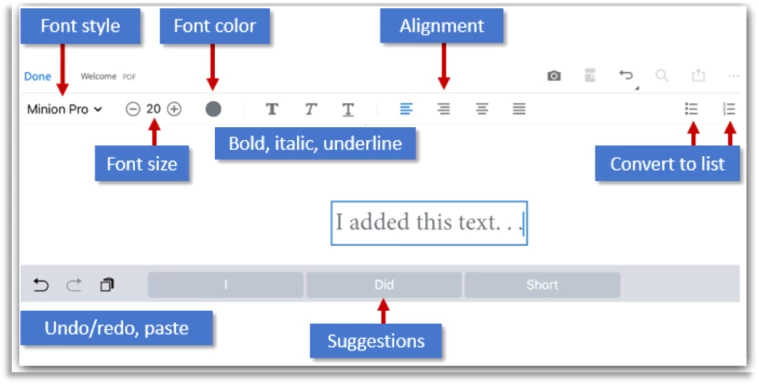
- You can add text and images. Delete, move and resize text blocks and edit text.
- You can change the font style, size, weight, color, and alignment.
- Delete, move, rotate, and resize images.
- Undo and redo actions.
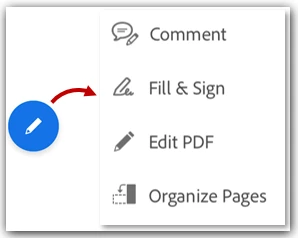
Open edit mode, tap  > Edit PDF to edit text or an image, simply tap it.
If you are one of those who don’t like to click too much, then try our video tutorial and see if that help.
Tell us if these helped you use Adobe Scan better. Join the conversation here. We are listening!
To discover a host of other great features –
Go straight to: Adobe Reader mobile app features | Working with PDFs on mobile devices
 AdChoices