


Participant
August 15, 2017
Answered

Adobe Reader - Not responding/Blank white box

  • August 15, 2017
  • 2 replies
  • 7390 views

Hi all,

I've been having this issue with my Adobe Acrobat Reader DC.

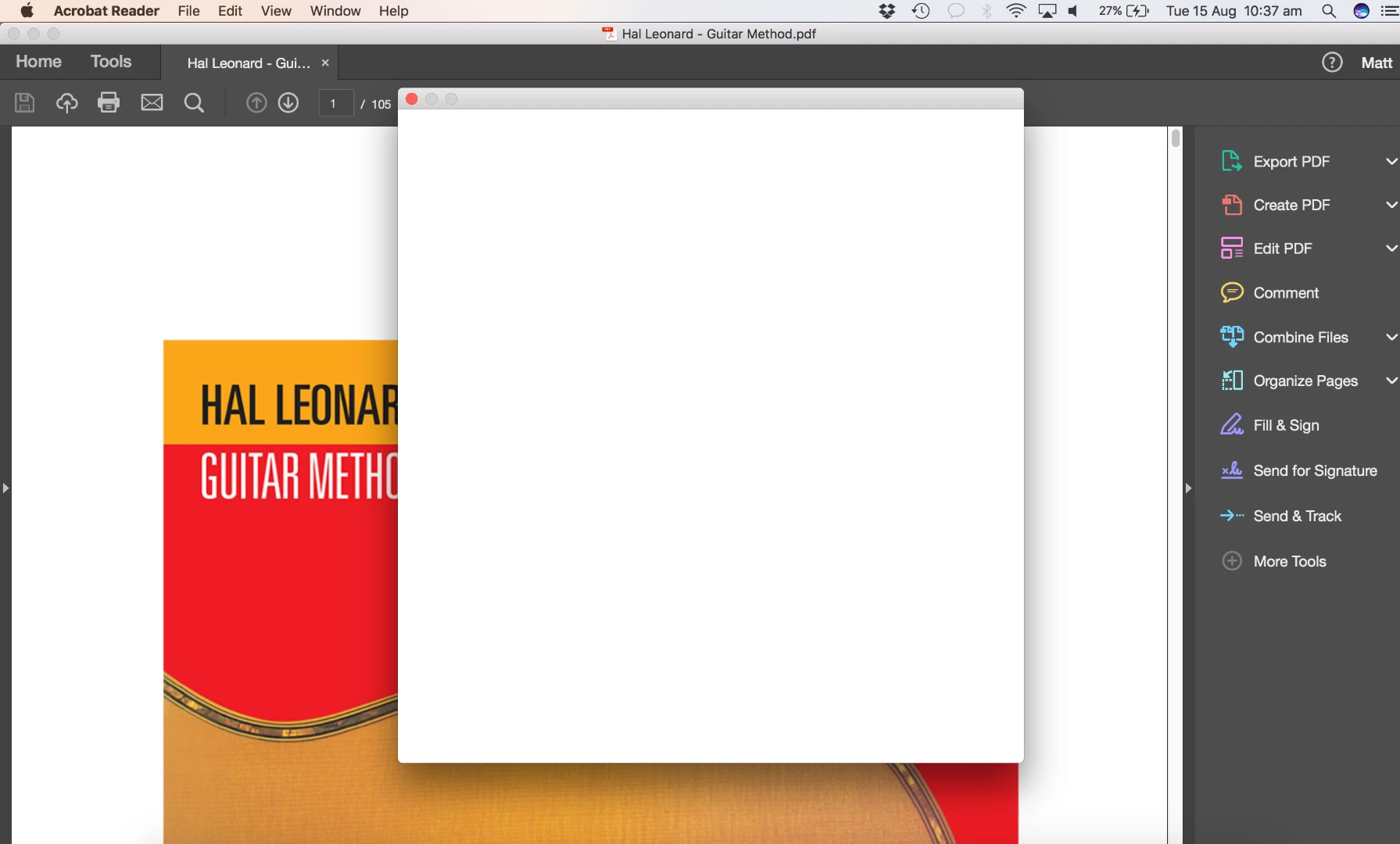
It boots up, then about three seconds later shows a blank white dialogue box that does not go away and renders the program unusable/"Not Responding"

I've trawled the forums, re installed the program a number of times and updated everything.
    This topic has been closed for replies.
    Correct answer mattd56585731

    Hi Matt,

    Thanks for the screenshots! Could you please try closing Acrobat Reader and relaunch the app, does that work?

    -Shivam


    I tried this multiple times, although couldn't select my Adobe program in the installation.

    I happened to clear my browser history (Safari) and then when I tried to open Adobe later, it begun to work without the same issue of the blank white box showing up. Now it's continuing to work fine.

    2 replies

    Participant
    January 12, 2023

    Hello Adobe Team, I am having this issue also, except the patch isnt showing up. Page pops up with a 404 error


    Adorobat
    Community Manager
    Community Manager
    August 15, 2017

    Hi Mattd,

    As per the above mentioned issue description, you are getting blank white dialogue box when launching Reader, is that correct?

    Please try installing the latest patch for Reader using this link and see if that helps:

    17.012.20095 Optional update, August 11, 2017 — Acrobat and Adobe Reader Release Notes

    (Select AcroRdr....... .dmg under Macintosh installers).

    Could you let us know the version of Reader installed on your machine: Identify the product and its version for Acrobat and Reader DC

    Awaiting your response.

    Shivam

    Participant
    August 15, 2017

    Hey Shivam,

    Thanks for your response. I downloaded the link that you sent me "AcrobatDCUpd1701220095.dmg" and went i went through the installation process, it would not let me select the Adobe Acrobat DC I had installed.

    I've attached a picture of what I could see as well as a screen shot of my Adobe Acrobat Reader info (I snapped a screenshot before the white box of death appeared)

    Adorobat
    Community Manager
    Community Manager
    August 16, 2017

    Hi Matt,

    Thanks for the screenshots! Could you please try closing Acrobat Reader and relaunch the app, does that work?

    -Shivam