


Participant
May 27, 2019
Answered

Adobe will not load my PDF

  • May 27, 2019
  • 2 replies
  • 3751 views

I feel like this question is posted a lot, but I need help.

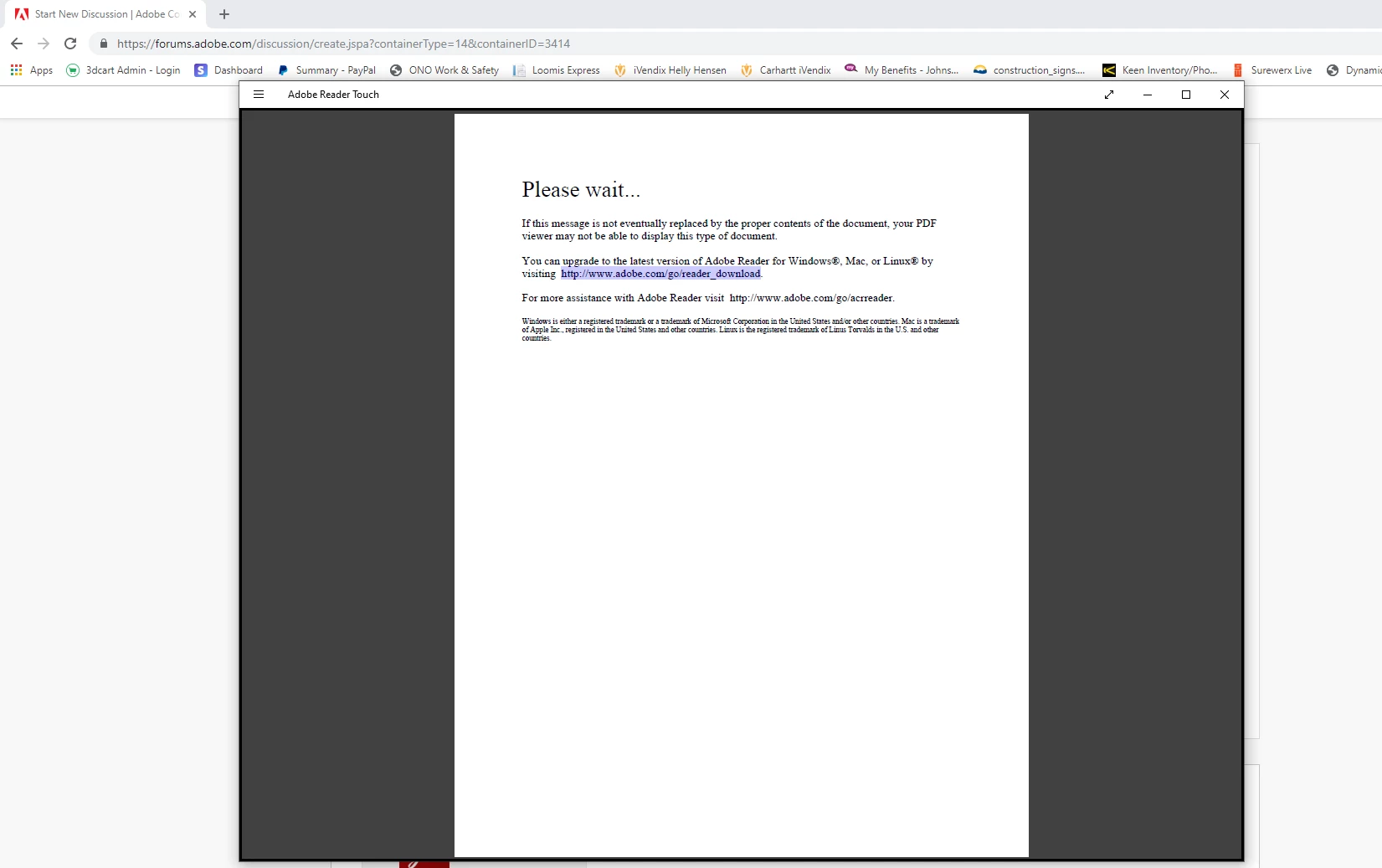
I had to re download Adobe for my new hard drive - but now it will not open my PDFs. Everything is up to date and I was able to open this file on my old hard drive.

What has changed? Did I download the wrong program?

I have attached a photo of what the error message says.
This topic has been closed for replies.
Correct answer Bernd Alheit

Use Acrobat Reader, not Adobe Reader Touch.

2 replies

Legend
May 28, 2019

Ok, while the cause is completely different, it certainly shows up in the same way.  This is a common message but 99% of people just aren’t using the right software. You mentioned Enable All Features. Does that make the regular file appear without doing anything else?  Can you share the URL of a file showing this?

Participant
May 28, 2019

Thanks for the reply, I understand and I didn't mean to hijack the OP's thread if the root cause of the problem differs from his/hers Enabling all features just freezes the reader, window turns to gray and the cursor turns into the loading icon. Waiting doesn't help, only thing that works is to end all Reader processes from Task Manager or if you happen to end the right process first, then the Reader turns back into normal and opens the document. The issue started few weeks back after the May 14th update.

I'll try to find a file from a public source that I'd be able to share. Thanks again!

Participant
May 28, 2019

This document has the same behaviour: https://www.canada.ca/content/dam/ircc/migration/ircc/english/pdf/kits/forms/imm0008enu_2d.pdf

Opens with the error message on Reader DC, enabling features and shutting down one of the Adobe Reader Process' opens the document correctly. Also happens on some documents that have not been signed, so that's likely not the issue. All the documents that do have the problem have a form in them and so far every one I've seen to cause the problem have been created with some version of LiveCycle.

Bernd Alheit
Community Expert
Bernd AlheitCommunity ExpertCorrect answer
Community Expert
May 28, 2019

Use Acrobat Reader, not Adobe Reader Touch.

Participant
May 28, 2019

For me the issue is on Acrobat Reader DC. Crosschecked on multiple machines with the same result.

Bernd Alheit
Community Expert
Community Expert
May 28, 2019

This is not the same issue.