
Participant
January 12, 2017
Answered

Windows cannot find 'c:\.....\AcroRd32.exe'

  • January 12, 2017
  • 31 replies
  • 92938 views

Every time I try to launch Acrobat reader from the start menu I get this message:
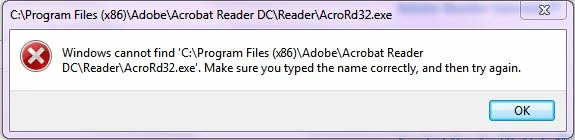
When I browse to the folder and double click on the AcroRD32.exe icon - I get the same message

When try to open a .pdf file by double clicking on it - I get the message that the file can't be found - even though I can open these files within a browser
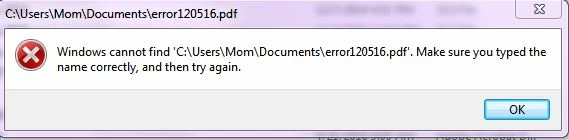
Again - I can open these pdf files (with or without acrobat?) in my browser but it doesn't seem to work independent of an HTML browser

I have uninstalled and reinstalled Acrobat Reader - please don't tell me to do that and let you know how it worked - it didn't

Thanks

Natasha

Correct answer Adorobat

Still doesn't work.


Could you please try the following steps:

1- Close Reader

2- Hold down Windows key and press R on your keyboard, this will bring up Run dialogue box.

3- Type regedit in the run dialogue box and hit Enter, click Yes when User Account Control pop-up appears.

4- Navigate to HKEY_LOCAL_MACHINE\SOFTWARE\Microsoft\Windows NT\CurrentVersion\Image File Execution Options, delete the key AcroRd32.exe

5- Relaunch Reader

31 replies

Participant
March 2, 2021

As mentioned elsewhere, I also followed the following advice and it solved my problem.:


"Windows cannot find 'C:\ (anything) Program Files (x86)\Adobe\Acrobat Reader DC\Reader\AcroRd32.exe'. Make sure you typed the name correctly, and then try again.

https://community.adobe.com/t5/acrobat-reader/windows-cannot-find-c-acrord32-exe/td-p/8835378?page=1

Also had to do this with Quickbooks pro

Could you please try the following steps:

1- Close Reader

2- Hold down Windows key and press R on your keyboard, this will bring up Run dialogue box.

3- Type regedit in the run dialogue box and hit Enter, click Yes when User Account Control pop-up appears.

4- Navigate to HKEY_LOCAL_MACHINE\SOFTWARE\Microsoft\Windows NT\CurrentVersion\Image File Execution Options, delete the key AcroRd32.exe

5- Relaunch Reader"

Participant
November 27, 2020

I don't have "Image File Execution Option" listed.

Participant
July 29, 2020

It worked perfectly with my windows 10

Thank you

Participant
June 11, 2020

061120. Was working fine then yesterday, stopped working. I've been all over, trying uninstall, reinstall, etc. Finally, above answer solved the problem. Not sure how it happened but thanks.

Participant
July 13, 2020

Thank you so much for the above fix.  I've been trying for 2 days to get the reader to work.  I had to load 2 .ddl's that some how disappeared and than uninstalled and reinstalled about 3 times without any success.  Found your suggested fix and tried deleting the acrod32.exe but that didn't work so there was another line for acrord.exe.  I took a chance and deleted it  and it is now working like a charm.   Thanks so much - still have a little hair left. 

Participant
June 11, 2020

 Perfect Solution. Thanks .

June 10, 2020

Worked like a charm! THANKS!!!!!

Participant
June 10, 2020

I just started to have this problem this AM.  Yesterday Adobe worked as it always has.  When I checked C:\Program Files (x86)\Adobe\Acrobat DC\Acrobat - I do not have AcroRd32.exe in the item listing.  I have an AcroRd32.dll.  I followed the instructions and went to Navigate to HKEY_LOCAL_MACHINE\SOFTWARE\Microsoft\Windows NT\CurrentVersion\Image File Execution Options, and deleted the key AcroRd32.exe there.  Do I need to reinstall from the Cloud?  All help is appreciated.  

Participant
June 10, 2020

Worked!!

Participant
June 10, 2020

Fantastic work.  But WHAT CAUSED THIS?  it hit all 3 of my computers in mid day.

Participant
June 10, 2020

This didn't work for me