


Participating Frequently
August 28, 2018
Answered

Conditional Formatting Color fill in Adobe Acrobat DC

  • August 28, 2018
  • 4 replies
  • 5622 views

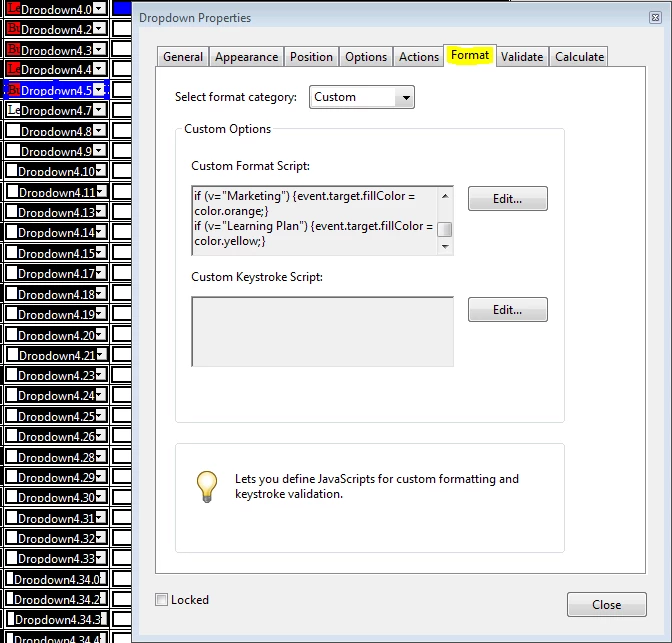
I am trying to conditionally format a field in my PDF to fill with a certain color based on the selected dropdown list's value. It seems i have gotten some traction, but the only color that works is red, and it does not change colors if I select a different value from my dropdown. I need help with my Javascript. Here is what I have so far:

var v = this.getField("Dropdown4.5").value;

     if (v="Business Now") {event.target.fillColor = color.green;}

     if (v="Business Future") {event.target.fillColor = color.blue;}

     if (v="Daily To-Do's") {event.target.fillColor = color.red;}                   

     if (v="Marketing") {event.target.fillColor = color.orange;}

     if (v="Learning Plan") {event.target.fillColor = color.yellow;}
Correct answer George_Johnson

That first line is missing getField, so it should be:

var v = getField("Dropdown4.8").value;

though it's best to get into the habit of using the valueAsString property instead when you'll be dealing with a field value as a string:

var v = getField("Dropdown4.8").valueAsString;

4 replies

JR Boulay
Adobe Expert
March 8, 2025

[MOVED TO THE ACROBAT DISCUSSIONS]

Acrobate du PDF, InDesigner et Photoshopographe
Participating Frequently
October 14, 2020

Hi! 

I am trying to conditionally format a field in my PDF to fill with a certain color based on the selected dropdown list's value. I tried adapting solutions provided to others with the same request. Unfortunately I don't understand enough about the script to come up with the right solution. I've been trying for days and would really appreciate help. 


Thank you!!

try67
Adobe Expert
October 14, 2020

You need to provide more details if you want to have help... What did you try? What were the results? What are you tryign to achieve, exactly?

Participating Frequently
August 28, 2018

try67​ it still seems to not be working. I added the double equal sign, but now no color fills no matter which value is selected. Is the rest of my script correct?

George_JohnsonCorrect answer
Inspiring
August 28, 2018

That first line is missing getField, so it should be:

var v = getField("Dropdown4.8").value;

though it's best to get into the habit of using the valueAsString property instead when you'll be dealing with a field value as a string:

var v = getField("Dropdown4.8").valueAsString;

Participating Frequently
August 28, 2018

Boom! That worked exactly as expected. Thank you George_Johnson

try67
Adobe Expert
August 28, 2018

You're using the wrong operator. The comparison operator in JS is "==". So change all the instances of this code:

if (v="Business Now")

To:

if (v=="Business Now")