


New Participant
November 20, 2021
Answered

Extract embedded excel file from pdf

  • November 20, 2021
  • 1 reply
  • 2033 views

Hi Gurus,


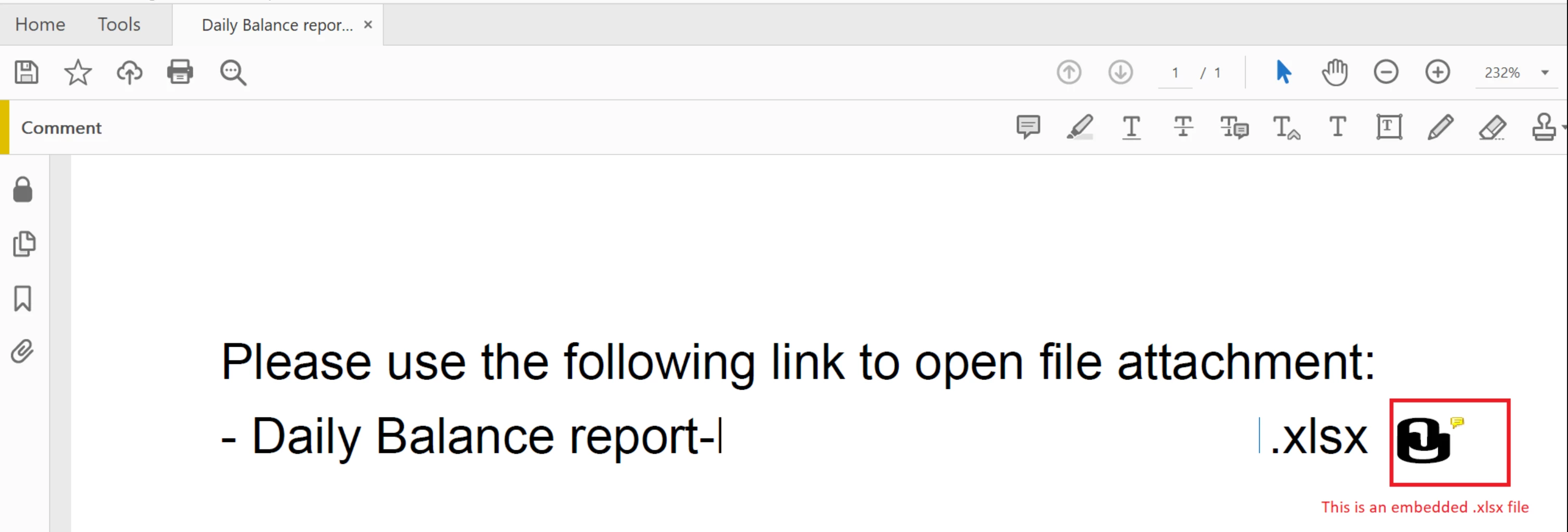
I receive a pdf file with an embedded Microsoft Excel file.  I would like to save the embedded file somewhere for further processing in Power BI.  Here is the kicker; I want to automate this process.  I don't want to have to open the pdf file, open the excel document, then save it somewhere.  I am already using Power Automate to save the pdf somewhere, but I'd like a solution to complete the workflow i.e., save the embedded excel file somewhere.  The pdf file is just the wrapper, it's really the excel file I want.
 

Thanks,

Alden.

This topic has been closed for replies.
Correct answer Conor34674886pst8

Has there been any updates on this since 2021? I've encounted the exact same issue.

Thanks, 

1 reply

Ben Vanderberg
Community Manager
Community Manager
December 21, 2021

Hi @Alden21815180ox16 ,


Our APIs do not currently offer ability to extract the embedded Excel file programmatically via Power Automate, but I have passed on your suggestion to the product team.


Your best option for getting the PDF is to open the PDF in Acrobat Reader or Acrobat and use the Attachments panel.


New Participant
November 26, 2022

@Ben Vanderberg ,
 Is there an option to Embed xml to PDF via Power Automate.