


New Participant
April 20, 2022
Question

Getting Errors trying to use the PDF embed API

  • April 20, 2022
  • 1 reply
  • 2005 views

I have tried every possible combintion of domains when trying to us this API but it always fails with 


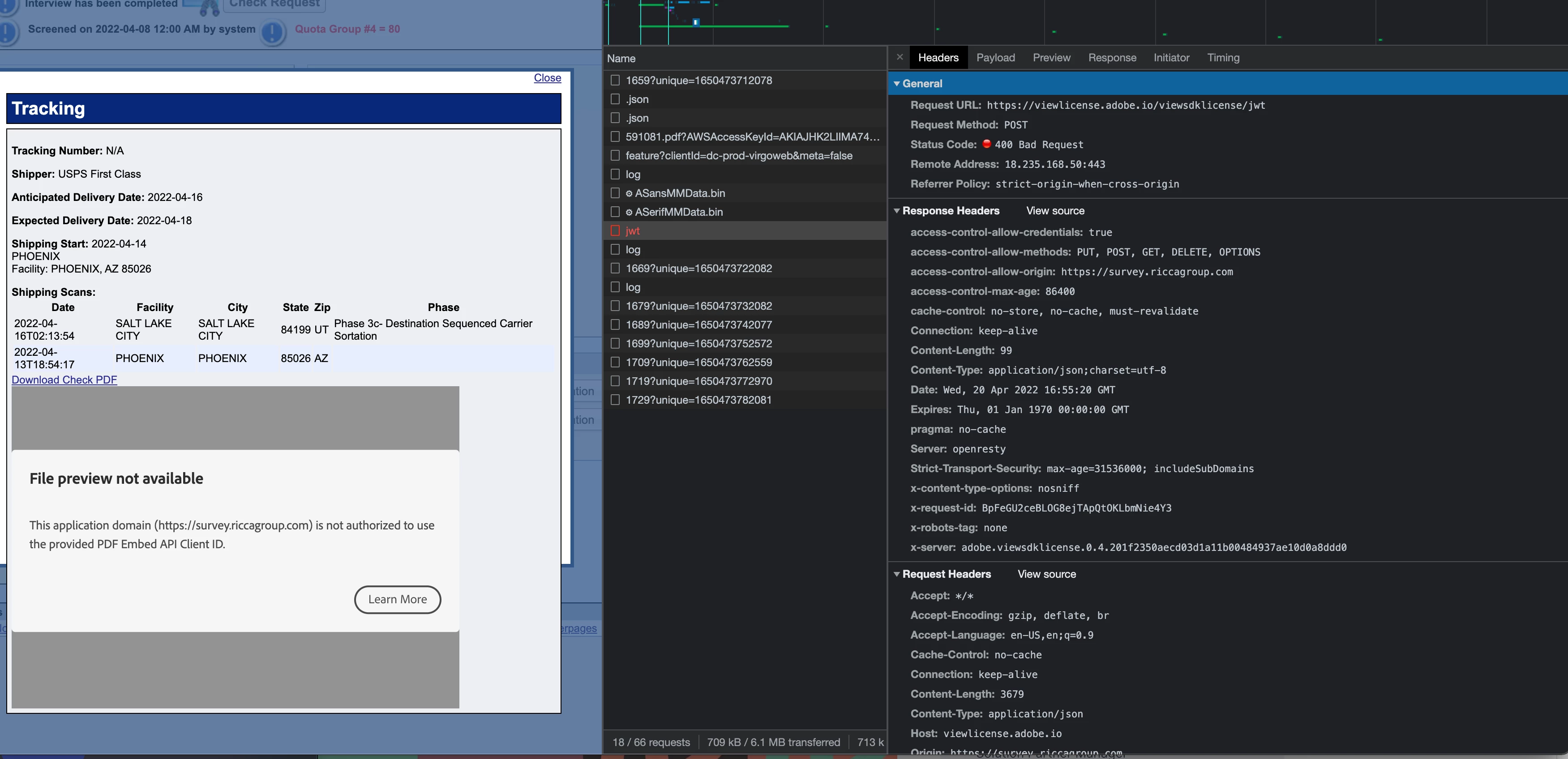
File preview not available

This application domain (https://survey.riccagroup.com) is not authorized to use the provided PDF Embed API Client ID.
 
The PDF preview will load for a split second and then this error comes up. The domains match and I have code right. Here is the code
 
var adobeDCView =
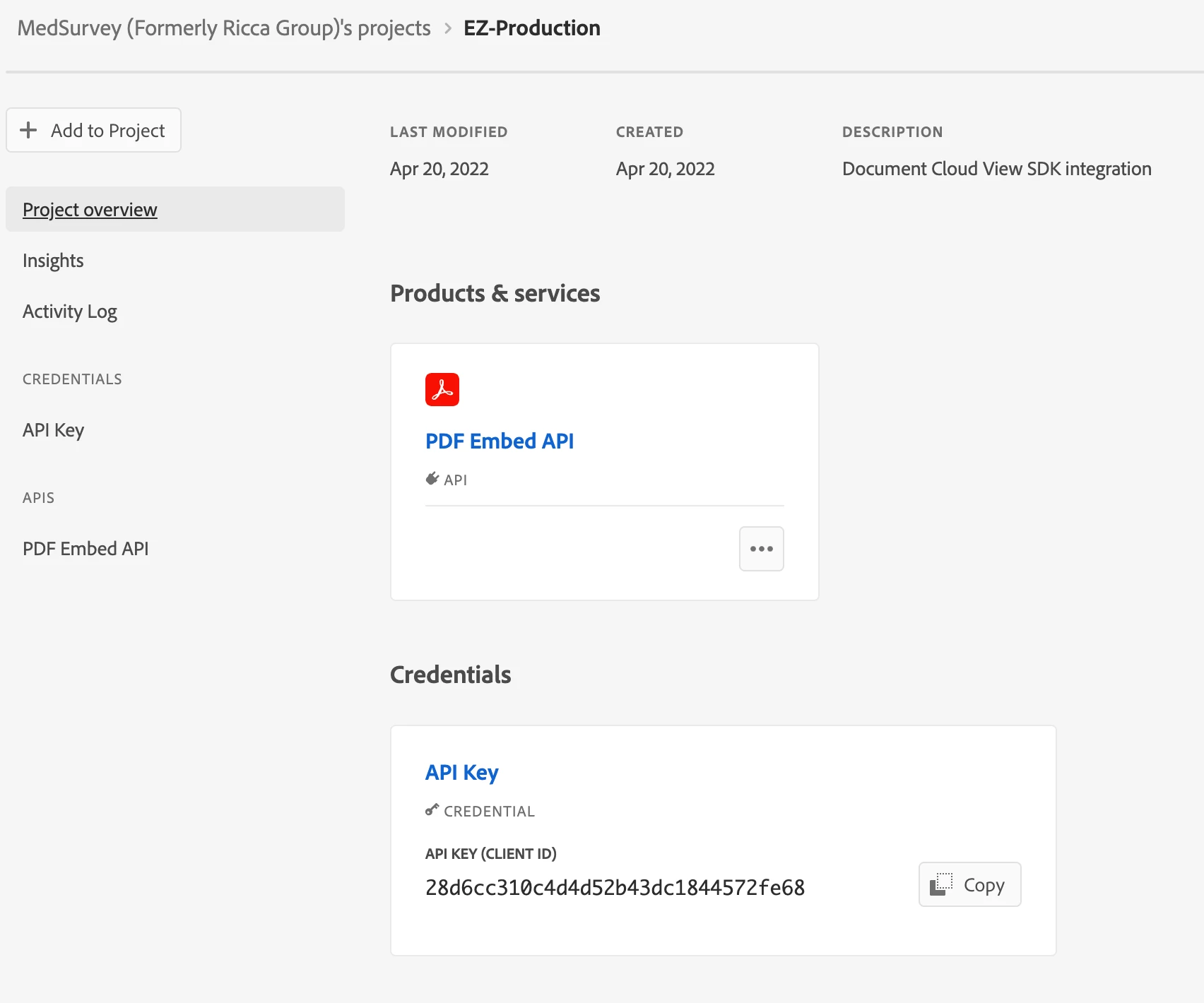
new AdobeDC.View({clientId: '28d6cc310c4d4d52b43dc1844572fe68', divId: 'adobe-dc-view'});
adobeDCView.previewFile({
content:{ location:
{ url: url}},
metaData:{fileName: "MedSurvey Check "+id+".pdf"}
},
{
embedMode: "SIZED_CONTAINER"
});


After it loads a call is made to https://viewlicense.adobe.io/viewsdklicense/jwt which then returns a 400 error and throws the error. It does not seem to matter where there PDF content is hosted, it just always throws a domain authorization error. I've tried multiple domains with the same result. Anyone else having issues with this?
    This topic has been closed for replies.

    1 reply

    Raymond Camden
    Community Manager
    Community Manager
    April 21, 2022

    Can you share a screenshot of the allowed host value from the console?

    New Participant
    April 22, 2022

    Sure Raymond, here ya go

    I was able to get it working but only after employeeing a workaround involving an iframe. In the process I learned the following.


    The error occurs after the document is rendered and the embed API does an additional validation check when data from local storage is not yet being cached that would indicate the host and key are a valid combination. When I created a new HTML page on that host using the examples provided from Adobe the PDF viewer would work in the example page. After loading a PDF in the example page the local storage would get populated and my apps page would then start working. I found that if I cleared local storage after this test and went back to my app it would start failing again. This told me that the error had more to do with the embed API's compatibility with my app and not with domain allowed host value. I think this might be due to the fact that the app I am embedding into has some older JS libraries in there (prototype.js is the likely culprit). 

    I was able to get it working by putting the content in an iframe where no other libraries are loaded except the Adobe embed API. This allows me to show it just like I was planning to but without dealing with whatever library incompatibility was happening. Although iframe isn't ideal it still gets the job done for this case.


    Raymond Camden
    Community Manager
    Community Manager
    April 25, 2022

    That's truly... interesting. Is this online where I can easily see and try to replicate?