


Question
HTML to PDF using Adobe PDF services
Hello everyone,
I am working on writing a Python code for converting PDF to HTML and vise-versa.
I have two questions:
- Is there any Adobe API enabling PDF to HTML conversion? if not, would you know any alternative? thank you.
- I am trying to write a Python code that creates PDF from HTML. using the instructions in this link. I've seen that Adobe PDF services API requires the HTML entry file to be zipped. how does this work? should I save the HTML page with its complementary content and zip the all, or save just the HTML of the input web page? thank you.
- I am trying to write a Python code that creates PDF from HTML. using the instructions in this link. But I strugle with how to precise/adapt the value of the JSON field within "cpf:inputs > params > cpf:inline" of form parameters, containing this value: <script src='./json.js' type='text/javascript'></script>
I noticed that it was said that:
In case of dynamic HTML this API allows you to capture the users unique data entries and then save it as PDF. Collected data is stored in a JSON file, and the source HTML file must include <script src='./json.js' type='text/javascript'></script>
and it was said in the link always, concerning the description of the json field:
____________________________________________________________________________
claiming that :
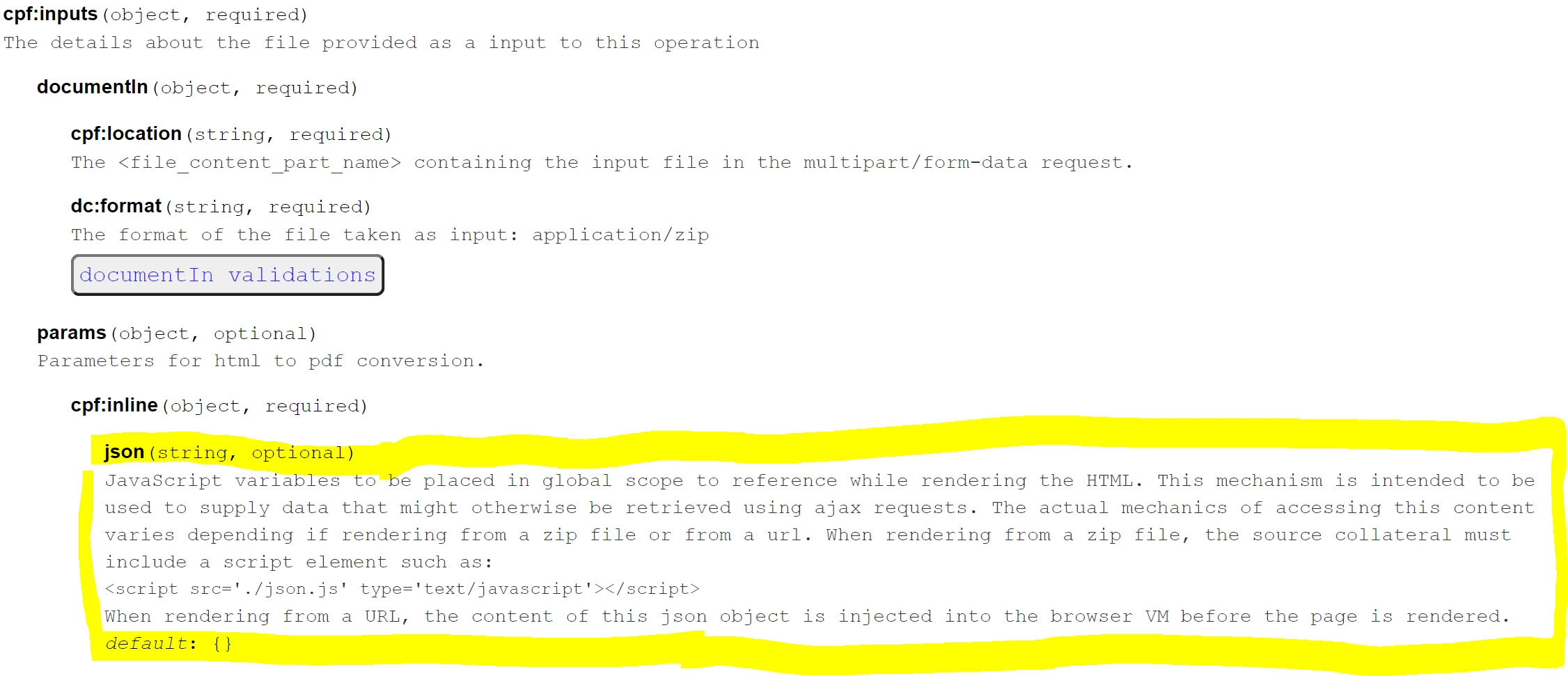
json(string, optional)

JavaScript variables to be placed in global scope to reference while rendering the HTML. This mechanism is intended to be used to supply data that might otherwise be retrieved using ajax requests. The actual mechanics of accessing this content varies depending if rendering from a zip file or from a url. When rendering from a zip file, the source collateral must include a script element such as:
<script src='./json.js' type='text/javascript'></script>
When rendering from a URL, the content of this json object is injected into the browser VM before the page is rendered.

default: {}
Could you please help with this? (If you can precise what this json brings to the conversion operation, why using it is useful? and at which step it should be used?) thanks.
Here is my current Python code:
import datetime
import json
import jwt
import os
import requests

# informations to find in Adobe user account : credentials, Generated jwt

  # credentials
client_id= "ùù" # CLIENT ID (API key)
client_secret= "$"

  # Generated jwt
jwtPayloadRaw = """
                {"exp":,
                "iss":"@AdobeOrg",
                "sub":"@techacct.adobe.com",
                "https://ims-na1.adobelogin.com/s/ent_documentcloud_sdk":true,
                "aud":""}
                """

# set input file name
inputFileName = "blog_files"

# set output file name
outputFileName = "output"

url = "https://ims-na1.adobelogin.com/ims/exchange/jwt"

# convert jwt token into a Dictionary
jwtPayloadJson = json.loads(jwtPayloadRaw)
jwtPayloadJson["exp"] = datetime.datetime.utcnow() + datetime.timedelta(seconds=30) # Adobe requires adding a field in the json token with an expiration parameter

# getting the private Key
keyfile = open(os.getcwd()+"\config\private.key","r") # points to the private key
private_key = keyfile.read()

# Encoding the jwt token using the private key
jwttoken = jwt.encode(jwtPayloadJson, private_key, algorithm="RS256")

# Requesting server authorization
accessTokenRequestPayload = {"client_id":client_id, "client_secret": client_secret}
accessTokenRequestPayload["jwt_token"] = jwttoken

result = requests.post(url, data = accessTokenRequestPayload)

# getting Bearer token from the server
resultjson = json.loads(result.text)

import requests
import time
import json

URL = "https://cpf-ue1.adobe.io/ops/:create?respondWith=%7B%22reltype%22%3A%20%22http%3A%2F%2Fns.adobe.com%2Frel%2Fprimary%22%7D"

# the bearer token written in this format : "Bearer generated_access_token"
Bearer_token = resultjson["token_type"]+" "+resultjson["access_token"]

# the headers
h = {
    "Authorization": Bearer_token,
    "Accept": "application/json, text/plain, */*",
    "x-api-key": client_id,
    "Prefer": "respond-async,wait=0"}

# the input file
myfile = {"InputFile":open(os.getcwd() + "\\" + inputFileName + ".zip", "rb")}

# open the JSON containing form parameters
with open("formatParams.json") as jsonFile:
    j = json.load(jsonFile)
    jsonFile.close()


body = {"contentAnalyzerRequests": json.dumps(j)}

resp = requests.post(url=URL, headers=h, data=body, files=myfile)

print("\nStatus of GET request: ",resp.status_code)
print(resp.text)
# print(resp.reason)

poll = True

while poll: # a loop constructed so as to write the pdf document only when its content is returned in the get response

    get_resp = requests.get(resp.headers["location"], headers=h)

    if get_resp.status_code == 200:  # the response contains output file content only if the status=200
        open(os.getcwd() +"\\"+outputFileName+".pdf", "wb").write(get_resp.content)
        poll = False
    else:
        time.sleep(5) # introduce a delay of 5s in the execution of the program if file content not yet ready

print("\nFinal Status of GET request: ",get_resp.status_code)
get_resp.content
Any help would be useful! thank you !
 AdChoices