

Participant
May 28, 2021
Question

In the form of the docx file, the condition cannot be recognized

  • May 28, 2021
  • 1 reply
  • 1764 views

The same document cannot recognize the conditional expressions in the form,



but it can recognize the conditional expressions outside the form.
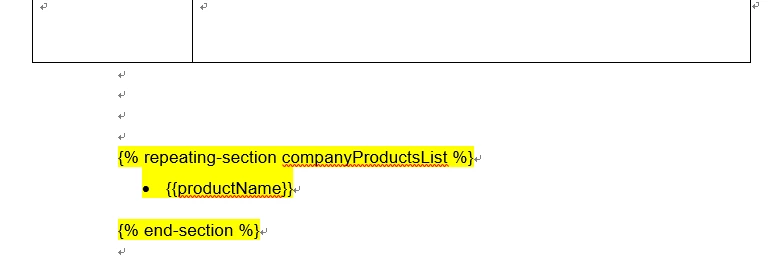


Can anyone tell me why this is?

This topic has been closed for replies.

1 reply

Ben Vanderberg
Community Manager
Community Manager
May 28, 2021

@default4xctu2zqo1f6 ,

I believe that repeating sections are currently limited to being outside of tables. You are using tables in your document for layout, and as it relates to Document Generation, tables are thought of more for tabular data where the rows are the repeating items.

I see how you are trying to use it, and I will pass your use-case back to our engineering team. However, for the time being, my understanding is that repeating sections exist outside of tables.

Participating Frequently
August 17, 2021

@Ben Vanderberg 

I'm using tables for layout control as well.  This is causing us issues as too.  We are building a certificate (landscape, left most 2/3's of page contains client info and the other 1/3 on the right has certification information).  We need to exclude line breaks and merged data if no data is presented.  Examples:


Example 1: 

Company Name

Division Name 1, Division Name 2, Division Name 3, etc...

Address


Example 2:

Company Name

Address


Can we use conditional logic in Text Boxes to PIN data to specific areas in word?


Also, how do we make a text tag multiline?  My JSON data is passing in the \r\n in the address composite but only showing as a single line in the PDF output.

Participating Frequently
August 17, 2021

Note:  I just tried conditional logic in a simple text box and it doesn't apear to work there either...