Hi @tony25020559es7i ,
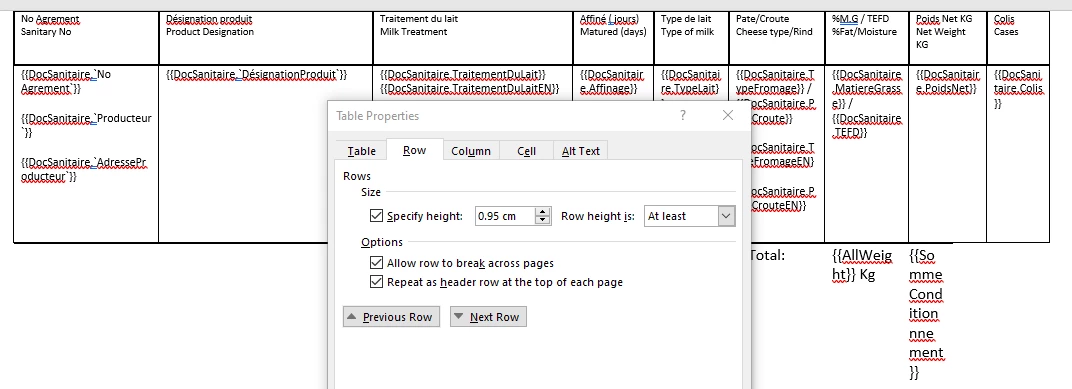
I was able to reproduce the issue with your file, but I believe it has to do with the positioning of your table. It looks like what you did was created the table and then moved the table to be at the edge of the document, which seems to break the auto-repeating headers, especially if you move the table up into where the header would be. Not having a margin at the top of the page is not generally a best practice as many of your printers might cut off that part should you need to print it at some point.
I recreated your table and had it inline and it appears to be working. All I did was use Advanced > Tables in Adobe Document Generation Tagger to insert a table with the same columns. It doesn't do anything special other than place the table. But I believe it has something to do with you using the grab tool to drag your table to the top edge.
Some other thing you might consider is to use the Layout > Margins to set the margins at the top of the page. This allows you to have more consistency across pages and you aren't having to drag the table out of being inline in the layout.
Sign up
Already have an account? Login
To post, reply, or follow discussions, please sign in with your Adobe ID.
Sign inSign in to Adobe Community
To post, reply, or follow discussions, please sign in with your Adobe ID.
Sign inEnter your E-mail address. We'll send you an e-mail with instructions to reset your password.