

gedsmurf1
Known Participant
February 8, 2021
Answered

Programmatically Toggle Comments Panel in PDF Embed API Viewiwer

  • February 8, 2021
  • 1 reply
  • 2064 views

Hello,


Is there a way to toggle the Annotation's Comment Panel programatically?
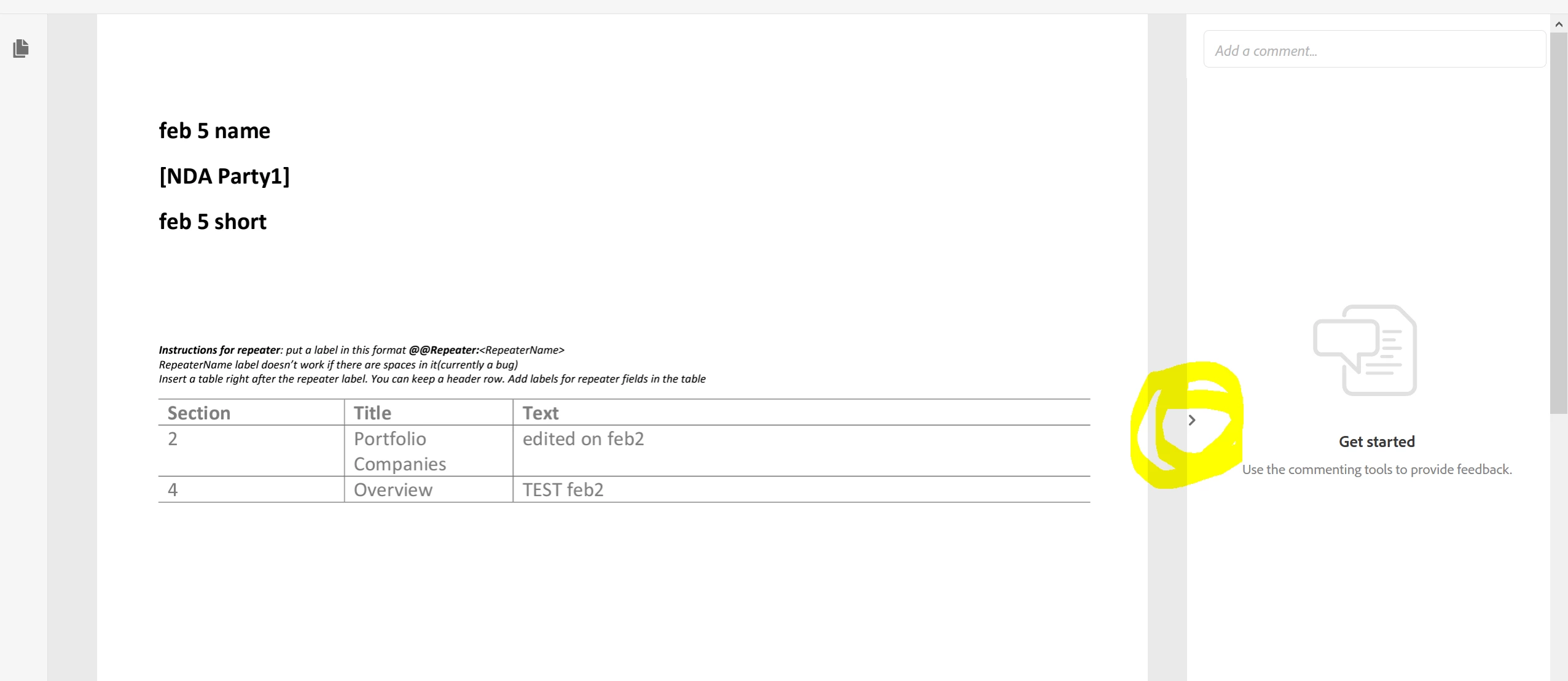
We want the Comments Panel to be shown/hidden depending on some application settings.


Thanks

This topic has been closed for replies.
Correct answer Joel Geraci

You can disable the comments pane using setting showCommentsPanel to false in the SetConfig object.

1 reply

Adobe Employee
February 8, 2021

Hi, Thanks for using PDF Embed API. Please look for setConfig API under section APIs to control UI configurations in the documentation.

gedsmurf1
gedsmurf1Author
Known Participant
February 8, 2021

Thank you for your response, I looked at the documentation but I am not sure which constant it is.


Participating Frequently
April 26, 2023

This doesn't quite answer the question. 🙂
If the comments panel is enabled, the default is that it will be in "open" state when the viewer is initially loaded.
This is oftentimes undesirable, as it takes a way a big portion of the screen.
How can I set it to be enabled, but initially be in "collapsed" state? Or asked differently, how can I toggle the open/closed state of the comments panel?


Turns out there are indeed three behaviours (which I'd call a bug):

  1. setting showCommentsPanel: true will show the comment menu button and open the comments panel on start
  2. setting showCommentsPanel: false will completely hide the comment menu
  3. not setting showCommentsPanel leads to the desired behaviour: the comment menu button is shown, but the panel remains collapsed


(Marking code with underline here because this editor doesn't seem to have in-line code formatting...)