Exit
  • Global community
    • Language:
      • Deutsch
      • English
      • Español
      • Français
      • Português
  • 日本語コミュニティ
  • 한국 커뮤니티
0

Acrobat Pro DC - updated, but missing tabs preference option

New Here ,
Jul 18, 2017 Jul 18, 2017

This is a freshly downloaded and installed version of Acrobat Pro DC on a Mac running OS 10.12.5 that is also fully updated. I was surprised when opening several PDFs at once that they all opened in separate windows, so I opened Prefs > General. However, the line for tabs is missing - see below. I've checked to make sure it's the current version, and About... shows the version as 2015.006.30306 - the current version. If I go to Help > Check for Updates, a window pops up with a progress bar for a split second and is then replaced by an alert that says "Adobe Acrobat is already up to date." See below for screenshots.

I recently migrated to this computer using a Time Machine backup, so I was thinking there might be a permissions problem. I uninstalled Acrobat Pro DC and removed all files related to it in ~/Libary/Application Support/Adobe, ~/Library/Preferences, and ~/Library/Preferences/Acrobat. Reinstalling Acrobat Pro DC and checking for updates yields the same results - it's the most current version, but has no tabs preference.

I have a copy of Acrobat XI installed (my office uses this for a legacy copy-editing process), but as far as I can tell, they are not interacting with each other. I don't have any other Adobe products installed outside of what comes in the Acrobat Pro DC installer - Acrobat, Distiller, and Uninstaller - i.e. no Creative Cloud, etc. I enter my serial # when installing, so it should be updating if any updates are available. Any idea what is going on?
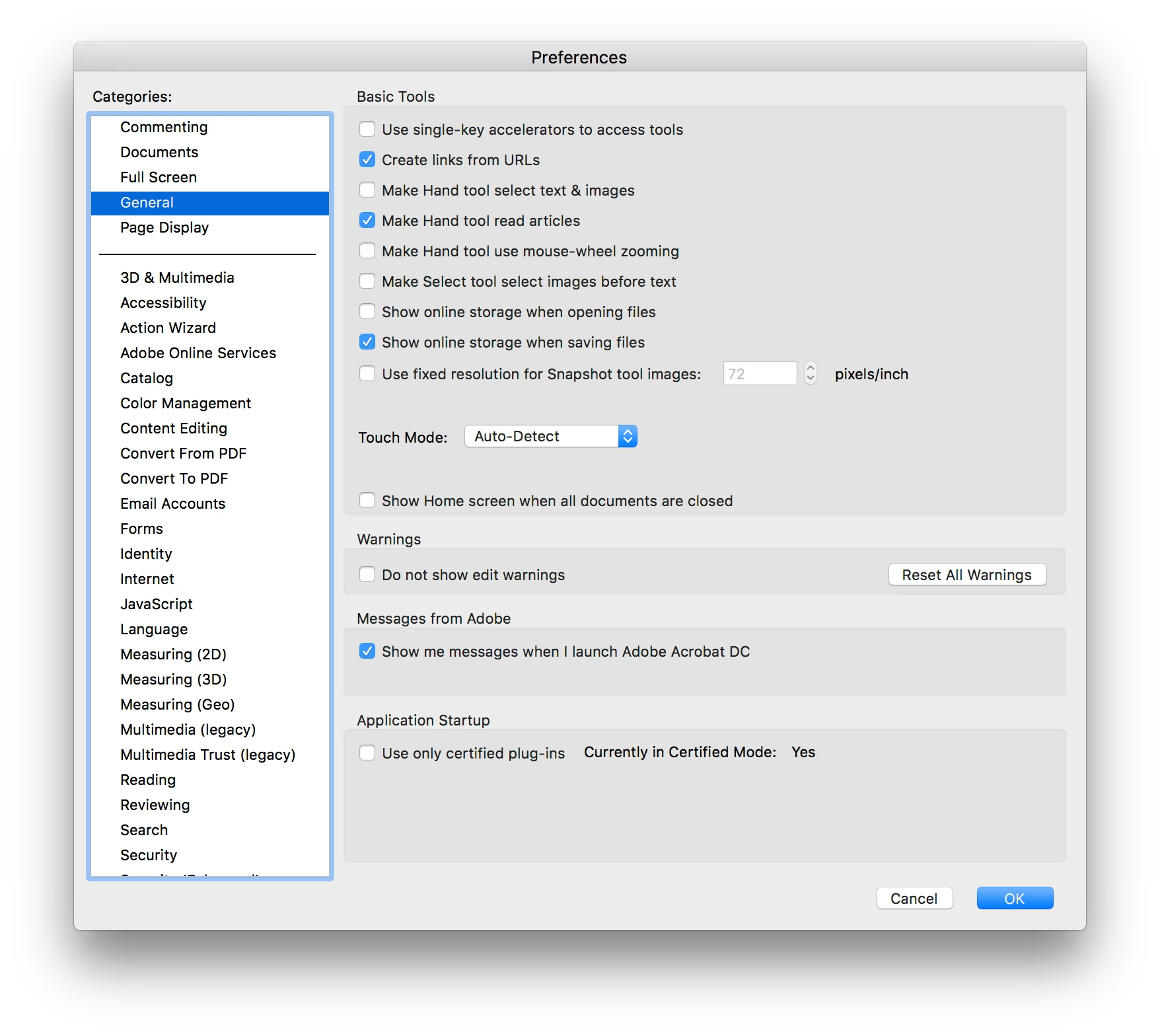
Screen Shot 2017-07-18 at 4.37.02 PM.png

Screen Shot 2017-07-18 at 4.37.19 PM.png

TOPICS
Install update and subscribe to Acrobat
3.7K
Translate
Report
Community guidelines
Be kind and respectful, give credit to the original source of content, and search for duplicates before posting. Learn more
community guidelines
1 ACCEPTED SOLUTION
Community Expert ,
Jul 18, 2017 Jul 18, 2017

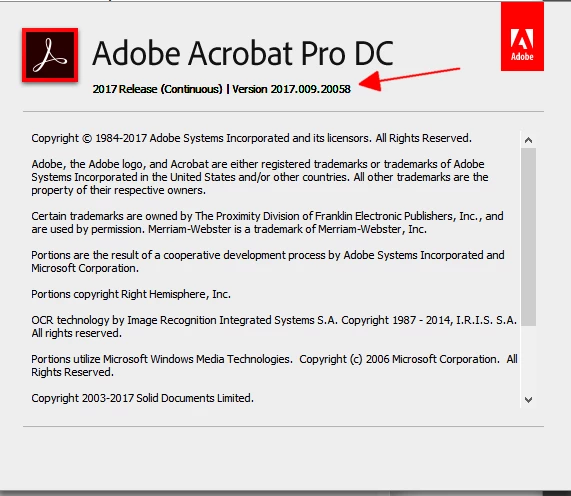
that's not the current version.  there's a 2017 version:

Screenshot - 7_18_2017 , 2_34_31 PM.png

View solution in original post

Translate
Report
Community guidelines
Be kind and respectful, give credit to the original source of content, and search for duplicates before posting. Learn more
community guidelines
Community Expert ,
Jul 18, 2017 Jul 18, 2017

that's not the current version.  there's a 2017 version:

Screenshot - 7_18_2017 , 2_34_31 PM.png

Translate
Report
Community guidelines
Be kind and respectful, give credit to the original source of content, and search for duplicates before posting. Learn more
community guidelines
New Here ,
Jul 19, 2017 Jul 19, 2017
LATEST

I should have clarified - most recent "classic" release. I was under the impression that tabbed windows had been released as an update to both the classic and continuous releases in October 2015. Perhaps I was mistaken, and the version of Acrobat I was using on the previous install was actually a continuous release.

Edit: turns out I was wrong.

WARNING: Acrobat Pro DC Classic (Standalone) Does Not Have Multi Tab Interface

Translate
Report
Community guidelines
Be kind and respectful, give credit to the original source of content, and search for duplicates before posting. Learn more
community guidelines