


Participant
May 8, 2020
Question

Can not open PDF files from my e-mails in Windows 10

  • May 8, 2020
  • 1 reply
  • 781 views

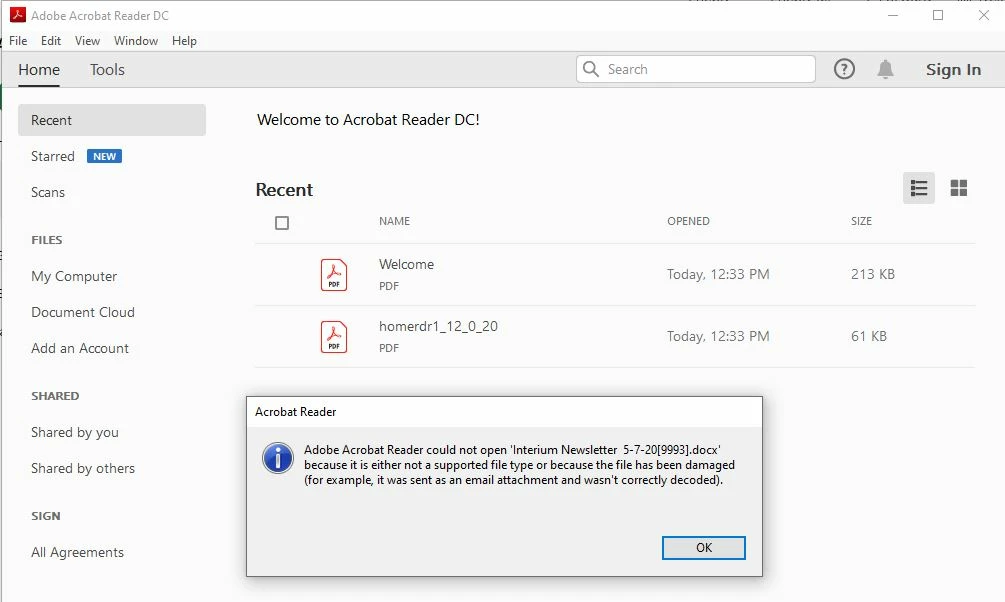
Ever since I upgraded from Windows 7 to Windows 10 I am not able to open any PDF files. I switched to Adobe acrobat DC and I still get an error code saying that the file can not be opened for it does not support it or the file is damaged. I get this from EVERY e-mail sender who sends me a PDF so I know there is nothing wrong with the PDF's the people are sending me. I checked for upgrades on Dc and nothing there. I turned off the security protocal in the sandbox and that did nothing. Below is what I see when I try to open a PDF file. Any help?
This topic has been closed for replies.

1 reply

Amal.
Community Manager
Community Manager
May 9, 2020

Hi there


We are sorry for the trouble. As described you are getting the error message 'unable to open the file as it's not supported or damaged'


As this is the issue with every PDF file you try to open, could you please share a sample PDF file with us for testing. Upload the file to the document cloud (https://documentcloud.adobe.com/link/home/) generate the link and share it with us.


Please refer to the steps provided in the help article (https://helpx.adobe.com/acrobat/kb/pdf-error-1015-11001-update.html) and see if that helps.
Note: The steps are similar for Adobe Acrobat Reader DC


If it still doesn't work, please try to repair the installation (For Windows Only) o to Help > Repair Installation.


If it still doesn't work


If it still doesn't work, please create a new test user profile with full admin rights in Windows and try using the application there and check.


Let us know how it goes.


Regards

Amal