

Answered
Can't set new signature image when signing digitally
Hi
The below error occurs when creating a new signature appearance on the latest version of Adobe DC when uploading a PDF image.
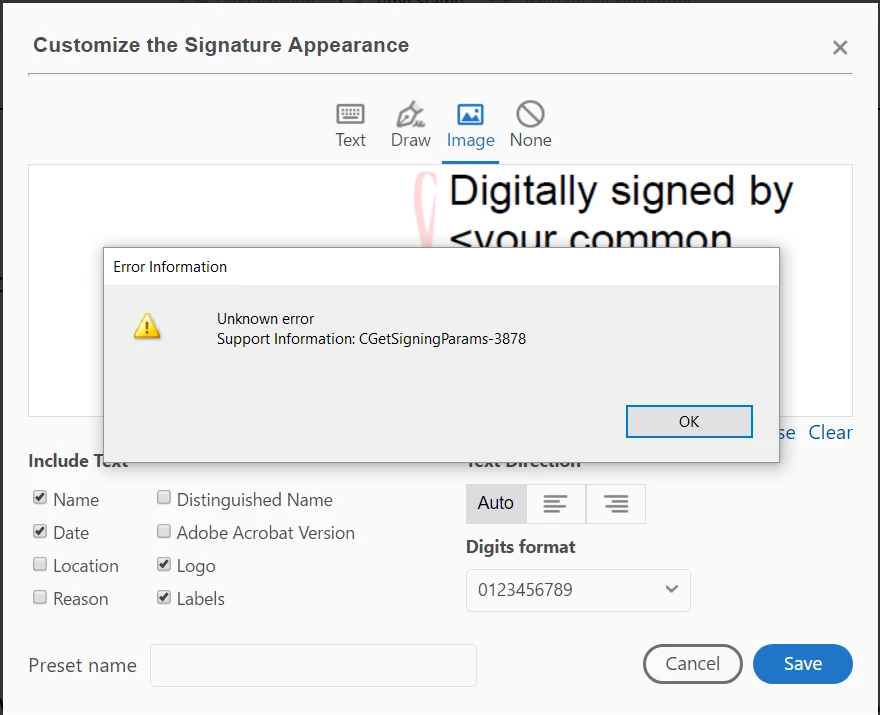
Any assistance would be appreciated.

Hi
The below error occurs when creating a new signature appearance on the latest version of Adobe DC when uploading a PDF image.
Any assistance would be appreciated.
Dear fabian45015022,
There is an issue in Acrobat Reader DC when creating a new appearance using a PDF file directly from the sign dialog. This will be fixed soon.
In the meantime here is a workaround to create an image appearance using a PDF file.
Please go to Edit-->Preferences-->Signatures-->Creation & Appearance
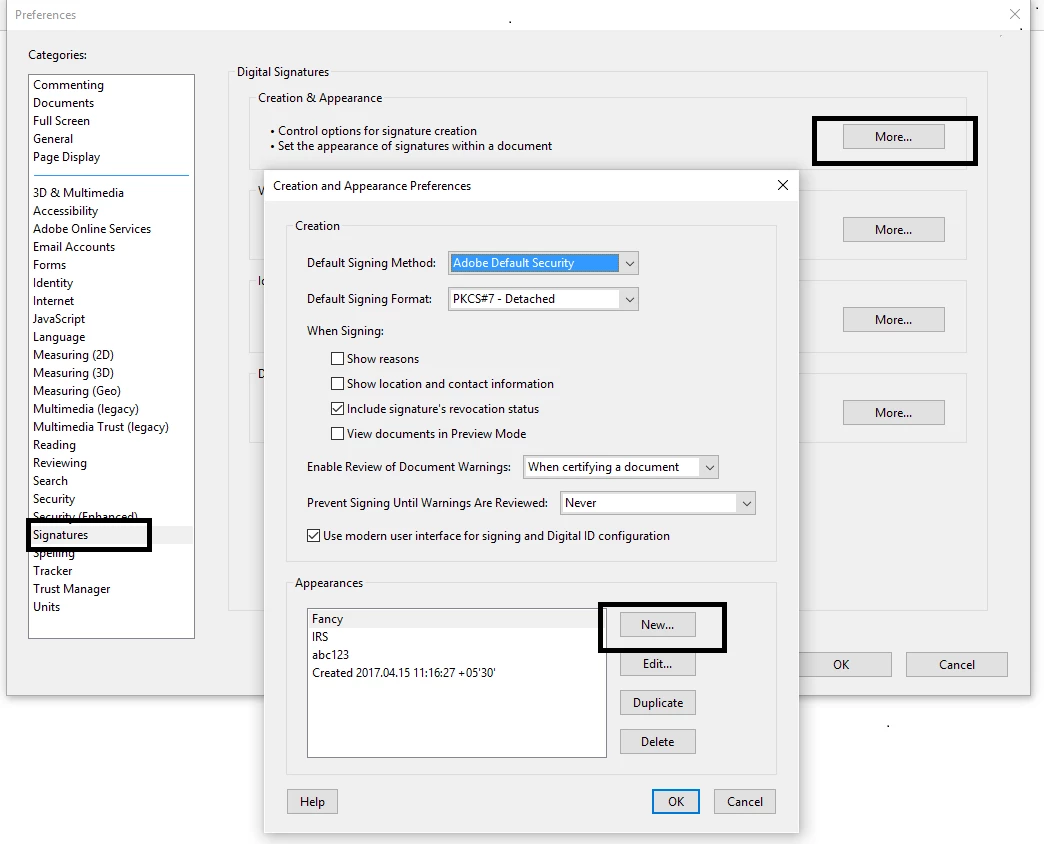
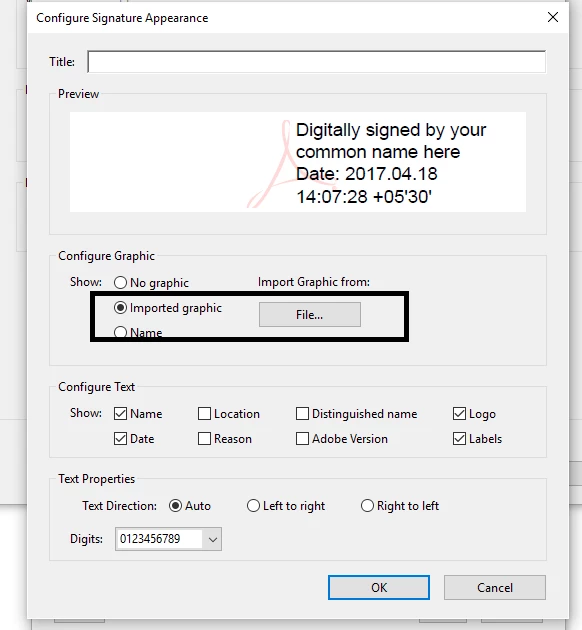
Please follow this way to create the appearance and let me know if you are facing any issue.
Thanks and regards,
Already have an account? Login
Enter your E-mail address. We'll send you an e-mail with instructions to reset your password.
 AdChoices