


Answered
Filled in form fields not printing - using Acrobat Pro on Windows 10
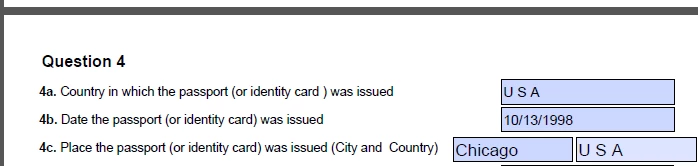
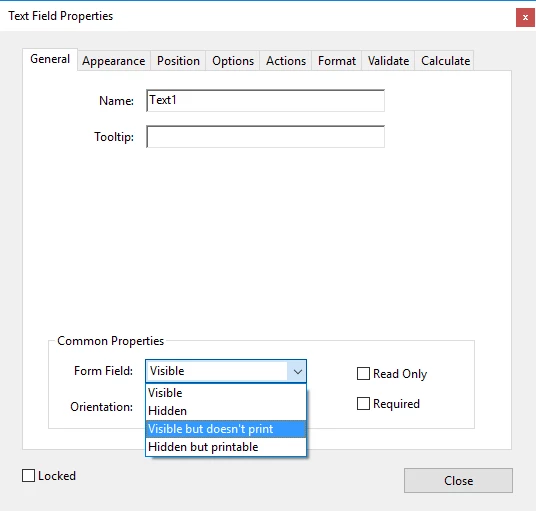
Trying to print an Adobe PDF form and I'm able to see the filled in fields in print preview but when the form prints it doesn't show the field on the paper. I have included a screen print of what the fields looks like when it is filled out on the form. The field that doesn't show when printing is the Chicago field. The other fields are showing up fine when printing. I didn't create the form. It was created by someone else and sent to a user that is having trouble getting the field to show up when printing. Can you provide me some guidance on how to get this field to show up when printing so the user doesn't have to fill to print the document and then fill out manually to submit? Thank you!
 AdChoices