

Answered
how to fill a circle with a mac
how can I fill a circle or box using a Mac? when I go to properties it won't allow me to fill with color.

how can I fill a circle or box using a Mac? when I go to properties it won't allow me to fill with color.
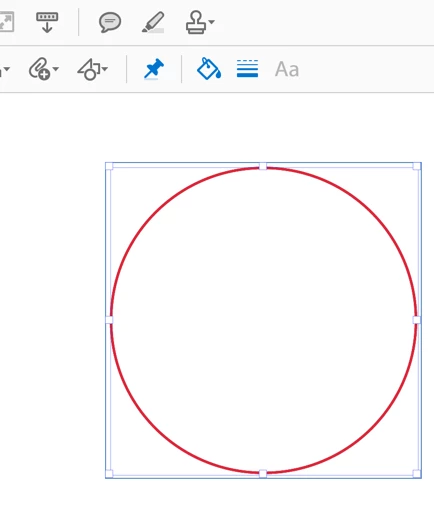
There are two ways you can apply a fill color in Acrobat 2017 (or DC). Make sure that the circle you want to apply the fill to is selected. You can see that in my screenshot by the red rectangle around it:
With the circle selected, now click on the "Color Picker" tool (the paint bucket):
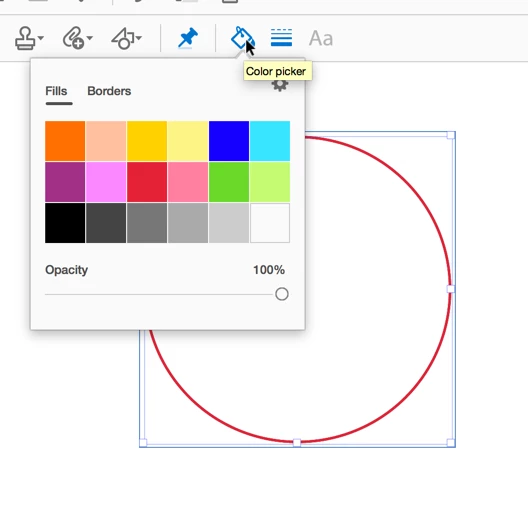
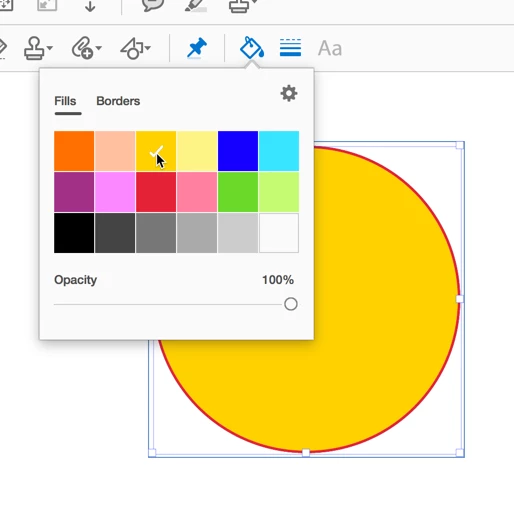
And in the last step, you can now select a color:
The second method is by using the properties toolbar, which you can display using Cmd-E. Again, make sure that the circle you want to fill is selected:
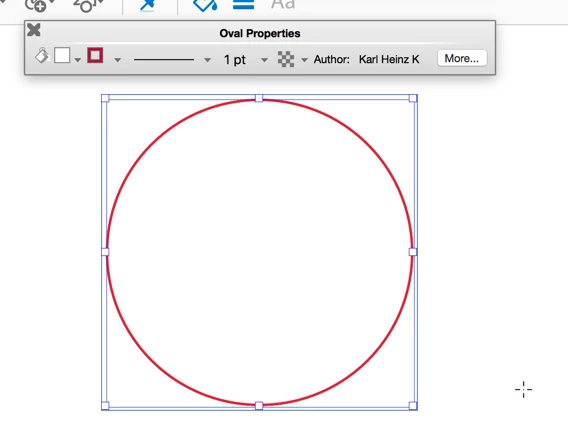
The left most tool on the properties toolbar (again, it's the paint can) is the fill tool:
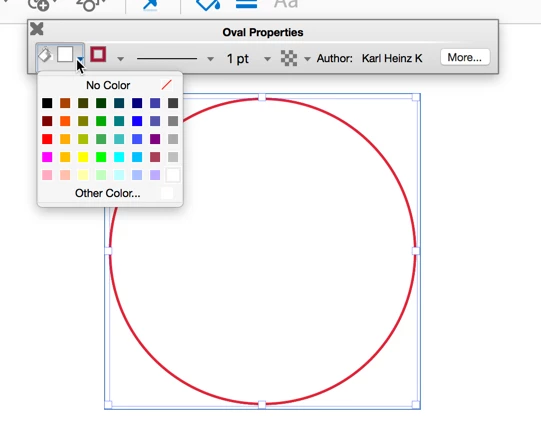
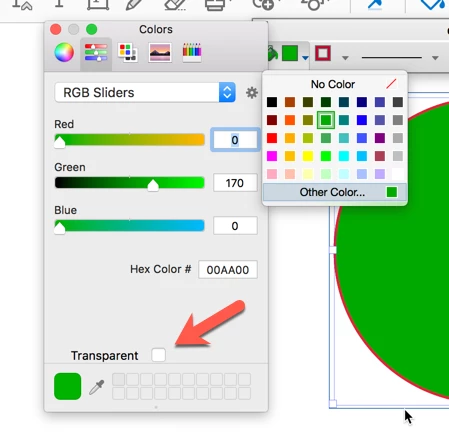
Once you select a color, it will be applied. The only potential problem you have to deal with here is when you select "Other Color...", you get the macOS color picker, and when "Transparent" is selected, it does not matter what color you select, the object will always be filled with a transparent color, which means you will see the background through it.
Already have an account? Login
Enter your E-mail address. We'll send you an e-mail with instructions to reset your password.
 AdChoices