Participant
April 3, 2018
Answered

How to turn on automatic OCR?

  • April 3, 2018
  • 1 reply
  • 12785 views

Hallo,

in der neuen Version wird beim Öffnen einer gescannten Datei nicht mehr gefragt, ob die PDF optimiert werden soll.

Diese Optimierung hatte das Bild zum einen gerade gerückt (falls der Scanner es schief eingezogen hat). Ebenso wurde die OCR-Erkennung durchgeführt.

Dieser Dialaog fehlt seit dem letzten Update. Weis jemand, ob und wie man die Abfrage beim Öffnen einer Datei wieder einstellen kann?

Vielen Dank & Gruß
This topic has been closed for replies.
Correct answer AnandSri
I do that all the time.  Here, however, OCR recognition must always be performed manually. Until recently, OCR detection always started automatically.

I want to re-enable the automatic OCR recognition and not have to edit each PDF individually.


Hello Friedrichf,

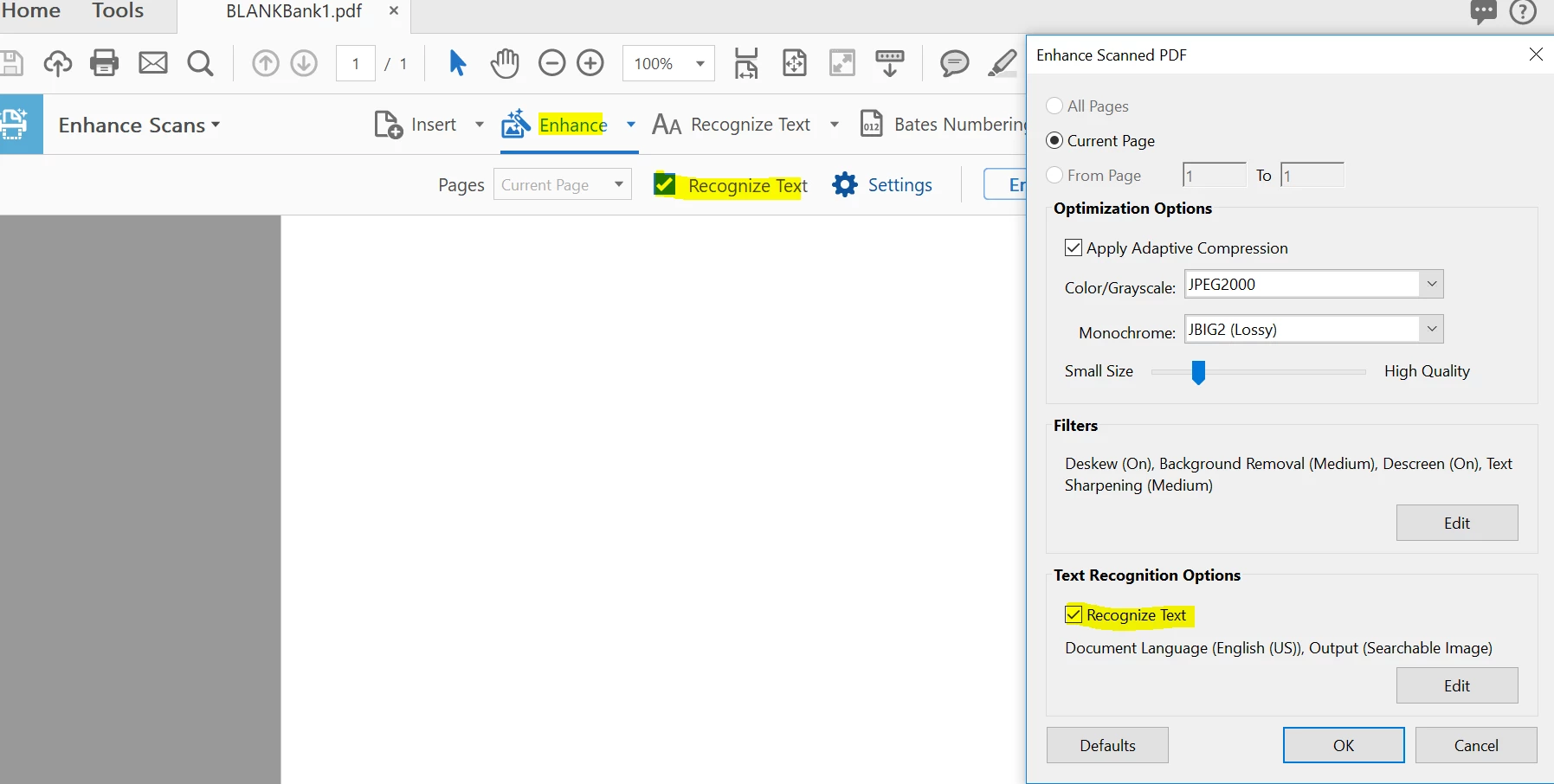
Sorry for the delayed response and inconvenience caused. Please make sure that the "Recognize Text" option is selected in the settings of Enhance Scan:

Let us know how it goes and share your findings.

Regards,

Anand Sri.

1 reply

AnandSri
Community Manager
Community Manager
April 4, 2018

Hello Friedrichf,

We apologize for the inconvenience caused, as per the description above, you want to turn on the OCR detection in a PDF, Is that correct?

To Turn on automatic OCR, in the right pane, select the Recognize text check box. From next time, Acrobat will automatically rin OCR and convert a scanned document to editable text.

You may also refer to the following doc Edit scanned PDFs, turn off automatic OCR, Adobe Acrobat

Let us know how it goes and share your findings.

Regards,

Anand Sri.

Participant
April 5, 2018

Hello AnandiSri,

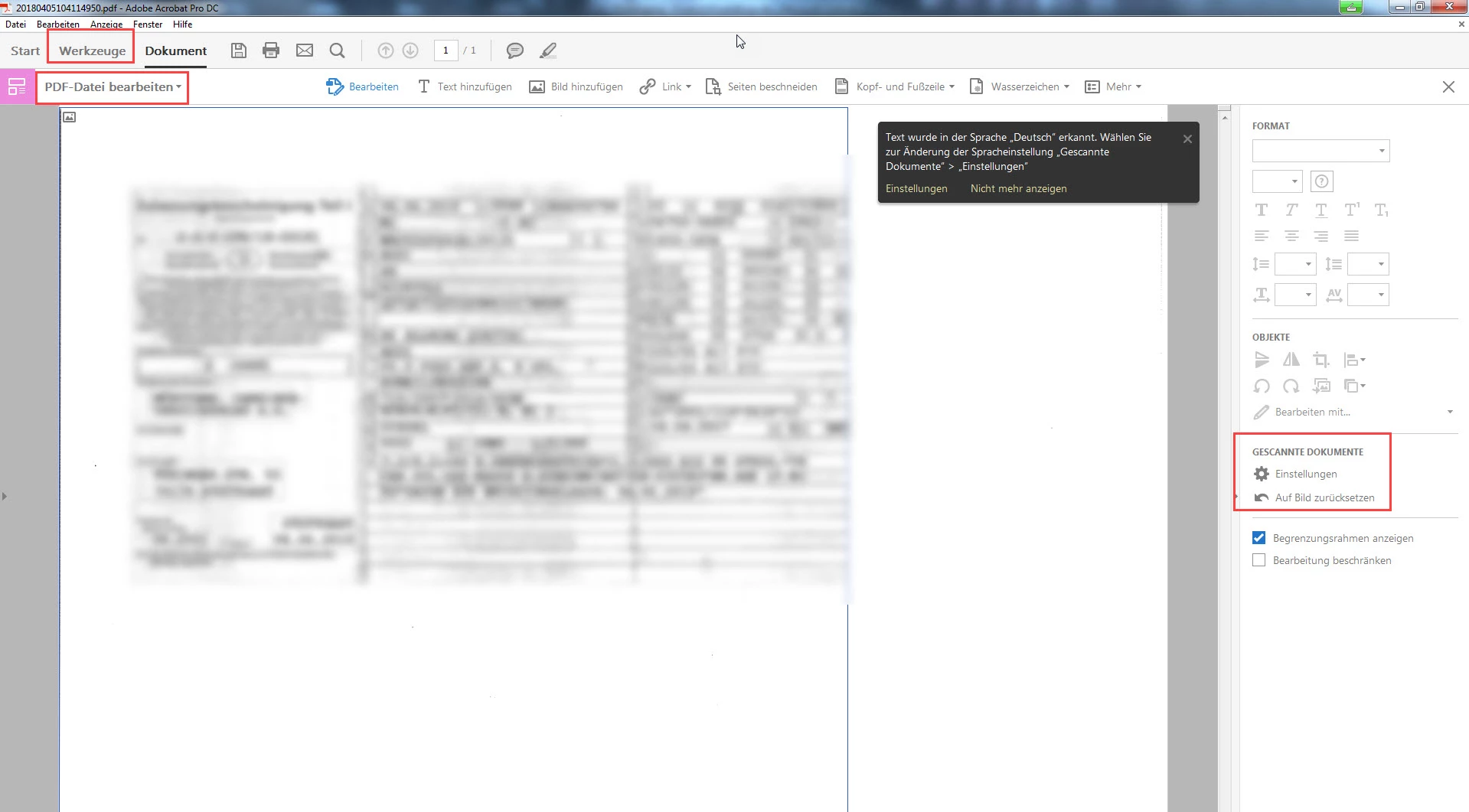
unfortunately, there is no "Recognize text check box" box in my Acrobat DC.

Under "Tools" / "Edit PDF" there is no point under the item "Scanned documents", please look at my screenshot.

Bernd Alheit
Community Expert
Community Expert
April 5, 2018

Mouse click on "Auf Bild zurücksetzen" and you will see it.