



Rename all files in portfolio before bulk export
Hello!
I used the Adobe PDF add-in in Microsoft Outlook to convert an entire folder of emails to PDF. The result was (what I think is) a PDF Portfolio. I am attaching a screenshot of what I am seeing (blacking out personal information). 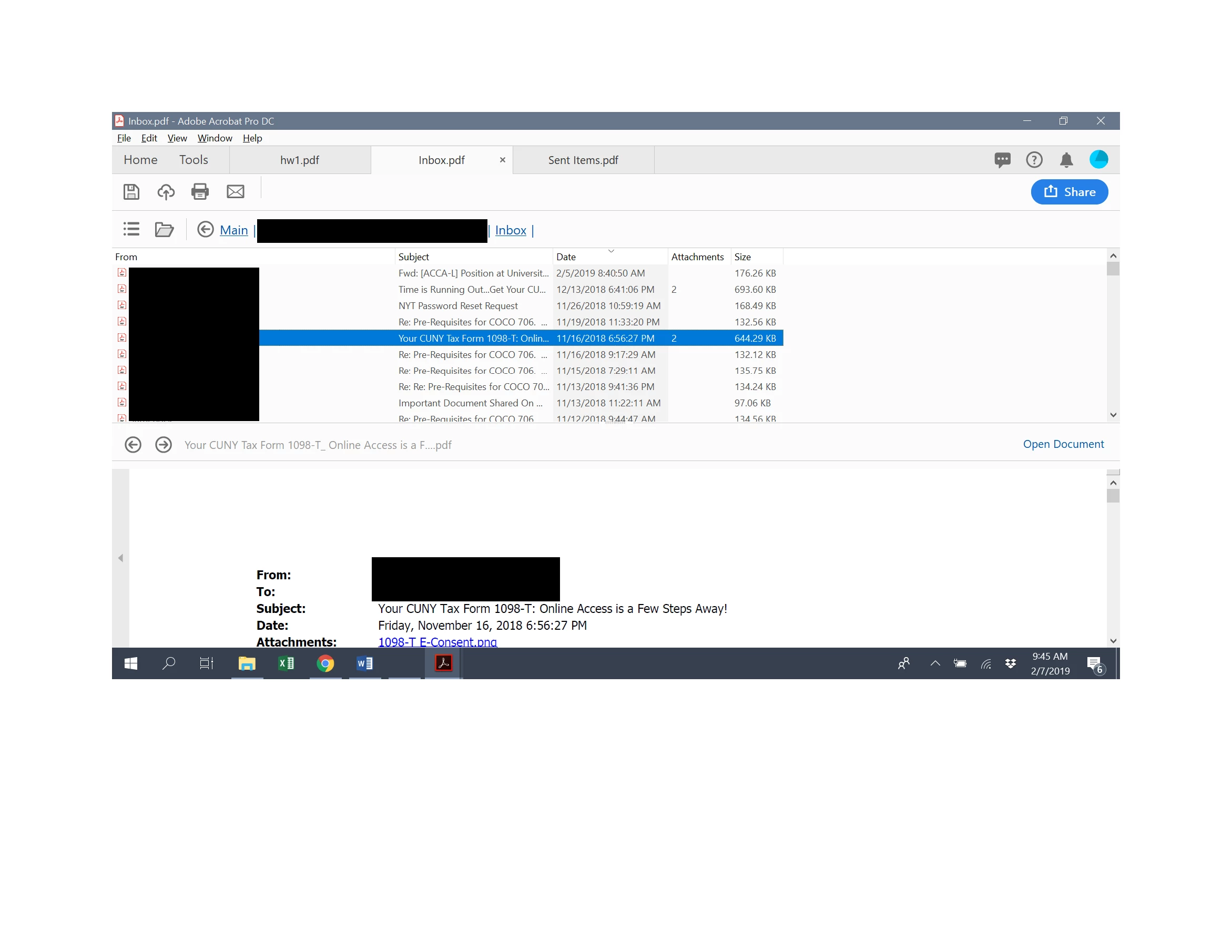
I would now like to convert each of the individual emails to separate PDF files. I am able to bulk export them by selecting all the ones I want and hitting export. However, the newly-created files are automatically named with the subject of the email. I would like the names to include the date and time sent, as well, for all the files. For example, if I export the email in the screenshot, the default name is "Your CUNY Tax Form 1098-T: Online Access is a Few Steps Away!". I would like it to be named "2018_11_16_6_56pm_Your CUNY Tax Form 1098-T: Online Access is a Few Steps Away!" (or something like that, I don't actually care about the date or time format, just that the information is included in the file name).
Is it possible to do this to all of the emails in the portfolio at once? There are several hundred, so I don't want to do this one at a time.
Thank you very much in advance for your help.
Julia
 AdChoices